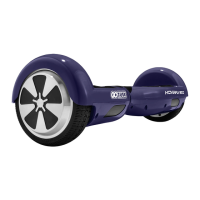
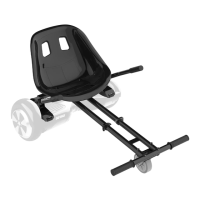
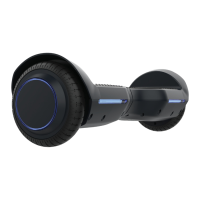
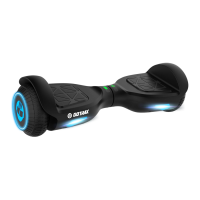
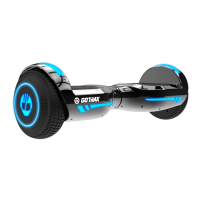
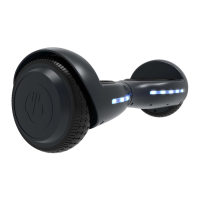
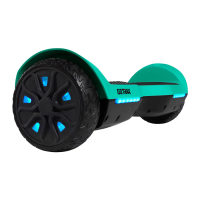
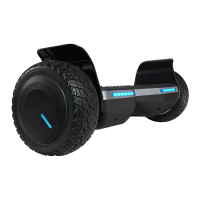
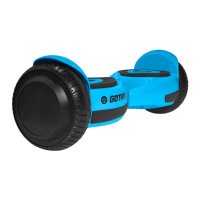
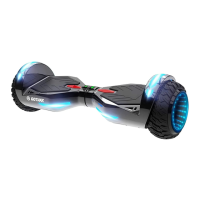
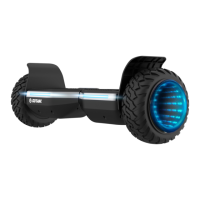
The GoTrax Hoverfly XL is a personal electric mobility device, commonly known as a hoverboard, designed for recreational use. It is a self-balancing scooter that allows riders to move by shifting their weight.
Function Description
The primary function of the Hoverfly XL is to provide personal transportation over smooth surfaces. It operates by detecting the rider's weight shifts on its footpads, which then control the acceleration, deceleration, and turning of the device. The hoverboard is designed for easy operation, with intuitive controls that respond to subtle body movements. It features a "Training Mode" to assist new riders in getting accustomed to its operation, making it accessible for beginners. The device is powered by an internal battery, which must be fully charged before use.
Important Technical Specifications
- Maximum Speed: The Hoverfly XL can reach a maximum speed of 7.4 mph (miles per hour).
- Maximum Load Rating: The hoverboard has a maximum weight capacity of 220 lbs (100 kg). Exceeding this limit is not recommended and could affect performance and safety.
- Age Restriction: The device should never be used by children under the age of 13.
- Battery: The hoverboard is powered by a battery that requires charging with an approved GoTrax power adapter.
- Charging Indicator: The charger box features an indicator light that turns red when charging and green when fully charged.
- Water Resistance: The hoverboard is explicitly stated as not waterproof. Water damage is not covered under warranty, and riding in wet conditions is dangerous.
- Operating Temperature: The scooter and power adapter should be stored in conditions that do not exceed 122 degrees Fahrenheit (50 degrees Celsius) or fall below -4 degrees Fahrenheit (-20 degrees Celsius).
Usage Features
- Power On/Off: To power the Hoverboard on or off, the user needs to press and hold the silver button located on the back of the hoverboard for 3 seconds.
- Forward Acceleration: Achieved by gently pushing down with the toes, requiring the rider to lean slightly forward.
- Backward Acceleration: Achieved by gently lifting the toes, requiring the rider to lean slightly backward.
- Turning Right: Accomplished by gently pushing down with the left toes and shifting weight to the right.
- Turning Left: Accomplished by gently pushing down with the right toes and shifting weight to the left.
- Stopping: To stop, the rider returns to an upright position with their weight evenly balanced.
- Training Mode: This mode is designed for new riders. To activate it:
- Start with the hoverboard turned off.
- Push the power button located on the back left side of the hoverboard.
- Immediately push the power button again very quickly. A longer beep will confirm the activation of the new mode. It's important not to hold the power button down, as this will likely turn the hoverboard off.
- Mounting: Riders should mount the board from the rear, identified by the power button and charging port. The process involves placing the hoverboard on the ground, stepping onto one footpad, and then quickly stepping onto the other.
- Dismounting: Always dismount from the back of the GoTrax XL.
- Optimal Riding Conditions: The hoverboard performs best on smooth surfaces such as car parks, smooth roads, and footpaths.
- Safety Precautions:
- Always wear a helmet.
- Ensure the battery is full before riding.
- Be aware of and follow local road laws.
- Do not ride under the influence of drugs or alcohol.
- Respect pedestrians.
- Avoid riding in wet conditions to prevent injury and damage to electronics.
- Keep hands and all body parts away from moving parts.
- Check the hoverboard for correct operation before each use.
- Be aware of terrain, curbs, and obstacles.
Maintenance Features
- Cleaning: Regular cleaning and maintenance are recommended to extend the hoverboard's life. If dirty, wipe it clean with a soft damp cloth.
- Prohibited Cleaning Agents: Do NOT use alcohol, gasoline, kerosene, or other corrosive chemical solvents, as these can severely damage the appearance and structure of the hoverboard. Pressure washers should also be avoided due to potential damage to electronics.
- Storage: When not in use, the hoverboard should be stored in a dry and cool location. Storing it outdoors is discouraged as sun exposure can damage its appearance and cause wear on the battery and tires.
- Calibration (Troubleshooting): If experiencing issues, calibrating the hoverboard is a common solution:
- Ensure the hoverboard is powered off.
- Adjust the foot pedals until they are level with each other and the ground.
- Press and hold the power button for 10 seconds; the LED lights will flash.
- Press the power button to turn off.
- Press the power button to turn on; the hoverboard should now be calibrated.
- Battery Disposal: Improper disposal of used batteries can seriously pollute the environment. Users are advised to comply with local disposal regulations.
- Warranty: The hoverboard comes with a 90-day manufacturer's warranty covering defects in workmanship and material. This warranty does not cover misuse, neglect, abuse, accident, or water damage. For warranty claims, users should visit gotrax.com and retain the original shipping box for potential returns or repairs.
- Updates: GoTrax frequently updates user manuals online at gotrax.com.
- Customer Service: For problems or detailed information, users can contact the customer service team at gotrax.com.

 Need help?
 General

 To Next Page