Need help?
Do you have a question about the Gotrax Nova Pro and is the answer not in the manual?
Hoverboard is not waterproof; avoid water, wet conditions, and improper storage to prevent damage and injury.
Do not modify, abuse, or operate under influence; keep hands clear of moving parts.
Adult supervision required for riders under 18; hoverboard has maximum load rating and minimum age limit.
Diagram identifying key parts like LEDs, footpads, power button, and charger port.
Details top speed, distance, weight range, battery, charger, and motor power.
Instructions for powering on/off, switching modes, and directional control.
Explanation of low battery indicators and overheat alarms for safe operation.
Guidance on cleaning with a damp cloth and storing in a dry, cool location.
This document outlines the operation, maintenance, and safety guidelines for the GOTRAX Nova Pro hoverboard, a smarter hoverboard designed for personal transportation.
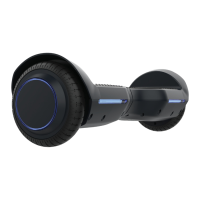
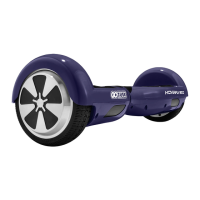
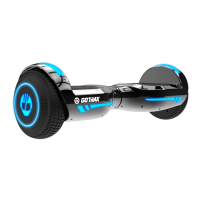
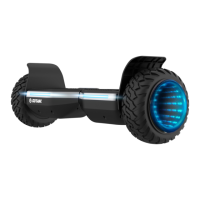
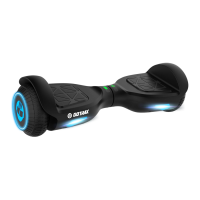
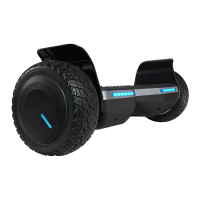
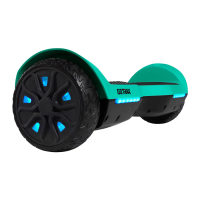
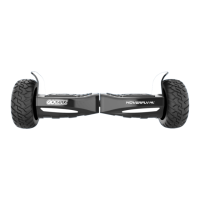
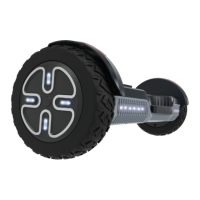
The GOTRAX Nova Pro is a self-balancing electric hoverboard that allows riders to move by shifting their weight. It features a motor for propulsion, footpads for rider control, and LED lights for visibility and status indication. The hoverboard is equipped with a Bluetooth speaker, enabling it to pair with mobile devices for audio playback. It operates in both self-balancing and non-self-balancing (karting) modes, offering versatility in riding experience. The device is powered by a rechargeable battery, and its functions are controlled via a power button.
To begin using the Nova Pro, riders must first ensure the hoverboard is fully charged using the approved power adapter. The charging process is indicated by a red light on the charger box, which turns green upon full charge. The hoverboard is powered on by pressing and holding the silver button on the back for 1 second, and powered off by pressing it twice in a row.
Riding the hoverboard involves a learning curve and requires adherence to safety precautions. Riders should always wear a helmet. Before each ride, it's crucial to check that the hoverboard has a full battery and is operating correctly. The hoverboard should be mounted from the rear, stepping onto the platform with one foot first, then quickly bringing the second foot up. Dismounting should always be done from the back.
Movement is controlled by gently pushing down with toes for forward acceleration and lifting toes for backward acceleration. Turning right is achieved by pushing down with the left toes and shifting weight to the right, while turning left involves pushing down with the right toes and shifting weight to the left. To stop, riders should return to an upright position with their weight evenly balanced.
The hoverboard includes a mode switch function. From a shutdown state, double-clicking the switch button within 1.5 seconds toggles between self-balancing and non-self-balancing modes. In self-balancing mode, the hoverboard cannot be turned off while riding but can be turned on and off in standby. In non-self-balancing (karting) mode, it can be switched on and off normally in both riding and standby states.
The Nova Pro is designed for use on smooth surfaces such as carparks, smooth roads, and footpaths. Riders should be aware of the terrain and watch out for curbs and obstacles. It is imperative to respect pedestrians and be aware of local road laws. The hoverboard should never be ridden under the influence of drugs or alcohol, in wet conditions, or in roadways, near cars, steep inclines, steps, or bodies of water. Adult supervision is required for riders under 18, and parental permission is strongly advised. The hoverboard is not suitable for children under 8 years old and has a maximum load rating of 176 lbs (80 kg).
The integrated Bluetooth speaker enhances the riding experience by allowing audio playback from a paired mobile device. To use this feature, simply power on the hoverboard, enable Bluetooth on your mobile device, search for "NOVA PRO," and connect. A voice prompt will confirm a successful connection. Ensure the mobile device and hoverboard remain within a reasonable distance for a stable connection.
The hoverboard provides alerts for low battery and overheating. When the battery is low, the hoverboard will beep and flash red LED lights, signaling the rider to dismount and charge the device. In case of motor overheating due to prolonged high-speed running, the hoverboard will beep, move slowly, and flash red lights. If the overheating continues, the control system will cut off power to prevent damage. Riders should stop riding and allow the motor to cool down when an overheat alarm occurs.
Regular cleaning and maintenance are essential to extend the life of the GOTRAX Nova Pro hoverboard. For cleaning, a soft damp cloth should be used to wipe down the device if it gets dirty. It is crucial to avoid using alcohol, gasoline, kerosene, or other corrosive chemical solvents, as these can severely damage the hoverboard's appearance and structure. Pressure washers should also not be used, as they can damage the electronics.
Proper storage is another key aspect of maintenance. When not in use, the hoverboard should be stored in a dry and cool location. Storing it outdoors is not recommended, as sun exposure can damage its appearance and cause wear on the battery and tires.
Troubleshooting common issues, such as calibration, is straightforward. If the hoverboard is not balancing correctly, it may need calibration. The process involves:
Battery information emphasizes using only the approved GOTRAX power adapter for charging to prevent fire risks and equipment damage. Improper disposal of used batteries can pollute the environment, so local disposal regulations must be followed. The hoverboard and power adapter should be stored within a temperature range of 32 to 104 degrees Fahrenheit. The manual also warns against prolonged exposure to UV rays, rain, and other elements, which can damage enclosed materials, and advises indoor storage when not in use. Only batteries and chargers specified by the manufacturer should be used.
The manual also notes that user manuals are frequently updated online at GOTRAX.com, and users experiencing problems or needing more detailed information should contact customer service. Warranty information is also available on GOTRAX.com.
 General
| Max Speed | 7.4 mph |
|---|---|
| Weight Capacity | 220 lbs |
| Charging Time | 3-4 hours |
| Wheel Size | 6.5 inches |
| Bluetooth | Yes |
| LED Lights | Yes |
| Product Weight | 22 lbs |
| Bluetooth Speaker | Yes |
| Motor | 250W |
| Battery | 36V 4.0Ah Lithium-ion |

 To Next Page