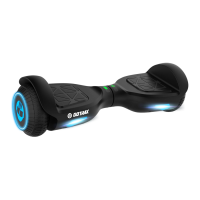
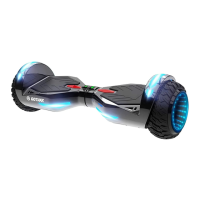
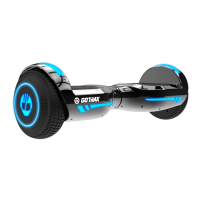
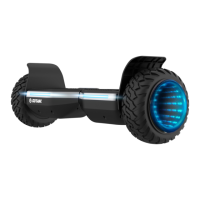
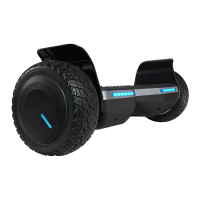
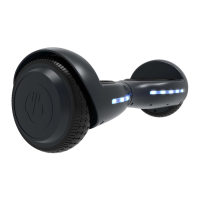
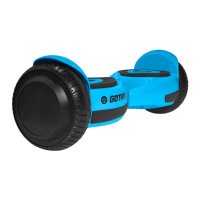
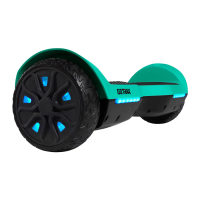
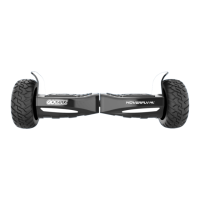
The GOTRAX E3 is a smart hoverboard designed for personal transportation, offering a blend of intuitive controls, safety features, and user-friendly maintenance. This manual provides comprehensive guidance for operating, maintaining, and troubleshooting the device, ensuring a safe and enjoyable riding experience.
Function Description
The GOTRAX E3 hoverboard is an electric self-balancing scooter that allows riders to move by shifting their body weight. It features two footpads that respond to pressure, enabling forward, backward, and turning movements. The hoverboard is powered by an internal battery and includes a Bluetooth speaker for audio playback, enhancing the riding experience.
Usage Features
Getting Started:
Before riding, it's crucial to read the entire user manual, especially for riders under 18, who require parental permission. Always wear a helmet and ensure the hoverboard has a full battery. Be aware of local road laws and respect pedestrians. Avoid riding under the influence of drugs or alcohol, and do not ride in wet conditions, as this can cause injury and damage the electronics, voiding the warranty. The hoverboard has a maximum speed of 8.1 mph.
Unpacking:
Upon unpacking, verify that you have the hoverboard and the approved power adapter/charging unit. Inspect all items for any accidental damage from shipping.
Components:
The hoverboard comes fully assembled and includes footpads, a power button, and a charger port.
Charging:
Before the first use, the battery must be fully charged. Insert the charging plug into the port. The charger box will display a red light during charging and a green light when fully charged. A full charge typically takes 2-3 hours. Only use the approved GOTRAX power adapter to prevent fire risks and equipment damage. Store the hoverboard and power adapter within a temperature range of 32 to 104 degrees Fahrenheit. Prolonged exposure to UV rays, rain, and other elements can damage the materials, so store the hoverboard indoors when not in use.
Hoverboard Functions:
- Power On: Press and hold the silver button on the back of the hoverboard for 1 second.
- Power Off: Press the silver button on the back of the hoverboard twice in a row.
- Self-Leveling Mode Off: Press and hold the power button on the back of the hoverboard for 3 seconds.
- Forward Acceleration: Gently push down with your toes. Lean slightly forward as the board accelerates.
- Backward Acceleration: Gently lift your toes. Lean slightly backward as the board accelerates.
- Turn Right: Push gently down with your left toes and shift your weight to the right.
- Turn Left: Push gently down with your right toes and shift your weight to the left.
- Slow to Stop: Return to an upright position with your weight evenly balanced.
Battery Life Indicator:
The light on the top of the hoverboard indicates the battery status:
- Blue: Full Power
- Yellow: Half Power
- Red: Low Battery
When the battery is low, the hoverboard will beep and flash red LED lights. At this point, dismount and charge the hoverboard immediately.
Riding Tips:
- Mounting: Mount the hoverboard from the rear, identified by the power button and charging port. Place the hoverboard on the ground in front of your feet, step with one foot onto a platform, and then quickly step up with your second foot.
- Dismounting: Always dismount from the back of the hoverboard.
- Optimal Surfaces: The hoverboard performs best on smooth surfaces such as carparks, smooth roads, and footpaths.
- Terrain Awareness: Be mindful of the terrain and watch out for curbs and obstacles.
- Load Rating: Never exceed the maximum load rating of 220 lb (100 kg).
- Age Restriction: The hoverboard should never be used by children under the age of 8.
Bluetooth Setup:
The hoverboard includes a Bluetooth speaker that automatically activates when the hoverboard is powered on.
- Power on the hoverboard.
- Enable Bluetooth on your mobile device and search for "YIYUN TECH."
- Click "YIYUN TECH" on your mobile device to connect. The hoverboard's Bluetooth speaker will voice a connection confirmation.
- Maintain a reasonable distance between your mobile device and the hoverboard to ensure a stable connection.
- Play music or audio from your mobile device, and it will broadcast through the hoverboard's Bluetooth speaker.
- To stop audio playback, disable Bluetooth on your mobile device.
Maintenance Features
Cleaning and Storage:
Regular cleaning and maintenance will extend the life of your hoverboard.
- Cleaning: If the hoverboard is dirty, wipe it clean with a soft, damp cloth.
- Prohibited Cleaners: DO NOT use alcohol, gasoline, kerosene, or other corrosive chemical solvents, as these can severely damage the hoverboard's appearance and structure.
- Pressure Washers: Do not use a pressure washer, as it can damage the electronics.
- Storage: When not in use, store the hoverboard in a dry and cool location. Avoid storing it outdoors, as sun exposure can damage its appearance and reduce the life of the battery and tires.
Troubleshooting (Calibration):
One common solution for hoverboard issues is calibration. Follow these steps:
- Ensure the hoverboard is powered off.
- Adjust the foot pedals so they are level with each other and the ground.
- Press and hold the power button for 10 seconds; the LED lights will flash.
- Press the power button to turn off the hoverboard.
- Press the power button to turn it back on. The hoverboard should now be calibrated.
- Note: You may need to repeat this calibration process multiple times (e.g., 3 times in a row) for it to fully take effect.
Improper disposal of used batteries can seriously pollute the environment. Always comply with local disposal regulations.
Warranty:
For detailed warranty information, visit www.gotrax.com. If you encounter problems or need further assistance, contact the customer service team at gotrax.com. User manuals are frequently updated online.

 Need help?
 General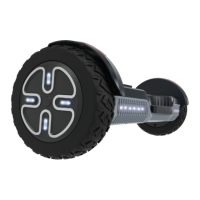

 To Next Page