EasyManua.ls Logo

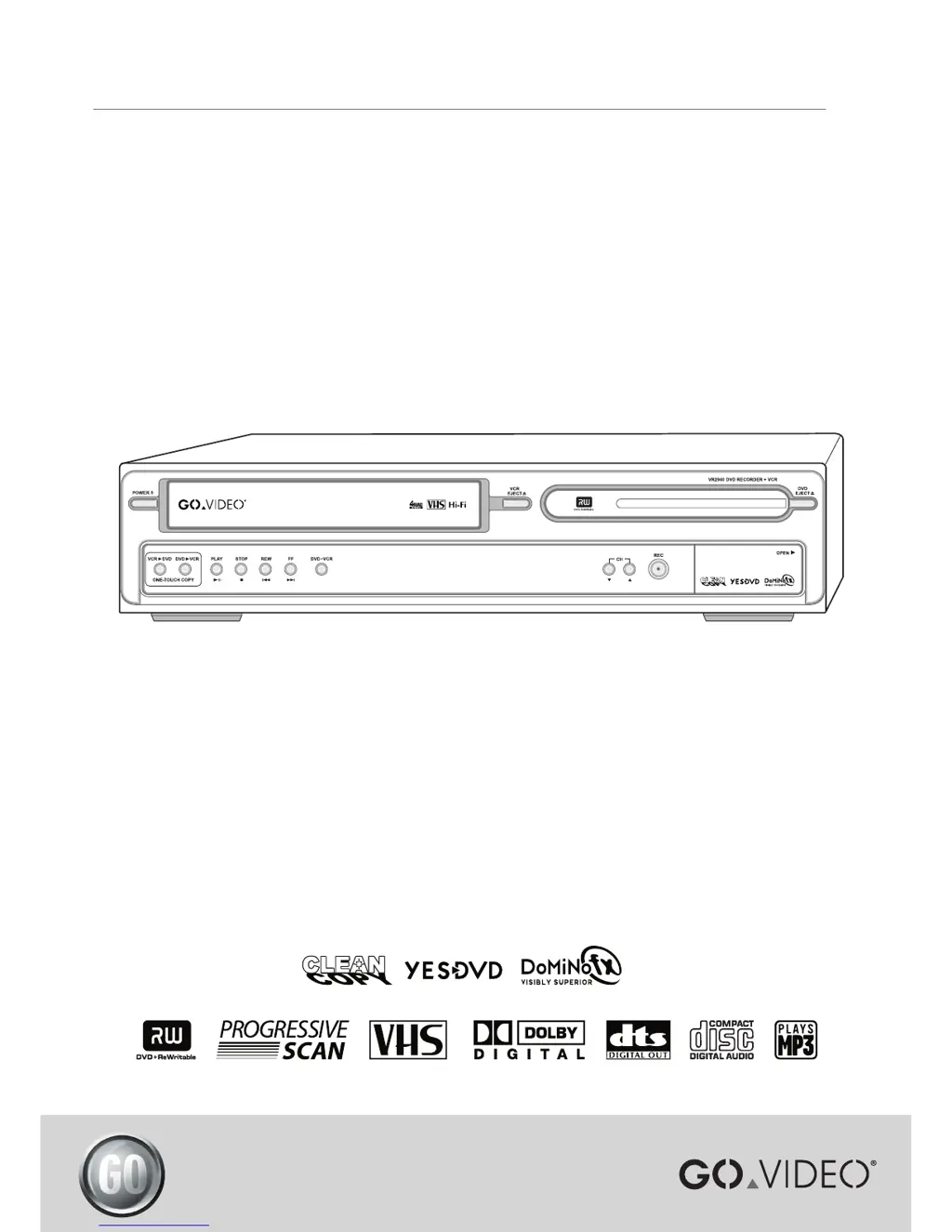
GoVideo VR2940 - User Manual

GoVideo VR2940
48 pages
Print Icon
To Next Page IconTo Next Page
Loading...


Other manuals for GoVideo VR2940

Questions and Answers

  • E
    Evan YuAug 19, 2025
    What to do if my GoVideo VR2940 remote control does not work properly?
    • T
      Tim MartinezAug 19, 2025
      If your GoVideo DVD VCR Combo remote control isn't working correctly, make sure to point it directly at the unit's remote sensor. Ensure you are within 23 ft (7m) of the unit and that there are no obstructions between the remote and the DVD VCR Combo. Also, check the batteries and replace them if necessary. If the remote is locked, press and hold the POWER key on the front panel for over 5 seconds.
  • P
    Paula MorenoAug 21, 2025
    Why is there no picture on my GoVideo VR2940 DVD VCR Combo?
    • W
      wendywilliamsAug 21, 2025
      If you're getting no picture on your GoVideo DVD VCR Combo, first ensure your TV is set to the correct input to receive the signal from the DVD VCR Combo. Check that the video cables are securely connected. Also, make sure your TV is powered on.
  • C
    Candace StewartAug 25, 2025
    Why is there no sound from my GoVideo VR2940?
    • R
      Rachel RobertsonAug 25, 2025
      If you're experiencing no sound from your GoVideo DVD VCR Combo, ensure that the equipment connected with the audio cable is set to the correct input mode. Check that the audio cables are securely connected. Verify that the equipment connected with the audio cable is turned on. If the audio cables are damaged, consider replacing them.
  • T
    Trevor HarrellAug 26, 2025
    How to fix a GoVideo VR2940 that has no power?
    • S
      snyderryanAug 26, 2025
      If your GoVideo DVD VCR Combo isn't powering on, the power cord may be disconnected. Ensure the power cord is securely plugged into the wall outlet.
  • D
    Dawn RollinsAug 28, 2025
    Why is the playback picture poor on my GoVideo VR2940?
    • E
      Earl DorseyAug 28, 2025
      If the picture quality is poor during playback on your GoVideo DVD VCR Combo, try cleaning the disc. If you are playing a tape, the tape heads may be dirty, so clean the video heads. If the tape is a rental or was recorded on another VCR, use the TRACKING+/- for manual adjustment while the tape is playing.
  • J
    Jamie FieldsAug 29, 2025
    Why my GoVideo VR2940 cannot record?
    • A
      Andrew WilliamsAug 30, 2025
      If your GoVideo DVD VCR Combo is not recording or did not record successfully, it could be due to several reasons. Ensure there is sufficient blank space remaining on the disc. If the source you are trying to record is copy-protected, it cannot be recorded. When setting the recording channel, make sure to select the channel on the DVD Recorder+VCR’s built-in TV tuner.
  • J
    Joshua LewisSep 1, 2025
    What to do if playback does not start on my GoVideo DVD VCR Combo?
    • T
      Tamara BartonSep 1, 2025
      If playback doesn't start on your GoVideo DVD VCR Combo, make sure a disc or tape is inserted, and that the disc indicator on the front panel display is lit. Ensure that the inserted disc is playable, checking the disc type, color system, and regional code. Verify the disc is placed correctly with the playback side down and within the guide. Clean the disc if it's dirty. Also, check if the Parental Control level is set and cancel the Parental Control function or change the rating level if needed.
  • B
    bsullivanSep 2, 2025
    Why can’t play disc recorded on GoVideo DVD VCR Combo on another DVD player?
    • J
      jmurphySep 3, 2025
      If you can't play a disc recorded on your GoVideo DVD VCR Combo on another DVD player, it might be because the disc was not finalized (or not made compatible if using a DVD+RW). Finalize the disc. Note that some players will not play even a finalized disc, and discs recorded with copy-once material cannot be played on other players.
  • L
    Logan ThomasSep 4, 2025
    Why is Timer Recording not possible on my GoVideo VR2940 DVD VCR Combo?
    • A
      Alisha ValentineSep 5, 2025
      If you're unable to use timer recording on your GoVideo DVD VCR Combo, first ensure that the clock is set to the correct time. If the clock is correct, the timer may have been programmed incorrectly, so reprogram the timer. Also, if the TIMER indicator light does not appear after programming the timer, try reprogramming it again.
  • A
    Angela PerrySep 6, 2025
    Why is there no stereo sound during recording and/or playback on my GoVideo VR2940?
    • J
      Jordan WattsSep 7, 2025
      If you are not getting stereo sound during recording and/or playback on your GoVideo DVD VCR Combo, this could be due to several reasons. It could be that the TV is not Stereo-compatible, or the broadcast program is not in stereo format. Ensure that the DVD Recorder+VCR A/V Out jacks are connected to the TV A/V In jacks, as stereo is only available via A/V output from the DVD Recorder+VCR. Also, verify that the DVD Recorder+VCR Audio/Video Out is selected for viewing at the TV by selecting AUX or A/V source as TV input. Check that the DVD Recorder+VCR’s TV audio channel is set to Stereo, not SAP or MONO. Try pressing the AUDIO button repeatedly to change the TV Audio Channel.

Summary

Important Safeguards

Important Safety Instructions

General Handling and Operation Safety

Guidelines for safe operation, cleaning, handling attachments, and using accessories.

Placement, Power, and Grounding Safety

Precautions for environmental placement, ventilation, power sources, and grounding.

Continued Safety Instructions

Electrical and Servicing Safety Precautions

Warnings related to electrical hazards, cord protection, and product servicing.

Connections and Setup Guide

Basic TV Connection Methods

Guides for connecting the unit to a TV via RF or Audio/Video cables.

Enhanced Video Connections

Steps for S-Video and Component/Progressive Scan video connections.

Enhanced Audio Connections

How to connect to stereo systems or digital receivers for better audio.

Initial Setup Procedure

Step-by-step guide for the initial setup process after connecting the unit.

Recording Functions

Basic TV Recording

Instructions for recording TV programs and setting recording modes.

One Touch Copying

Copying content between DVD and VHS tapes.

Timer Recording Setup

How to set up programs to record automatically at scheduled times.

Advanced Settings and Preferences

Recording and YesDVD Settings

Default quality settings for recording and enabling YesDVD.

Parental Controls and Security

Setting playback restrictions based on DVD ratings and managing passwords.

Help and Troubleshooting

Troubleshooting Common Issues

Common problems and their solutions for power, picture, sound, and playback issues.

Disc Handling and Maintenance

Guidelines for handling, cleaning, and storing discs properly to prevent damage.

GoVideo Limited Warranty Information

GoVideo VR2940 Specifications

General IconGeneral
BrandGoVideo
ModelVR2940
CategoryDVD VCR Combo
LanguageEnglish

Related product manuals