Need help?
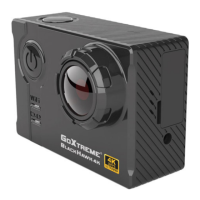
Do you have a question about the goxtreme Black Hawk 4K and is the answer not in the manual?
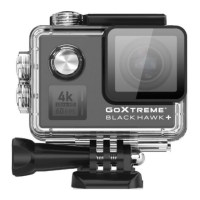
Details the key features of the GoXtreme Black Hawk 4K camera, including display, chipset, and connectivity options.
Covers inserting Micro SD cards, installing/removing the battery, and battery power indicators.
Details battery charging recommendations and how to turn the camera on/off.
Explains how to switch between camera modes and connect to WiFi via the GoAction app.
Guides on initiating video recording and taking photos using the camera buttons.
Details on burst shooting, file playback, and viewing photos/videos via the camera or app.
Lists various video resolutions, frame rates, video quality, time lapse, and image sizes.
Details the camera's sensor, chipset, photo quality settings, self-timer, and burst rate.
Information on the LCD display size and focusing mechanism of the camera.
Covers lens specifications, exposure control, ISO settings, and operating/storage temperatures.
Details white balance modes, external memory support, battery capacity, dimensions, and system requirements.
 General
| Brand | goxtreme |
|---|---|
| Model | Black Hawk 4K |
| Category | Action Cameras |
| Language | English |

 To Next Page