EasyManua.ls Logo

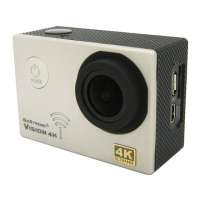
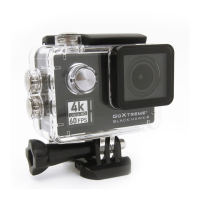
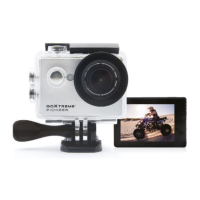
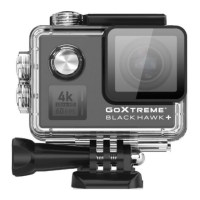
goxtreme vision4k - User Manual

goxtreme vision4k
11 pages
Print Icon
To Next Page IconTo Next Page
Loading...
1
!
!!!!!!!!!User’s!manual!
!
Warning!
"# $%&'()!*'+,!*-,!'../0./1'*,!)*,.)!*0!./0*,2*!(03/!2'4,/'!5/04!5'%%)6!)-02+!0/!14.'2*#!
7# 89)3/,!'!)31*':%,!;1)*'92,!1)!+,.*!5/04!'9(!0:<,2*)!&1*-!)*/09=!4'=9,*12!19*,/5,/,92,!)32-!')!
,%,2*/12'%!4'2-19,/(!19!0/;,/!*0!'>01;!)*/09=!/';10!&'>,)!*-'*!4'(!:,!;'4'=19=!*0!*-,!./0;32*!' 9; !
'55,2*!*-,!)039;!0/!14'=,!?3'%1*(#!
@# A,>,/!,B.0),!*-,!./0;32*!;1/,2*%(!*0 !-1=- !*,4 . ,/'*3 /,)!'9 ; !./0%09=,;!)*/09=!)39%1=-*#!
C# D,!/,2044,9;!3)19=!-1=-!?3'%1*(6!2%'))!E!0/!':0>,!F12/0!GH!I'/;!50/!*-,!:,)*!/,)3%*)#!
J# K0!'>01;!.0*,9*1'%!;'*'!,//0/6!'>01;!.%'219=!(03/!F12/0!GH!2'/;!9,'/!)*/09=!4'=9,*12!0:<,2*)#!
E# L9!*-,!39 %1+, %( !,> , 9 *!0 5!0 > , /- ,' * 19= 6!3 9 &'9*,; !)40+,!0/!3 9 . %, ' )' 9 *!) 4,%%!5/04 !*- , !; , >12 , 6!3 9. %3 = !1* !
144,; 1' *, %(!5/0 4!*-,!.0&,/!03*%, *!*0 !./ ,> , 9 *!-' M '/; 0 3 ) ! 51/,#!
N# O,,.!*-,!;,>12,!03*!05!/,'2-!05!2-1%;/,9!&-1%,!2-'/=19=#!
P# K-,!;,>12,!)-03%;!:,!)*0/,;!19!'!;/(!'9;!;3)*!5/,,!%02'*109!'*!90/4'%!/004!*,4.,/'*3/,!'9;!03*!05!
;1/,2*!)39%1=-*#!
Q# K-,!./0;32*!)-03%;!09%(!:,!2-'/=,;!>1'!%'.*0.!0/!204.3*,/!RGS!.0/*#!
"T# S,50/,!3)19=!(03/!2'4,/'!19!*-,!&'*,/!.%,'),!>,/15(!*-'*!'%%!%1;)!'9;!%02+)!'/,!*1=-*%(!2%0),;!'9;!),'%,;!
09!*-,!2'4,/'!'9;!*-,!39;,/&'*,/!2'),#!
""# $5*,/!3),6!2%,'9!*-,!-03)19=!05!)'%*!'9;!2-%0/19,!&'*,/!'9;!*-,9!%,*!1*!;/(#!
"7# K-,!2'4,/'!)-03%;!90*!:,!,B.0),;!*0!%'/=,!*,4.,/'*3/,!'9;!-341;1*(!;155,/,92,)!*0!'>01;!
209;,9)'*109!19)1;,!*-,!-03)19=!0/!:,-19;!*-,!%,9)#!
"@# $5*,/!39;,/&'*,/!3),6!*-,!2'),!43)*!:,!+,.*!0.,9!*0!'>01;!209;,9)'*109!0/!/3)*#!
"C# U,20/;19=!*14,)!'/,!;,.,9;19=!09!/,)0%3*109#!
"J# S'**,/(!%15,!*14,!V!;,.,9;19=!09!),**19=)!'9;!03*;00/!*,4.,/'*3/,!V!3.!*0!QT!419#! !
39;,/!0.*14'%!209;1*109)#!
16. After!reaching!a!max.!video!recording!time!of!max.!25!minutes!the!camera!will!automatically!stop.!
It!can!only !b e !re s ta rte d !manua lly .!
!
!
Question and Answer IconNeed help?

Do you have a question about the goxtreme vision4k and is the answer not in the manual?

Summary

Safety Warnings

Product Introduction and Features

Introduction

Provides a brief description of the GoXtreme Vision 4K camera and its capabilities.

Product Features

Lists the key features and specifications of the camera, including its resolution and connectivity.

Accessory Mounting

How to Mount Accessories

Illustrates how to attach various included accessories to the camera for different mounting scenarios.

Initial Setup and Operations

Micro SD Card Installation

Instructions for installing and formatting a Micro SD card for optimal camera performance.

Battery Management and Charging

Guidance on installing, removing, and charging the camera's battery.

Powering Camera On;Off and Mode Switching

Steps to turn the camera on/off and switch between recording, photo, and playback modes.

Video Recording and WiFi

Video Recording and Photo Shooting

Explains how to record videos and take photos, including setting configurations.

WiFi Connectivity

Steps to connect the camera to a smartphone or tablet via WiFi for remote control.

Menu Settings Explained

Menu Terms Overview

Details various menu options and settings like resolution, time lapse, HDR, and audio recording.

Image and Recording Settings

Covers settings for slow motion, date stamp, motion detection, image size, quality, and sharpness.

Advanced Camera Settings

Explains exposure, white balance, color, and ISO settings for fine-tuning image capture.

File Management and System Settings

Covers file deletion, protection, date/time settings, power management, language, and TV output.

WiFi and Formatting Options

Details on setting WiFi SSID/password, formatting storage, and resetting to default settings.

Technical Data and Compliance

Technical Specifications

Provides detailed technical data for the camera, including display, lens, resolution, and storage.

Declaration of Conformity

States the product's compliance with essential requirements of Directive 1999/5/EC.

goxtreme vision4k Specifications

General IconGeneral
Display2-inch LCD
Battery Capacity1050 mAh
Battery LifeUp to 90 minutes
Field of View170°
Wi-FiYes
Video Resolution4K (3840 x 2160) at 30fps
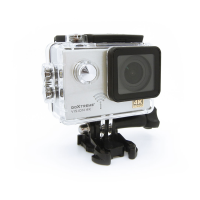
WaterproofUp to 30m with waterproof case
LensWide-angle
ConnectivityMicro USB
StorageMicroSD
Photo Resolution16 MP

Related product manuals