27
+
SECONDS
SET UP
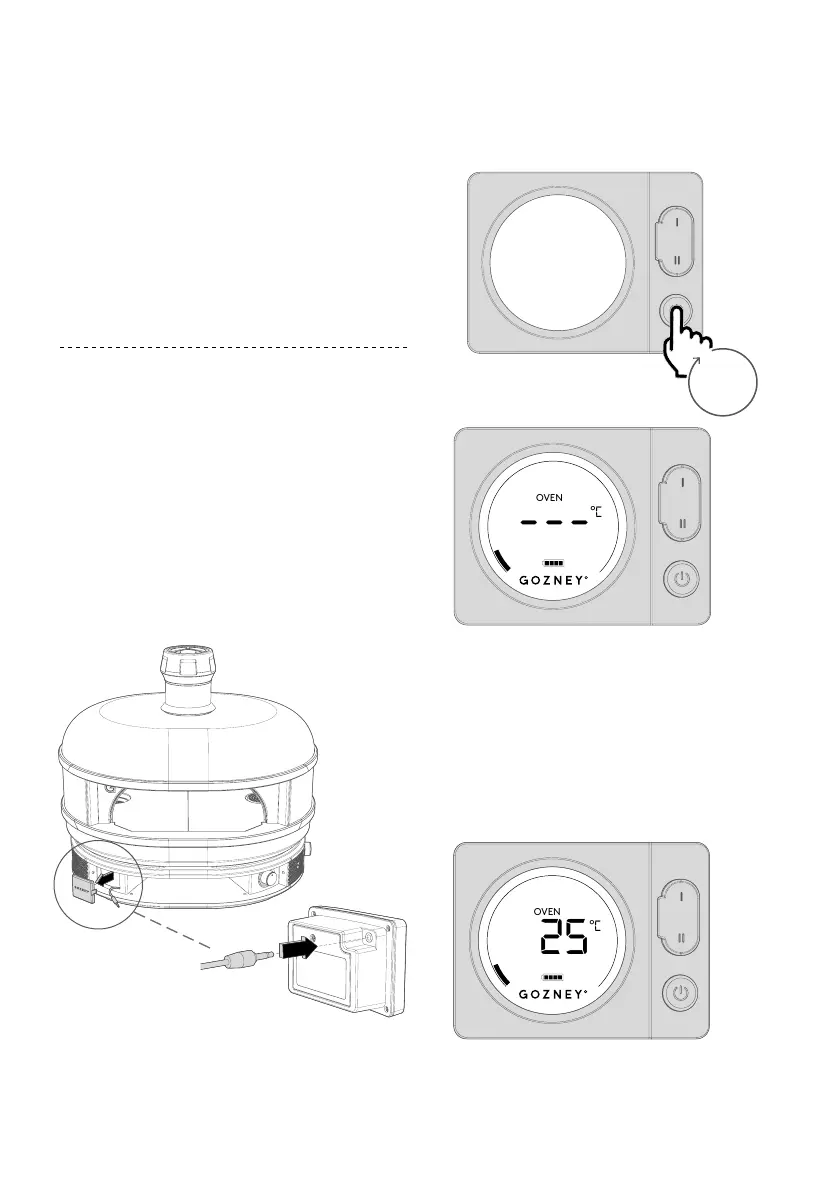
After installing the batteries hold the
power button down until the display turns
on. Find the sensors jack by removing
the plastic cap and plug it into the rear
of the display, the screen will then show
the temperature from within the oven.
The Digital Temperature Display is held
in place by magnets.



 To Next Page