EasyManua.ls Logo

GP MP15MA - User Manual

GP MP15MA
2 pages
Print Icon
To Next Page IconTo Next Page
Loading...
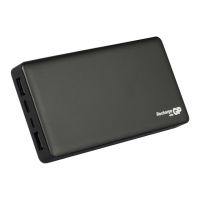
MP15MA PowerBank
Instruction Manual
Question and Answer IconNeed help?

Do you have a question about the GP MP15MA and is the answer not in the manual?

Summary

Operating Instructions

Recharging the PowerBank

Instructions for connecting the PowerBank to a power source for recharging.

Charging Other Devices

Steps to connect external devices to the PowerBank for charging.

LED Indicator Behavior

Explanation of LED indicators during charging and use.

Usage Tips and Behavior

USB-C Port Auto-Switching

The USB-C port automatically switches between input and output modes.

Troubleshooting and Normal Operation

Advice on reconnecting the cable and normal warm operation.

Product Specifications

Safety and Compliance

General Safety Precautions

Key warnings to prevent personal injury and product damage.

Environmental Disposal Guidelines

Instructions for proper disposal of electrical appliances.

Summary

Operating Instructions

Recharging the PowerBank

Instructions for connecting the PowerBank to a power source for recharging.

Charging Other Devices

Steps to connect external devices to the PowerBank for charging.

LED Indicator Behavior

Explanation of LED indicators during charging and use.

Usage Tips and Behavior

USB-C Port Auto-Switching

The USB-C port automatically switches between input and output modes.

Troubleshooting and Normal Operation

Advice on reconnecting the cable and normal warm operation.

Product Specifications

Safety and Compliance

General Safety Precautions

Key warnings to prevent personal injury and product damage.

Environmental Disposal Guidelines

Instructions for proper disposal of electrical appliances.

GP MP15MA Specifications

General IconGeneral
ModelMP15MA
DirectionalityOmnidirectional
Cable Length1.5m
TypeMicrophone
Connection3.5mm
Impedance2.2kΩ

Related product manuals