Need help?
Do you have a question about the GP U411 and is the answer not in the manual?
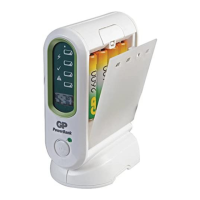
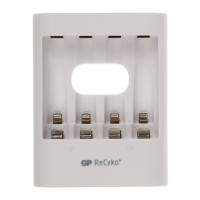
Insert 2 or 4pcs GP NiMH Batteries into GP PowerBank USB charger according to battery polarity.
Connect the micro USB charging cable to the charger and a USB port to start charging.
LED indicator remains lit when charging completes. Disconnect charger and remove batteries.
Batteries may become hot during charging and cool down afterward. Normal.
Store batteries between -20 to 35°C and operate charger between 0 to 45°C.
Use only GP Ni-MH rechargeable batteries. Do not use non-rechargeable batteries.
Do not use charger in humid conditions, if damaged, or if dropped. Do not open.
Do not use in direct sunlight. Appliance can be used by children aged 8+ with supervision.
GP ReCyko+ batteries are pre-charged. Recharge if needed. Remove after charging.
 General
| Brand | GP |
|---|---|
| Model | U411 |
| Category | Accessories |
| Language | English |

 To Next Page