EasyManua.ls Logo

GP ReCyko Pro D461 - User Manual

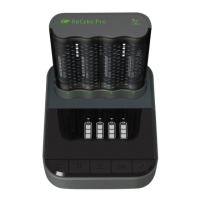
GP ReCyko Pro D461
4 pages
Print Icon
To Next Page IconTo Next Page
Loading...
Pro Charger Dock (USB) 4-Slot /
(AC) 8-Slot NiMH with LCD
Instruction Manual
D461 / D861
Unpacking and checking
You should find the following items in the packaging*. Please make sure they are undamaged and in good
working order.
Charging instructions
Pro Charger Dock (USB) 4-Slot / (AC) 8-Slot NiMH with LCD
Fig. 2 Fig. 3
D461 D861
*For exact items in the pack, please refer to “In the box” section of the packaging. The specifications of the wall charger may
vary based on the country version purchased.
USB charging cable
USB power input: 5V/2A
AC power input: 12V/2A
Charging time**
NiHM
(1–8 pcs)
Size Capacity (mAh) Charging time***
AA 1300–2600 mAh 0.9–3.6 hrs
AAA 650–950 mAh 1–3 hrs
** Charging time varies with different power input and battery capacity in different charger ranges. Please refer to
corresponding charger instruction manual for details.
***Charging time refers to charging one or two P461 battery chargers.
LCD display indications and function buttons
Slot Selection
Battery Selection
Function Mode
Pause/Resume
Confirmation
D861
a) Slot A selected
b) Slot B selected
c) All slots selected
a) Selected battery
b) No battery
c) Bad or single-use battery/error
(flashing)
a) Fast charging mode
b) ECO charging mode
c) Capacity check mode
d) Conditioning mode
e) Refresh mode
f) Recovery mode
0% 30% 60% 90% 100%
AC wall charger (D861)
For details of each function
mode, please refer to the
“Function modes” section.
Fig. 4a Function buttons
Fig. 4c Charging status
Fig. 4b Slot selections
Fig. 4e Function modes
a
b
c d e f
a b c d e
a b c
d) Aging battery,
replacement
recommended
e) Standby
Fig. 4d Charging progress
Battery capacity
Go to gpbatteries.com for instruction
video and product information
D461 D861
P461 Battery Charger
Fig. 1a Fig. 1b
D461
D861
Question and Answer IconNeed help?

Do you have a question about the GP ReCyko Pro D461 and is the answer not in the manual?

Summary

Unpacking and Checking

LCD Display and Function Buttons

Charging Status Indications

Displays the status of battery charging, including selected battery, no battery, or error states.

Slot Selection

Allows selection of individual slots (A, B) or all slots for charging operations on the D861 model.

Charging Progress Indicators

Visual representation of the charging process from 0% to 100%.

Function Buttons Overview

Details the function buttons for slot selection, battery selection, mode selection, and confirmation.

Charging Instructions

Function Modes

Fast Charging Mode

The default charging mode that starts automatically after 5 seconds if no other mode is selected.

Eco Charging Mode

Optimizes NiMH battery lifespan with a longer charging cycle.

Capacity Check Mode

Checks the maximum battery capacity of slow charging or aging batteries.

Conditioning Mode

Restores batteries that have been over-discharged or stored for over a year.

Refresh Mode

Discharges battery fully to measure capacity, then recharges it.

Recovery Mode

Restores capacity of batteries used for many charging cycles.

Usage Tips

Safety Information

Summary

Unpacking and Checking

LCD Display and Function Buttons

Charging Status Indications

Displays the status of battery charging, including selected battery, no battery, or error states.

Slot Selection

Allows selection of individual slots (A, B) or all slots for charging operations on the D861 model.

Charging Progress Indicators

Visual representation of the charging process from 0% to 100%.

Function Buttons Overview

Details the function buttons for slot selection, battery selection, mode selection, and confirmation.

Charging Instructions

Function Modes

Fast Charging Mode

The default charging mode that starts automatically after 5 seconds if no other mode is selected.

Eco Charging Mode

Optimizes NiMH battery lifespan with a longer charging cycle.

Capacity Check Mode

Checks the maximum battery capacity of slow charging or aging batteries.

Conditioning Mode

Restores batteries that have been over-discharged or stored for over a year.

Refresh Mode

Discharges battery fully to measure capacity, then recharges it.

Recovery Mode

Restores capacity of batteries used for many charging cycles.

Usage Tips

Safety Information

GP ReCyko Pro D461 Specifications

General IconGeneral
BrandGP
ModelReCyko Pro D461
CategoryBattery Charger
LanguageEnglish

Related product manuals