EasyManua.ls Logo

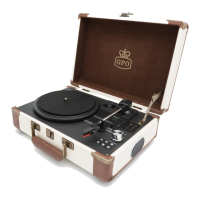
GPO JAM - Product Specifications

GPO JAM
20 pages
Print Icon
To Next Page IconTo Next Page
To Previous Page IconTo Previous Page
Loading...
17
Problem Cause Soluon
THE WHOLE UNIT
Power does not come
on when the unit is
switch on.
Unit is unplugged.
Connect the unit to the
AC power supply.
No sound comes out of
the speakers.
The volume is turned
down (to MIN).
Adjust the volume.
The input selector does
not match the playback
source.
Re-select the desired
input source.
The sound is noisy.
The unit is too close to
a TV set or another
similar appliance.
Turn off the TV or other
appliance, and relocate
the unit.
The unit has no
response.
External factors such as
ESD (Electro-stac
discharge) aect the
unit.
Remove the power cord
and all power supply
device, then re-plug in
the unit aer one
minute.
PHONO PLAYER
The sound is noisy
when playing the
record.
The stylus is not placed
in the middle center.
Place the stylus in the
middle center.
The sound is noisy
when used for a period
ofme.
The stylus is damaged.
Please change a new
stylus.

Related product manuals