5
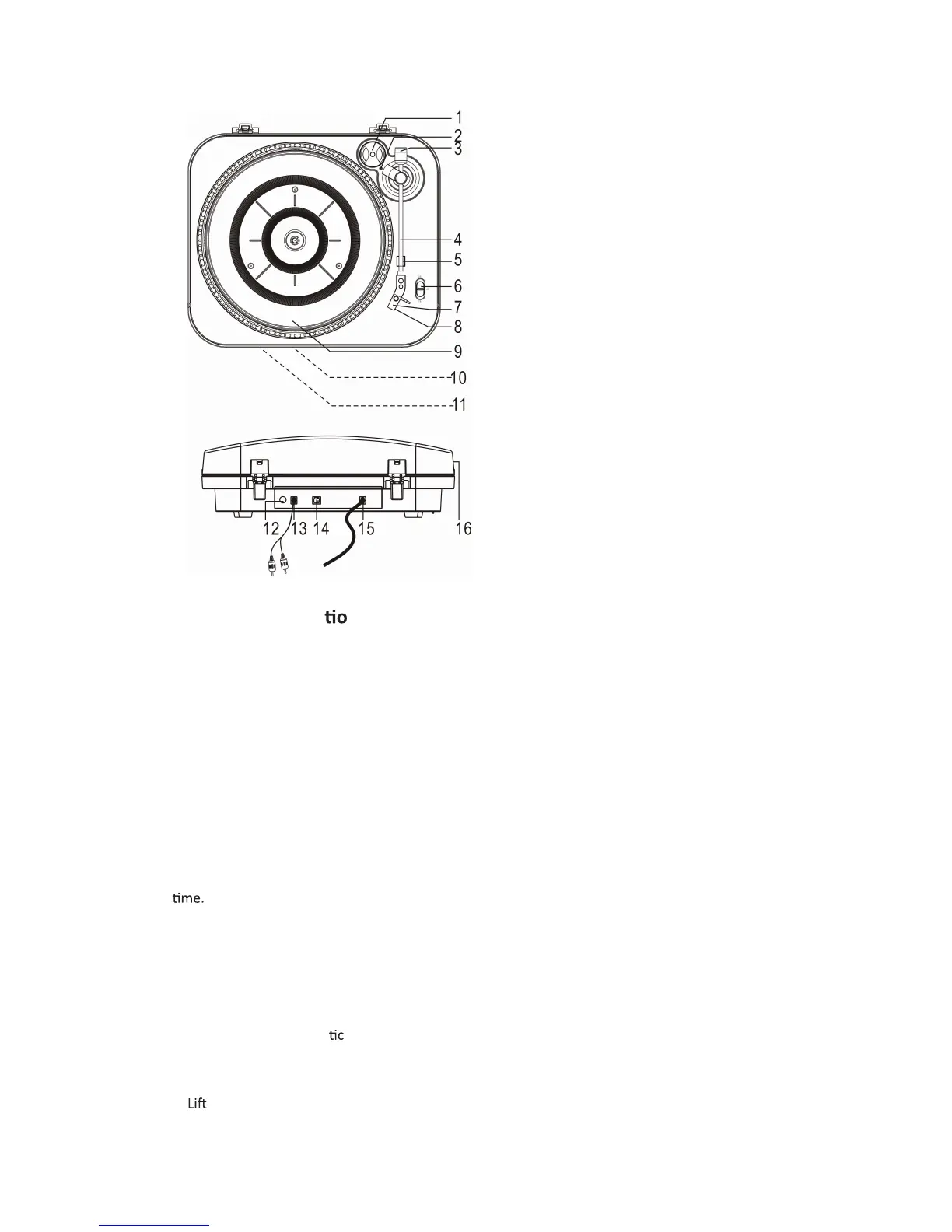
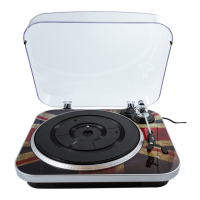
1. 45 RPM ADAPTOR
2. TONE ARM CONTROL INDICATOR
3. DECORATION (NOT FOR ADJUSTMENT
TO THE TONE ARM)
4. TONE ARM
5. TONE ARM REST
6. SPEED SELECTOR
7. STYLUS
8. NEEDLE COVER
9. TURNTABLE
10. ATMOSPHERE LIGHT
11. BUILT-IN SPEAKERS
12. VOLUME KNOB
13. RCA LINE OUT CABLE
14. USB SOCKET
15. AC POWER CORD
16. DUST COVER
P
Layouts
ART I: Main Func n
Line Out
1. Rotate the VOLUME knob counterclockwise to turn off the unit’s volume. Then a “click” sound
will be heard.
2. Connect the RCA line out jacks to auxiliary input sockets of your home amplifier device. Make
sure to match the socket colors with the j
ack colors.
3. Connect the unit’s power cord to the household outlet. Also, power on your amplifier device
and adjust its volume level.
Phonograph
1. Connect the AC plug to the household outlet. Then the atmosphere light will light blue all the
2. Turn the VOLUME knob which locates at the back of the unit, clockwise to adjust to your
desired volume level.
3. Put a record on the turntable. Remember to use the 45 RPM adaptor located on the right top
corner when playing a 45 RPM record.
4. Remove the white plas
needle cover. Keep the needle cover in a safe and accessible place for
future use.
5. Select the speed according to the record you are playing.
6.
and move tone arm to turntable, TONE ARM CONTROL INDICATOR will light up. Place tone


 To Next Page