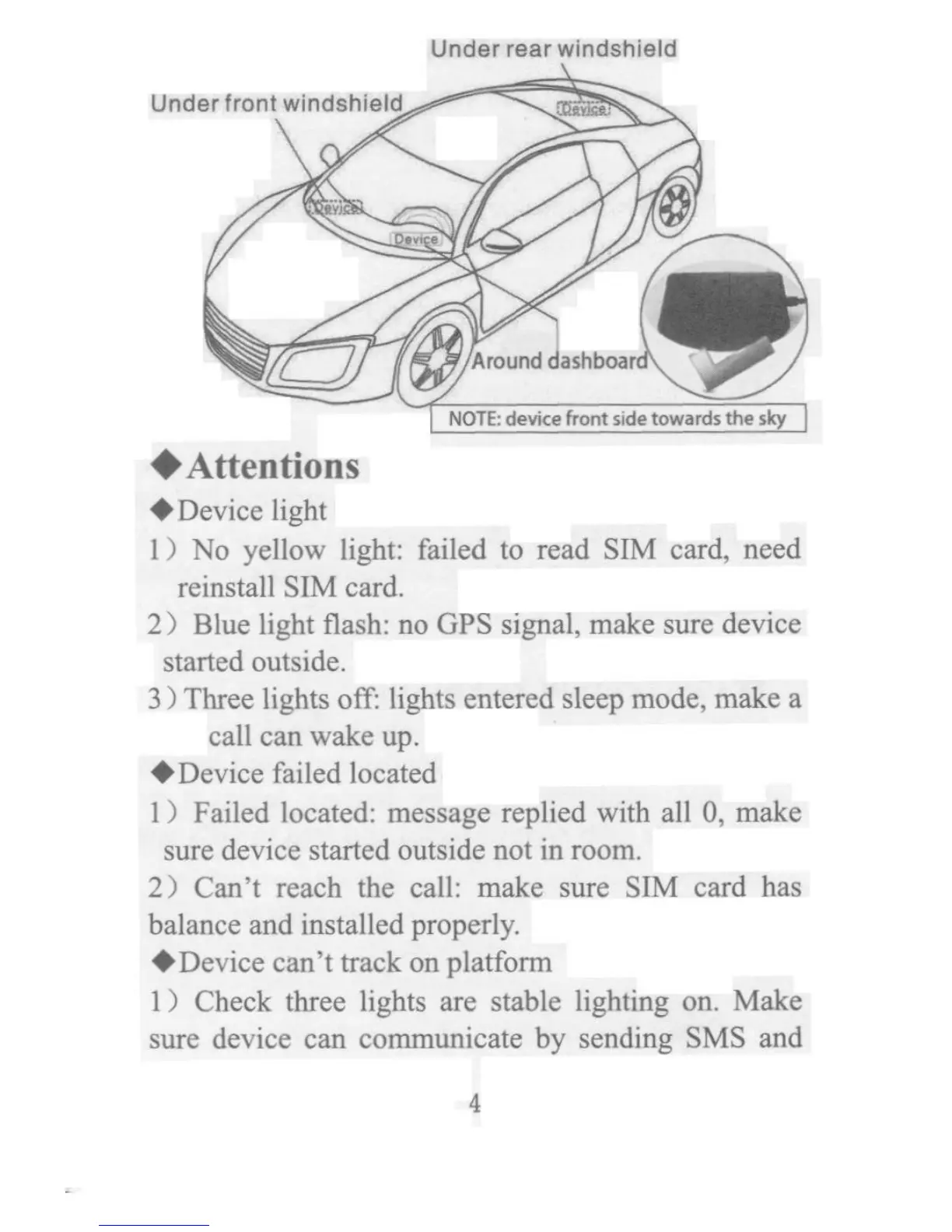
__r?_______________ __ Under rear windshield Under front windshie_d ___^^_^ _y_____ a_ m? 0_ .., 0a___ _ _ _ _ 0_ A,,u,d d, !,s,,_,, ,. _''U ' NOTE: device front side towards the _tcy tAttentions tDevice light l) No yellow light: failed to read SIM card, need reinstallSIM card. 2) Blue light nash: no GPS signal, make sure device stanedoutside. 3) Three lights ofT: lights entered sleep mode, make a call canwakeup. tDevice failed located l) Failed located: message replied with all O, make sure device sta_ed o4tside not in room. 2) Can't reach the call: make sure STM card has balance and installed properly. tDevice cani kack on platform l) Check three lights are stable lighting on. Make sure device can communicate by sending SMS and 4



 To Next Page