7
Operations
a. Connect a composite video cable from the player’s video out connection to a composite
video input connection on a TV. (composite video cable not included)
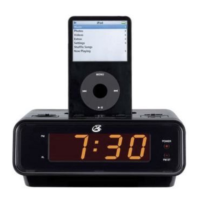
b. Insert your iPod Video into the player and navigate to either the Photos or Videos on the
iPod.
c. On the iPod, select either Slideshow Settings under the Photos section, or Video Settings
under the Videos section.
d. On the iPod, set the TV Out setting to On.
e
f. Make sure your TV is set to the proper input. You will now be able to control your iPod
from the player’s control panel, and view your iPod on a TV.
Connecting other Digital Audio Devices
a. Connect an audio device to the AUX input.
b. Press the FUNCTION button to set the unit to AUX mode, as indicated by the LCD Display.
c. The audio device will now play through the speakers of the player.
a -
dard RCA cord.
b
unit’s included speakers.


 To Next Page