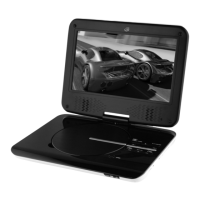
GPX 10
PlayInG a DIsc
PlayInG tHe DVD or cD PlayInG a JPeG DIsc
ProGrammInG a DVD or cD
1ConnecttheDVDplayertoa
televisionandpressthePOWER
buttontoturntheDVDplayeron.
2PresstheOPEN/CLOSEbuttonto
opentheDISC DRAWER.
3LoadadiscintotheDISC
DRAWER,labelsidefacingup,
andpresstheOPEN/CLOSE
buttontoclosetheDISC
DRAWER.
4Theloadeddiscwillbeginplaying
automatically.Ifitdoesnot,press
thePLAY/PAUSEbutton.
1LoadaJPEGdiscintotheDISC
DRAWER.
2AslideshowofJPEGphotos
fromtheCDwillbeginplaying
automatically.
3PresstheSTOPbuttontoaccess
afileviewoftheloadedJPEG
disc.
4UsetheDIRECTION/ENTER
buttonsontheremotetoselect
andviewphotos.
1Followtheinstructionsfor“Playing
aDVDorCD”.
2PressthePROGbuttononthe
remote.
3PresstheDIRECTION buttonsto
highlighttheblanksundertitle,
chapter,ortrack.
4UsetheNUMBER KEYPADon
theremotetoenterinthetitle,
chapter,ortracknumberyouwish
toprogram.
5Highlightandpresstheon-screen
PLAYbuttonusingtheENTER
button.
6Tocanceltheprogram,highlight
theon-screenCLEARPROGRAM
buttonandpresstheENTER
buttonontheremote.


 To Next Page