EasyManua.ls Logo

GPX PD808 - Connecting and Using Memory Cards; Navigating and Playing Memory Card Media

GPX PD808
24 pages
Print Icon
To Next Page IconTo Next Page
To Previous Page IconTo Previous Page
Loading...
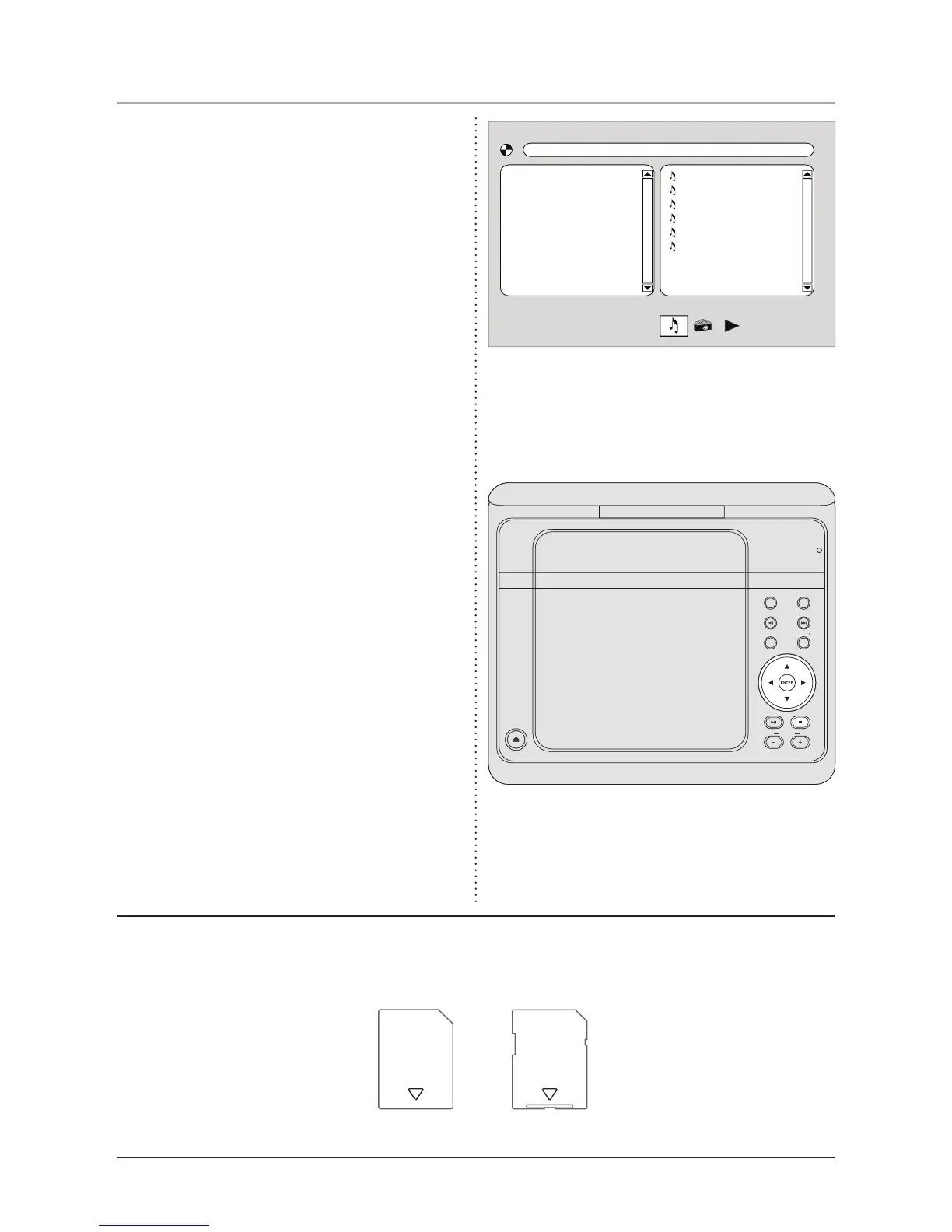
Using the SD/MMC Memory Card Slot
1. Plug an SD or MMC memory card into
the SD/MMC Memory Card Slot.
2. Switch the unit to SD Mode by pressing
and holding the DVD/SD/USB Function
Button. The following display will
appear.
3. Use the Directional Buttons to select
videos or images. Press the Enter
Button to play a selected video or image.
• The unit will play AVI movie les and
JPEG image les from SD or MMC
memory cards. The different le types
must be separated into folders for the
unit to read them.
• Please note, loaded memory cards will
not play audio les.
01. Track 01
02. Track 02
03. Track 03
04. Track 04
05. Track 05
06. Track 06
10
SDMMC
Memory Cards
(not included)
OPEN
PLAY/PAUSE
VOLUME
TITLE
PREV.
SETUP
AUDIO
NEXT
DISPLAY
TFT
ON/OFF
O
PE
N
P
L
A
Y/P
A
A
AUSE
P
P
V
OLUME
TITLE
PREV
.
S
ETU
P
A
UDI
O
NEXT
DISPLA
Y
A
A
TFT
O
N
/O
F
F
DVD
DVD/SD/USB

Other manuals for GPX PD808

Related product manuals