Control Denitions
17
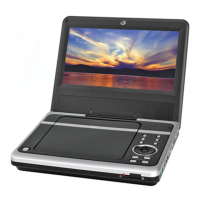
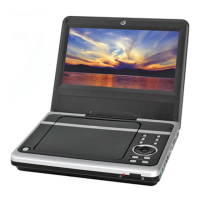
1 DVD Door The DVD Door houses the DVD/CD Drive.
2 Open Button Press the Open Button to open the DVD Door.
3 TFT On/Off The TFT On/Off Button keeps the TFT Display from staying on when the unit is folded
up.
4 Title Button Press the Title Button to see the Title Menu on a DVD.
5 Audio Button Press the Audio Button to adjust the DVD’s audio language.
6 Previous & Next Buttons Press the Previous & Next Buttons to skip backwards and forwards through
CD tracks, and DVD chapters.
7 Display Button In CD or DVD Mode, press the Display Button to view the track or title and chapter
information, as well as the play time.
8 Setup Button Press the Setup Button in DVD Mode to access the unit’s DVD Setup Menu.
9 Directional Buttons Use the Directional Buttons to navigate through a DVD or CD.
10 Enter Button Press the Enter Button to select media on a DVD or CD.
11 DVD/SD/USB Function Button Press and hold the Function Button to switch between DVD, SD, and
USB modes.
12 Volume Buttons Press the Volume Buttons to increase (+) or decrease (-) the volume.
13 Play & Pause Button Press the Play & Pause Button to play or pause a DVD or CD.
13


 To Next Page