10
Taking a Frame Off
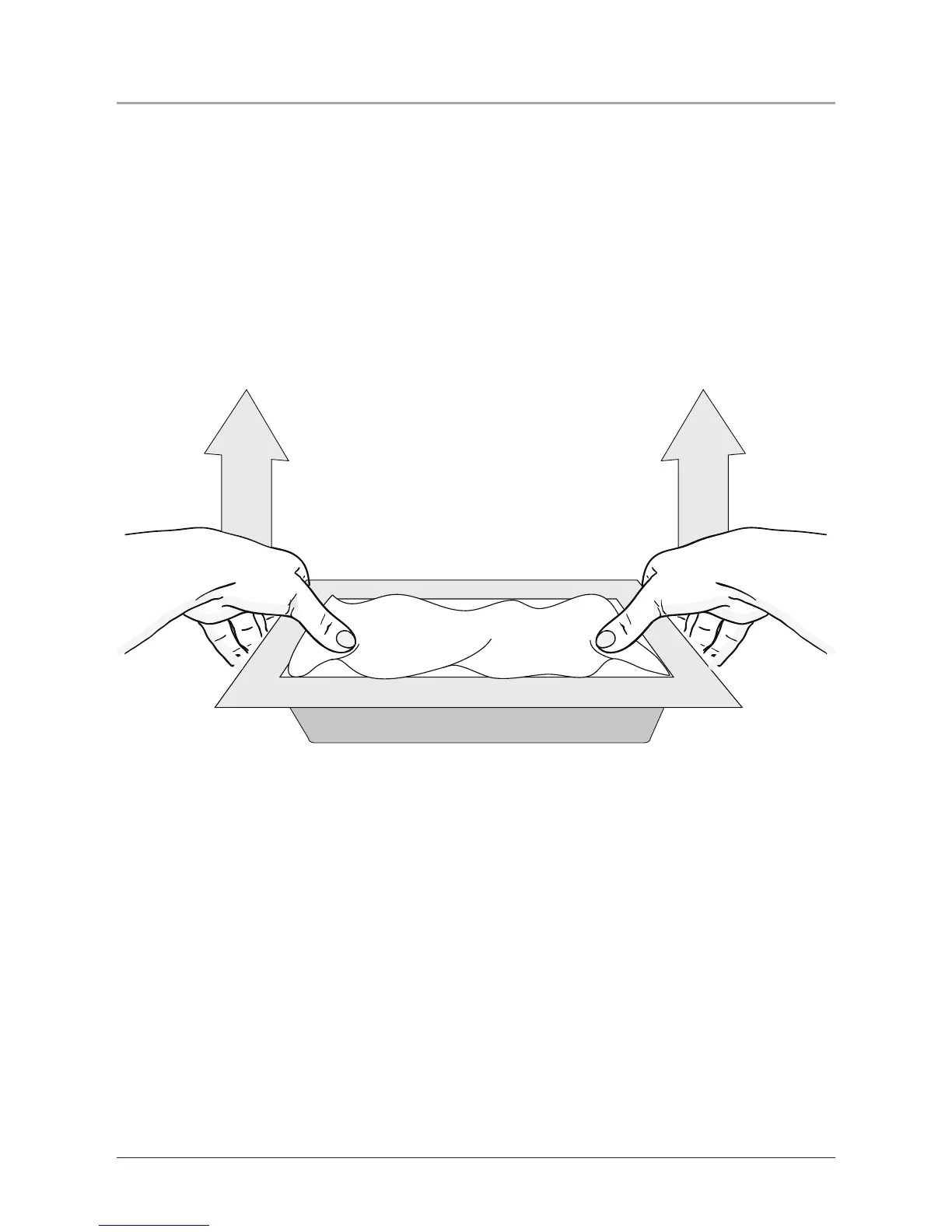
1. Lay the unit down on a at surface, with the display facing upward.
2. Place a soft cotton cloth over the display. This will keep the display clean of
nger prints while changing the frame.
3. Put your thumbs just inside the frame, over the cloth covered display.
4. Gently apply upward pressure on the outside lip of the frame using your ngers.
Do not apply pressure to the display to keep from damaging the unit.


 To Next Page