11
5. Remove the soft cotton cloth that was used in step 2 so that it does not get in the
way.
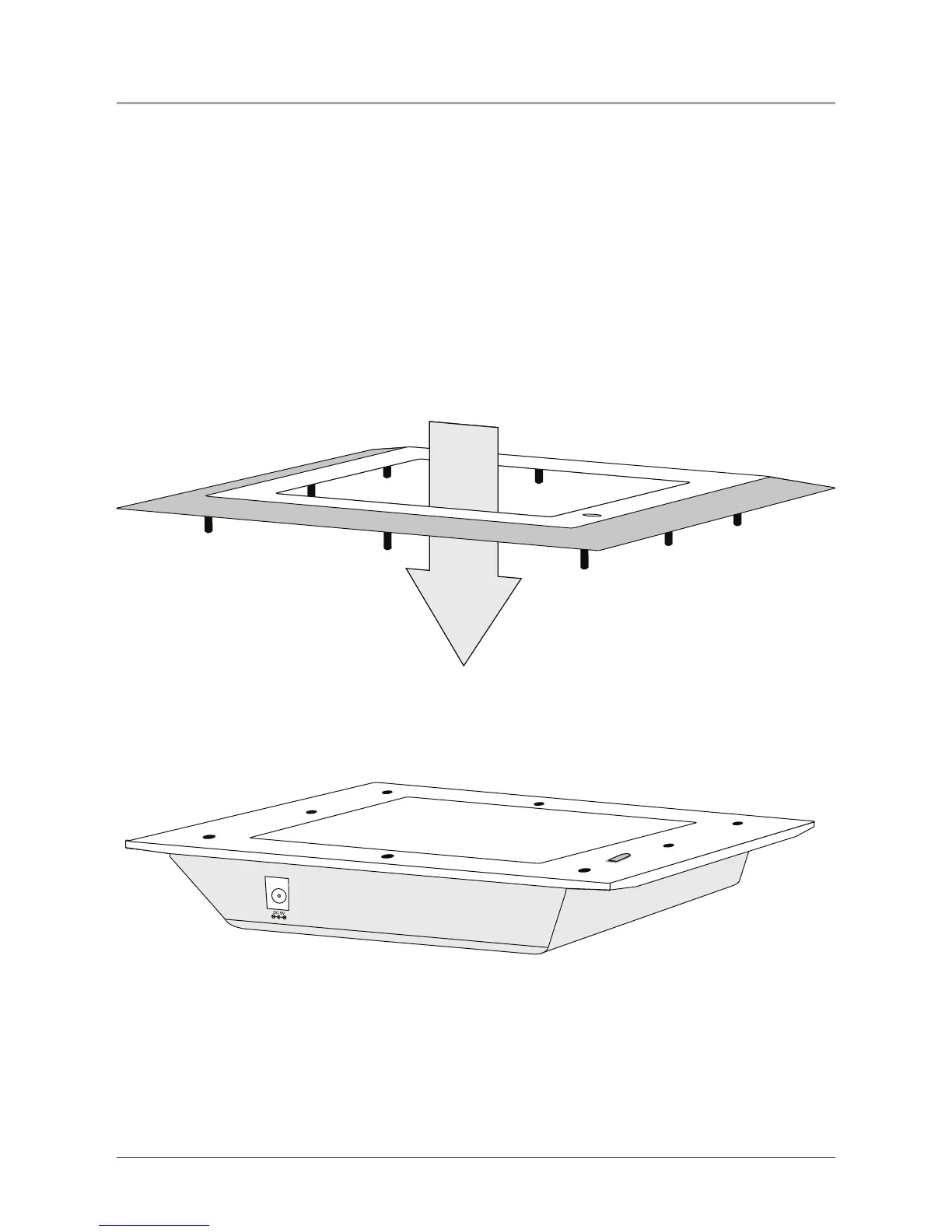
6. Match the engraved up arrow on the inside of the frame with the top of the unit.
Match the small clear window on the frame with the infrared receiver on the unit.
If the small clear window on the frame is not matched up with the infrared
receiver on the unit, the unit will not respond to the remote control.
7. Gently push the frame onto the unit, matching the small pegs on the frame with
the holes on the unit without touching the display.
Putting a Frame On


 To Next Page