GPX14
USB Port
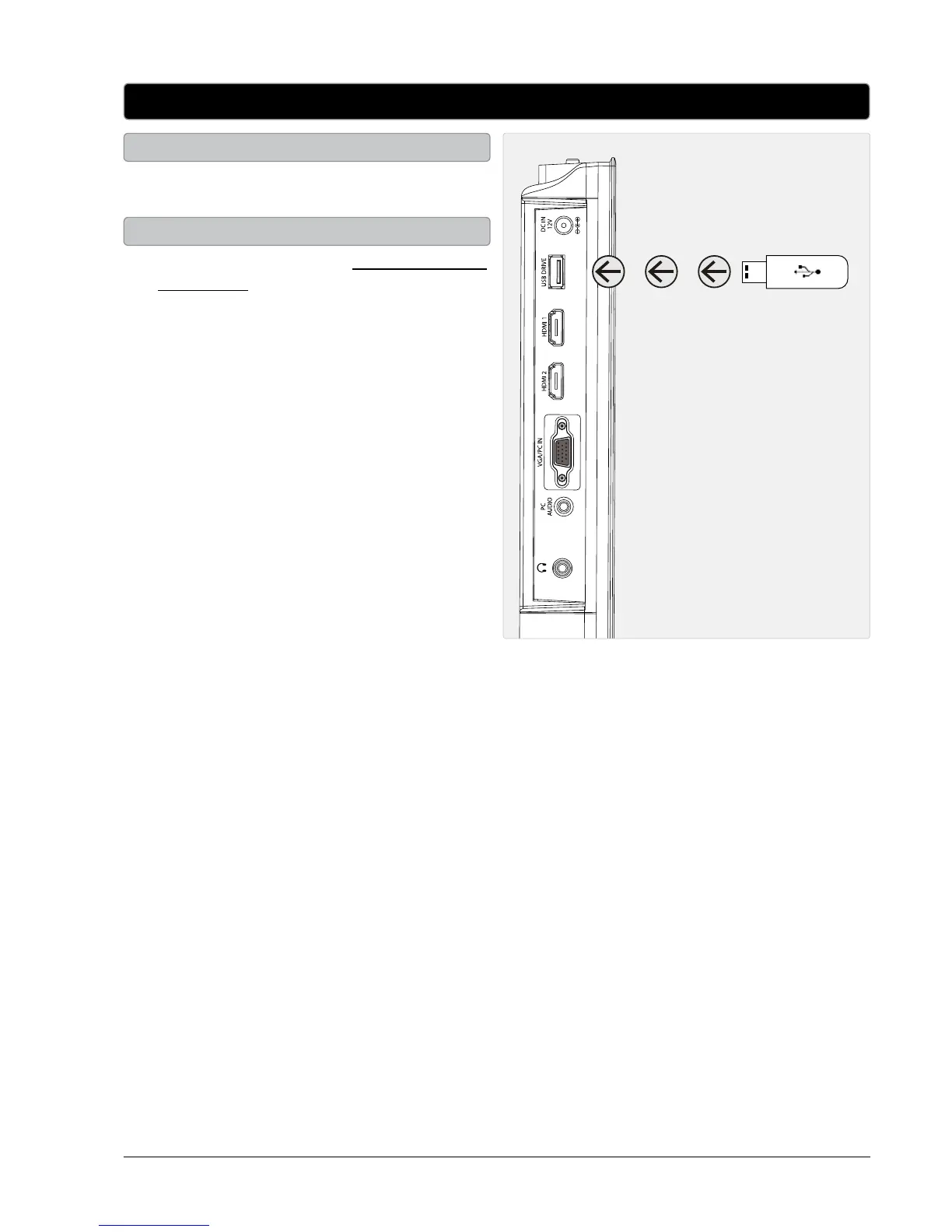
1. Load a USB thumb drive into the USB PORT
as shown in the image to the right.
Connecting a USB Thumb Drive
1. Follow the instructions for Connecting a USB
thumb drive.
2. Press the SOURCE button to switch to Media
mode.
3. Use the ARROW and ENTER buttons to select
and play content from the connected USB
thumb drive.
4. Press the EXIT button to return to the media
menu.
The USB port can also be used to upgrade the
televisions rmware. For detailed instructions
and the latest software, go to www.gpx.com
Using a Connected USB Thumb Drive


 To Next Page