GPX8
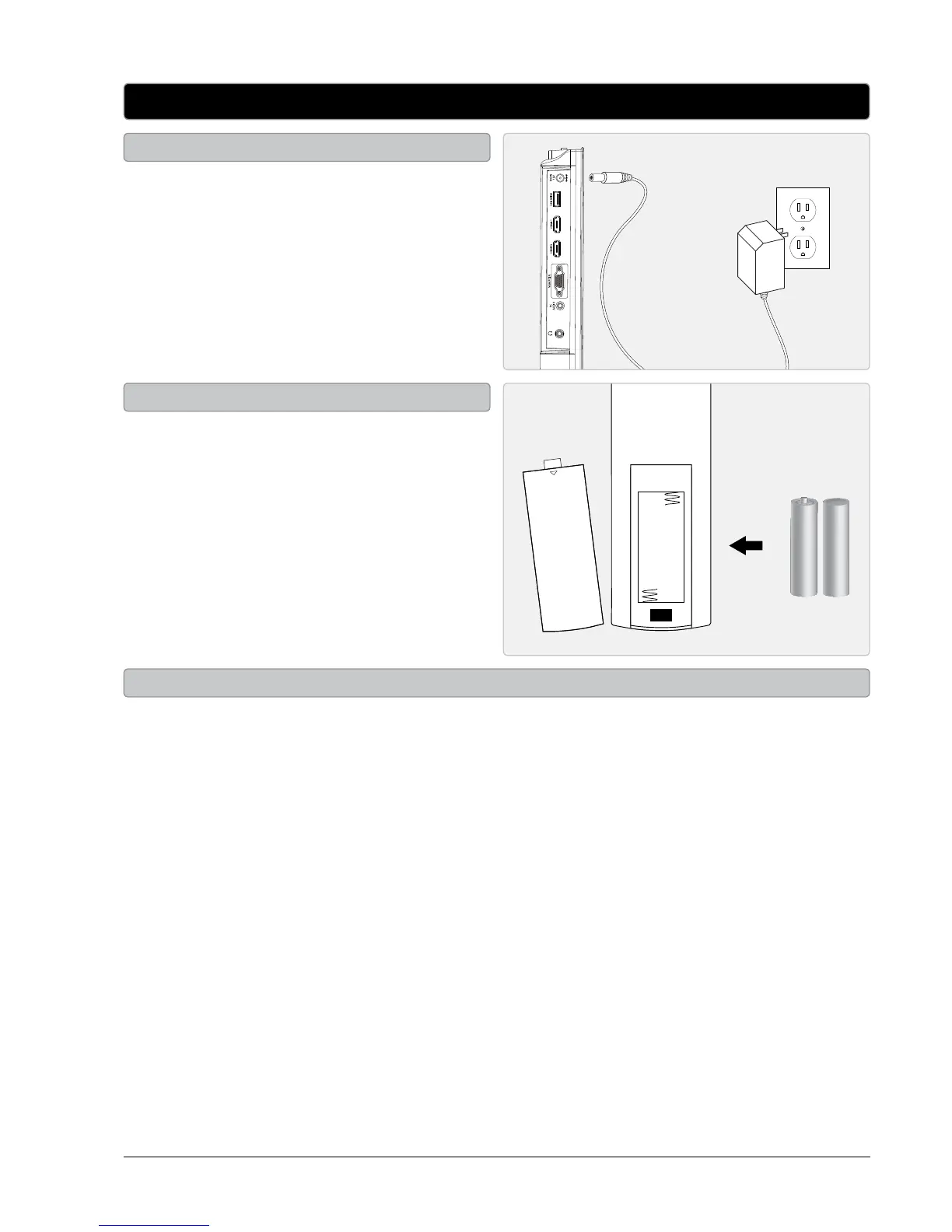
DC power input: requires an AC/DC power
adapter (included).
Plug the included AC/DC power adapter into
the DC POWER INPUT and a standard AC power
outlet to power the television.
Setup
Power
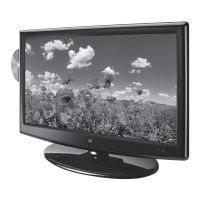
Requires 2, AAA size, batteries (included)
OPEN
Remote
Requires TV stand and screws (included).
The TV stand can be removed allowing you to mount the TV onto a wall.
When removing or attached the TV stand, use a philips-head screwdriver to loosen or tighten the screws.
Using an power drill could damage the TV stand.
TV Stand


 To Next Page