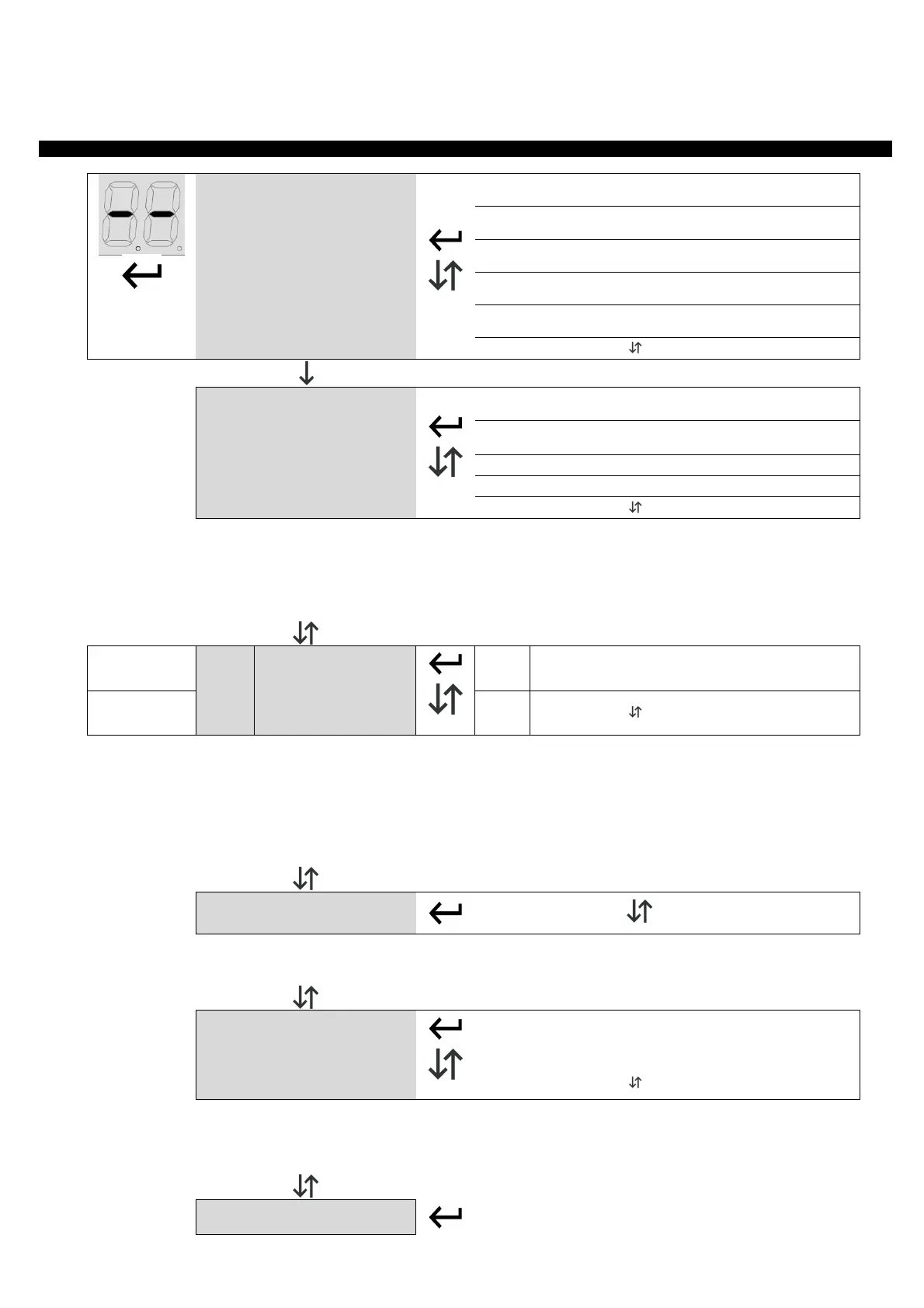
Push enter button shortly to enter base menu. Ol is displayed, with up/down it's possible to select other functions of this
menu. To exit this menu select EX or push up and down together. After 20 seconds without actions, control unit exits itself
from this menu.
1 SEC.
oL
Operating logic
5T
Step by step mode: inputs 3 & 4 works as
Start and Pedestrian start.
At
Step by step mode with auto closing: inputs 3
& 4 works as Start and Pedestrian start.
CD
Condominium mode: inputs 3 & 4 works as
Start and Pedestrian start.
Oc
Open/Close mode: inputs 3 & 4 works as Open
and close.
oa
Open/Close mode with auto closing: inputs 3
& 4 works as Open and close.
LC
Radio code learning
C1
Learn Start / Open command (according to Ol
menu).
C2
Learn Pedestrian / Close command (according
to Ol menu).
C3
Learn Courtesy light (see advanced menu LX).
LC LEARN RADIO CODE - Select LC and push enter, with up/down select sub menu.
C1: Learns a remote. Select this menu and transmit to learn a Start/Open command.
C2: Learns a remote. Select this menu and transmit to learn a Pedestrian/Close command.
C3 : Courtesy light activation
RA: Remove all codes, select this menu, than select Y5 (yes) in the next menu to remove all codes.
LT
Working times
learning
AU
Automatic learning procedure
EX
EXIT or push together
LT EARN WORKING TIME - Select LT in the base menu and push enter, after select the learning mode with
up/down. The gate/barrier closes till the closing limit switch, then it opens to the Opening limit switch, and
finally it closes once.
ATTENTION:
if you aren't sure about gate/barrier direction, set it in fully closed position before to start
programming, the board will assume the engaged limit switch as closing side, and will manage motor direction
automatically (see “GD” menu in advanced menu).
To stop Learning procedure, switch Stop input.
5P
Set pause time
0 – 99
5P SET PAUSE TIME - Use up/down to set the pause time between 0 and 99 seconds. Push enter to confirm. To
EXIT without modifications, push together up and down.
DM
Dead man mode
OP
Open motor
CL
Close motor
EX
EXIT or push together
DM DEAD MAN MODE. By selecting this menu it is possible to move the gate in dead man mode:
O1: Gate opens, press and hold ENTER in this menu to move the gate in dead man mode.
C1: Gate closes, press and hold ENTER in this menu to move the gate in dead man mode.
EX
EXIT


 To Next Page
 Loading...