Need help?
Do you have a question about the Grace REX and is the answer not in the manual?
Contact Grace Design for repair and upgrade information, including return authorization.
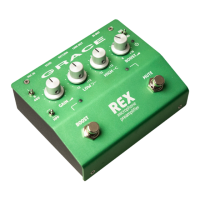
Detailed descriptions of all controls on the REX's top panel, including switches, knobs, and indicators.
Descriptions of all input and output connectors located on the rear panel of the REX.
Instructions for physically installing the REX, including pedalboard mounting options.
Guidance on adjusting the input gain for optimal signal level using the GAIN knob and LED indicator.
Explanation of the HPF switch for reducing low-frequency rumble and stage noise.
Details on the fixed shelving Low EQ control for adjusting bass frequencies from -10 to +10dB.
Details on the fixed shelving High EQ control for adjusting treble frequencies from -10 to +10dB.
How to use the Boost knob and switch for adding signal level, with a +10dB maximum boost.
How the MUTE footswitch silences DI and AMP outputs for tuning or brief interruptions.

 To Next Page
 General