Need help?
Do you have a question about the Grace Felix and is the answer not in the manual?
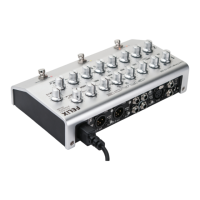
Details how to connect instruments using 1/4" jacks to channels 1 and 2, including impedance settings.
Explains how to connect microphones using the XLR input on channel 1, including phantom power usage.
Describes the insert connection for using outboard effects with the Felix preamp.
Explains the unbalanced output for connecting to a stage amp, including its level control.
Details the dedicated output for connecting a tuner, which remains active when muted.
Describes the input for connecting an external footswitch to control Mute and Boost functions.
Explains the balanced, transformer-isolated DI outputs for connecting to mixers or consoles.
Details the 1/8" headphone jack for private monitoring, controlled by the amp out level.
Explains the universal AC power input that allows worldwide use.
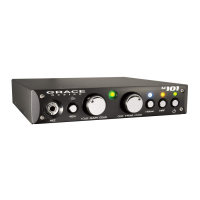
Provides recommendations and options for positioning the Felix unit, including mic stand mounting.
Guides on connecting microphones to channel 1, gain control, and signal/clip indicators.
Explains how to connect instruments and line sources, including input impedance selection.
Details the three impedance settings available for the instrument inputs.
Explains how to use the 12V phantom power for electret condenser microphones via instrument inputs.
Describes the phase reverse switches on both channels for optimizing signal polarity.
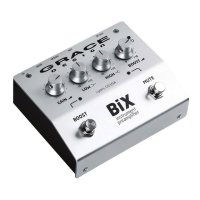
Details the powerful, independent EQ and filter controls available on each channel of the Felix preamp.
Explains the High Pass Filter (HPF) and Notch filter functions, including their frequency ranges and usage.
Describes the fixed shelving Low EQ control, its frequency, and gain range.
Explains the fully parametric Mid EQ controls for gain, frequency, and Q factor.
Describes the fixed shelving High EQ control, its frequency, and gain range.
Details the Boost knob for setting the signal boost level, affecting all outputs.
Explains the control for setting the master output level for amp, tuner, and headphone outputs.
Describes how the Mix control blends between Channel 1 and Channel 2, depending on the mode setting.
Explains the A/B footswitch for toggling between channels or blending them based on DIP switch settings.
Details the Boost footswitch for activating the pre-set signal boost level.
Describes the Mute/Tune footswitch for muting all outputs except tuner and headphones.
Details the side panel phase reverse toggle switches for each channel to adjust audio signal polarity.
Explains how to activate 48V phantom power for the Ch1 microphone preamp via the side panel switch.
Details the function of the 6 DIP switches for activating various modes and settings.
Describes the 1/8" mini headphone jack and its level control, which follows the Amp output.
Illustrates the wiring for a TRS insert cable connecting to outboard effects.
Shows the wiring diagram for connecting an external footswitch to the Felix unit.

 To Next Page

 General