DataTrak Operation
3A7634A 5
DataTrak Operation
NOTE: The display (AE) will turn off after 1 minute to
save battery life. Press any key to wake up the display.
Setup Mode
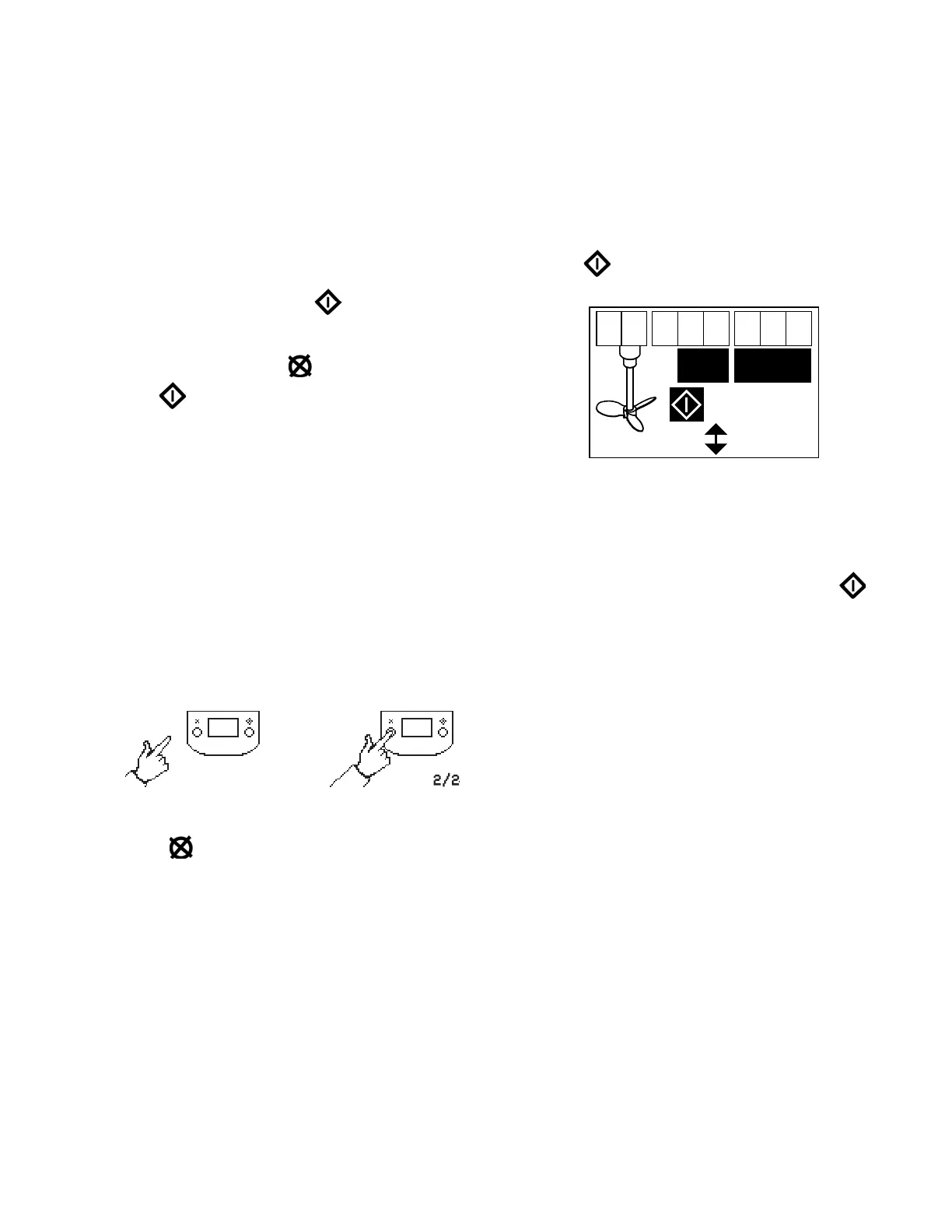
1. See FIG. 1. Press and hold for 5 seconds until
Setup menu appears.
2. To enter settings press to change the value,
then to save the value
3. To enter setting for over-speed, enter speed in rpm.
Choose a setting that is just above the fastest speed
expected during normal operation.
Run Mode
Over-Speed
1. If over-speed occurs, the LED will flash.
2. Reduce air pressure or add material to container to
slow down agitator.
3. Press to clear the diagnostic code and reset the
over-speed display.
NOTE: To disable over-speed monitoring, go to setup
mode and set over-speed value to 0 (zero). See F
IG. 1.
Batch Counter Suppression Mode
1. See FIG. 1. To enter Batch Counter Suppression
Mode, press any key to wake up the display, then
press . The Batch Counter Suppression symbol
will appear in the display and the LED will flash
.
2. While in Batch Counter Suppression mode, batch
counting is disabled, and the batch totalizer (BT) will
not count.
3. To exit Batch Counter Suppression mode, press
any key to wake up the display, then press .
The symbol will disappear from the display and the
LED will stop flashing.
Display
See FIG. 1. The display (AE) will turn off after 1 minute
of inactivity in Run mode or 3 minutes in Setup mode.
Press any key to wake up the display.
NOTE: DataTrak will continue to c
ount revolutions when
display is off.
NOTE: T
he display (AE) may turn off if a high-level
static discharge is applied to the DataTrak. Press any
key to wake up the display.



 To Next Page