Page 4
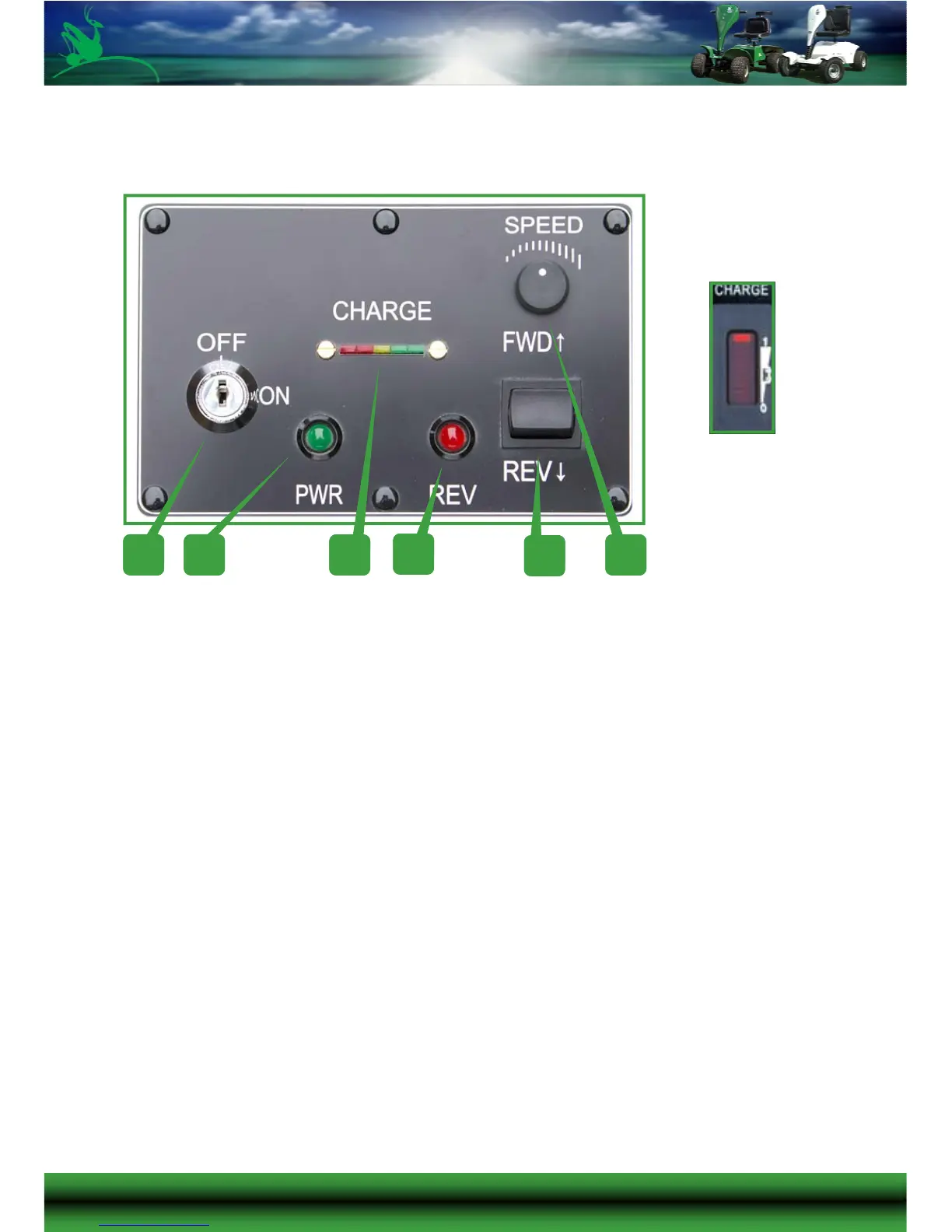
CONTROL PANEL
1. Ignition Switch
2. Power LED (Green)
3. Battery Charge Indicator (Design may vary see insert)
4. Forward / Reverse LED (Red)
5. Forward / Reverse Switch
6. Speed Control Adjustment
Ignition Switch
Main On/Off Power Switch. Ensure that this is switched off before dismounting
to prevent accidental use of the accelerator.
Power LED (Green)
When lit this indicates that the ignition is switched on and power is connected
1 2
3
4
5
6



 To Next Page