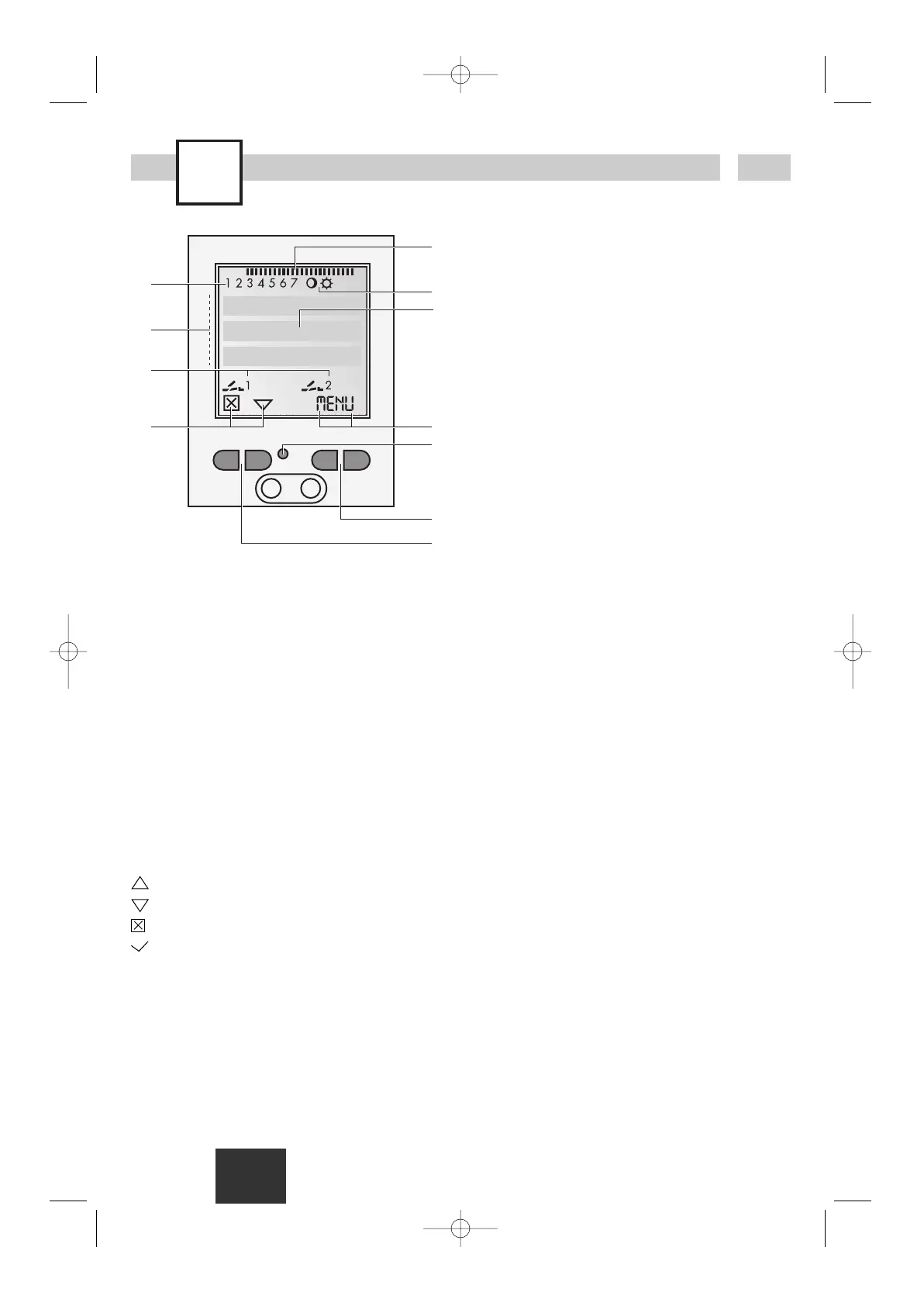
Display
A Function displays of the two left-hand buttons
B Channel status displays
Channel 1 = C1, Channel 2 = C2
C 3 Communication lines for time display,
Menu items, entry prompts etc.
D Day-of-week display
E Overview of daily switching program
F Display of summer/winter time
G Operating voltage (dots flash)
Reserve power operation (permanently lit dots)
H Function displays of the two right-hand
buttons
Buttons
I Reset
The programs are retained in the case of a
reset. The date and time must be set again.
Press reset button with a blunt object (pen).
J Right-hand buttons
K Left-hand buttons with manual switch function
in Automatic mode
General information
· The middle communication line shows the
selectable menu item. If confirmed with OK,
this item is activated.
· Flashing texts or symbols require an entry.
Function displays of the two left-hand
buttons:
scroll up in menu
scroll down in menu
Select/reject suggestion
Select/accept suggestion
+Pressing briefly = +1
Pressing long (approx. 2 sec) = +5
-Pressing briefly = -1
Pressing long (approx. 2 sec) = -5
Function displays of the two right-hand
buttons:
MENU Exits the Automatic mode and enters
the Programming mode
ESC Pressing briefly = one step back
Pressing long (approx. 2 sec) = return
to Automatic mode
OK Make selection and apply
EDT Change request in Read mode
NO Do not execute command
YES Execute command
DEL Delete











 To Next Page