6. Display controlleroperation
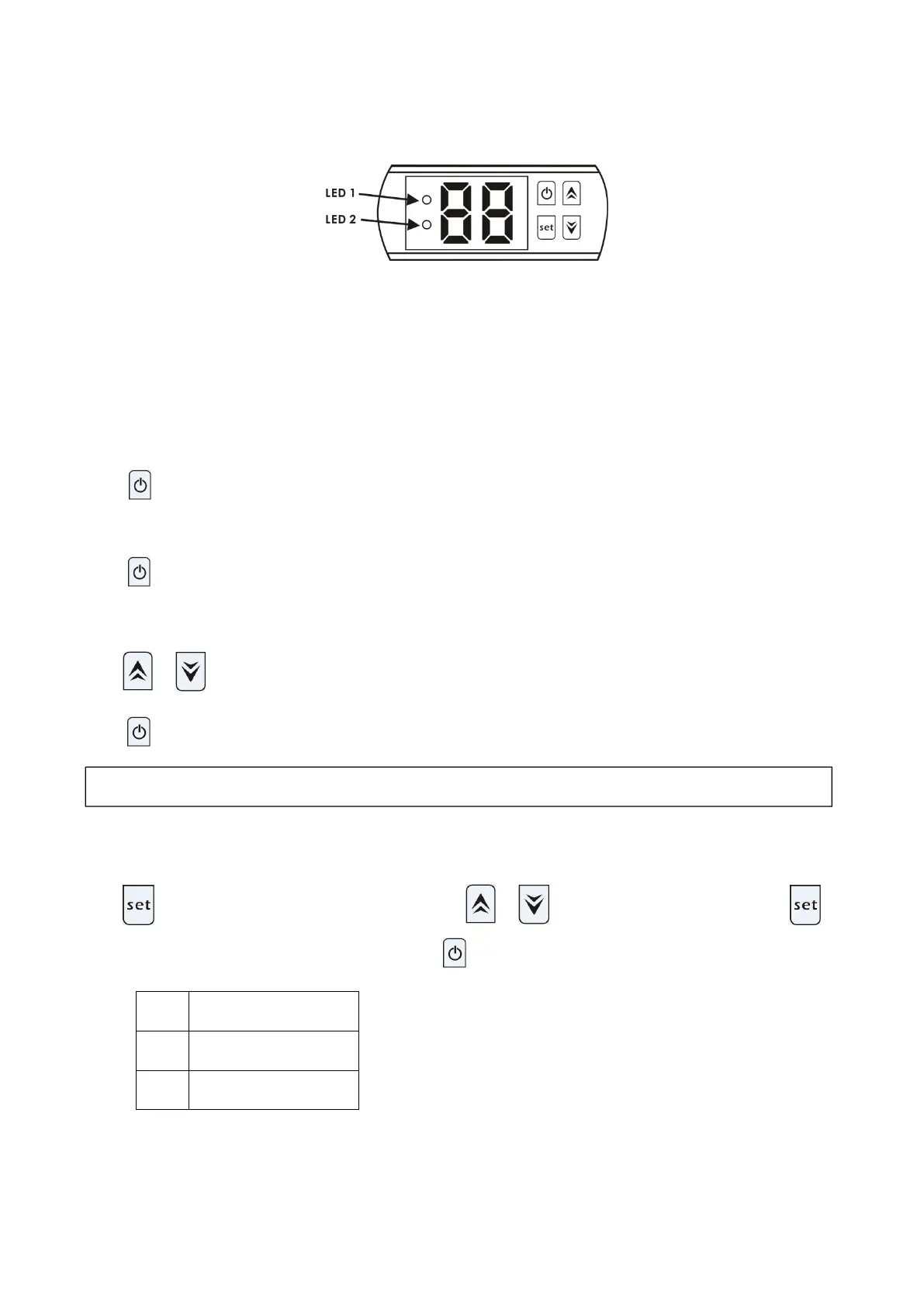
6.1 The buttons of LED wirecontroller
When the heat pump is running, the LED display shows the water inlet temperature.
LED 1 is on when compressor is running.
LED 2 is on if the unit is in fault.
6.2 Turn on/off the heat pump
Press to turn on the heat pump, the LED display shows the water setting temperature for 5s, then show
water inlettemperature.
Press again to turn off the heat pump.
6.3 Set the watertemperature
Press or directly to adjust water temperature(range:.10—42℃)
Press to save the setting thenexit.
Press ,it will enter the parameter checking, Press or to choose the code d0/d1,press
again, it will show the measured value.Lastly press to exit.
Notice: It can’t set the Parameter data by end-users.
NOTE: the heat pump can run only if the water circle/filtration system is running.


 To Next Page