ENGLISH
13Instruction manual - VARIABLE SPEEDSWIMMING POOL PUMP
by pressing the “DOWN” button once then press the “SET” button until you come back to the segment you were
programming. Proceed with the normal segment programing steps.
• When programming a “T2”, “T3” or T4” segments the programmed times may not overlap with times form
other segments. If this happens the programming for that segment cannot be saved. Go back to restart that
segment’s programming as explained above.
• To fast delete the current settings for “T” segment, set the hour in start time to “23” and press the “UP” but
-
ton once, all the setting under this segment will be deleted. Or set the hour in start time to “00” and press the
“Down” button once, all the setting under this segment will be deleted.
• Review the button fucntions below for additional programming information.
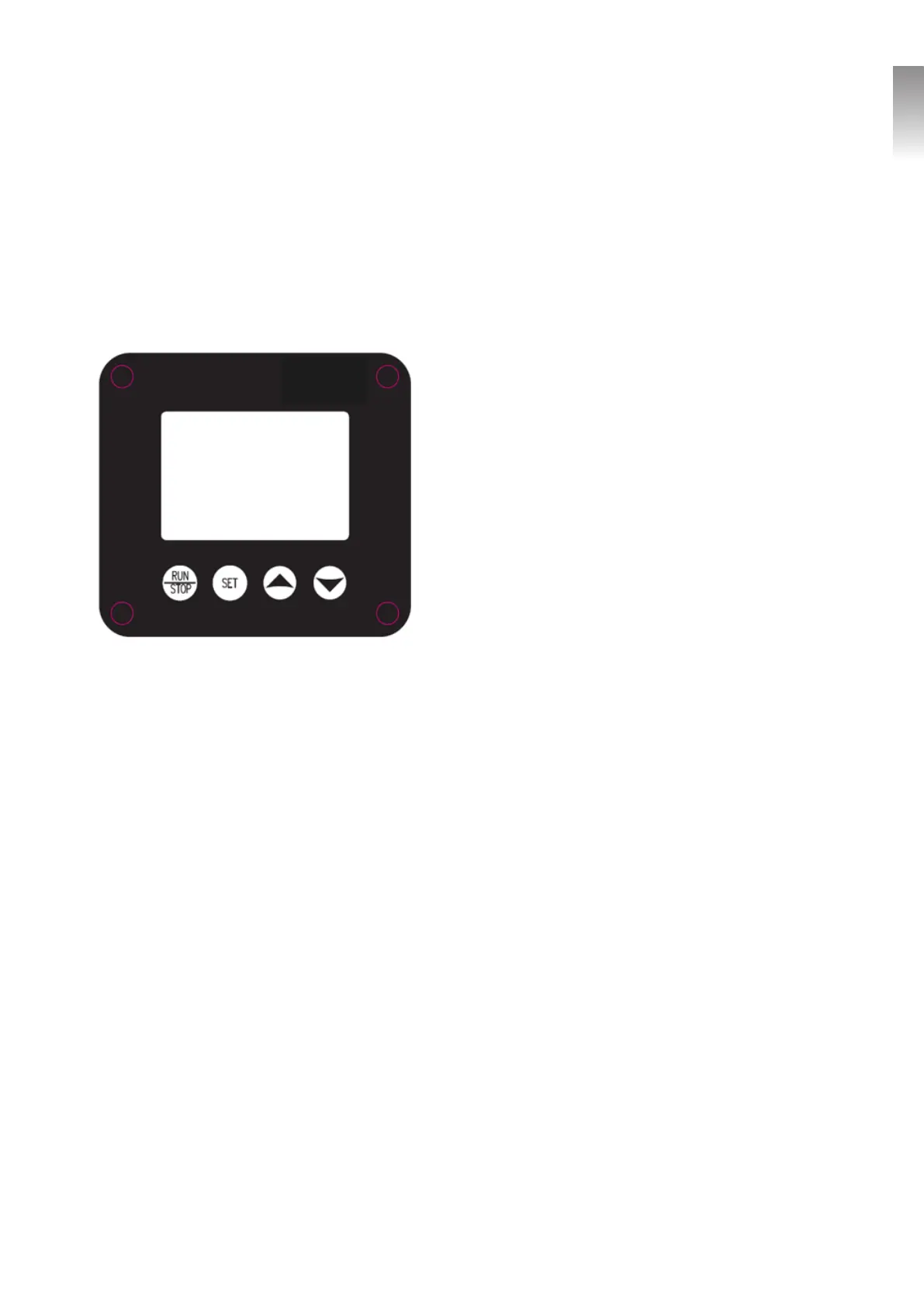
3.0 - Button Descriptions and Functions:
3.1 - “RUN/STOP” Button:
It is used to start or stop the pump.
• When switched to stop in the Manual Mode the pump
stops until truned back on.
• When switched to stop in the Automatic Mode he pump
automatically turns on when the time reaches the next pro
-
grammed segment.
3.2 - “SET” Button:
• In the Manual Mode, it is used to switch between different
default speeds.
• In Automatic Mode, it is used to enter the programming
status or enter the next item for programming in each seg
-
ment.
• In Automatic Mode press and hold for 3 seconds to exits
the segment.
3.3 - “UP” Button:
• In Manual Mode, it can be used to increase the pump speed.
• When used during Current Time programming, users can cycle up to the previous interface to view the timing
item page.
• When used in programming the Automatic Mode “T” segments, it is used to increase the time or speed in
that segment.
• Pressing and holding will rapidly increase the chnge in value.
3.4 - “DOWN” Button:
• In Manual Mode, it can be used to decrease the pump speed.
• When used during Current Time programming, users can cycle down to the previous interface to view the
timing item page.
• When used in programming the Automatic Mode “T” segments, it is used to decrease the time or speed in
that segment.
• Pressing and holding will rapidly decrease the chnge in value.
3.5 - “Combination Buttom Functions:
• Press the “UP” and “DOWN” buttons at the same time to switch between “Automatic mode” and “Manual
mode”.
• Press the “RUN/STOP” button and “Set” button at the same time and hold for 3 seconds to set the current
time. If you need to cancel the setting, press the “On / Off” button and “Set” button again to exit.


 To Next Page
 Loading...