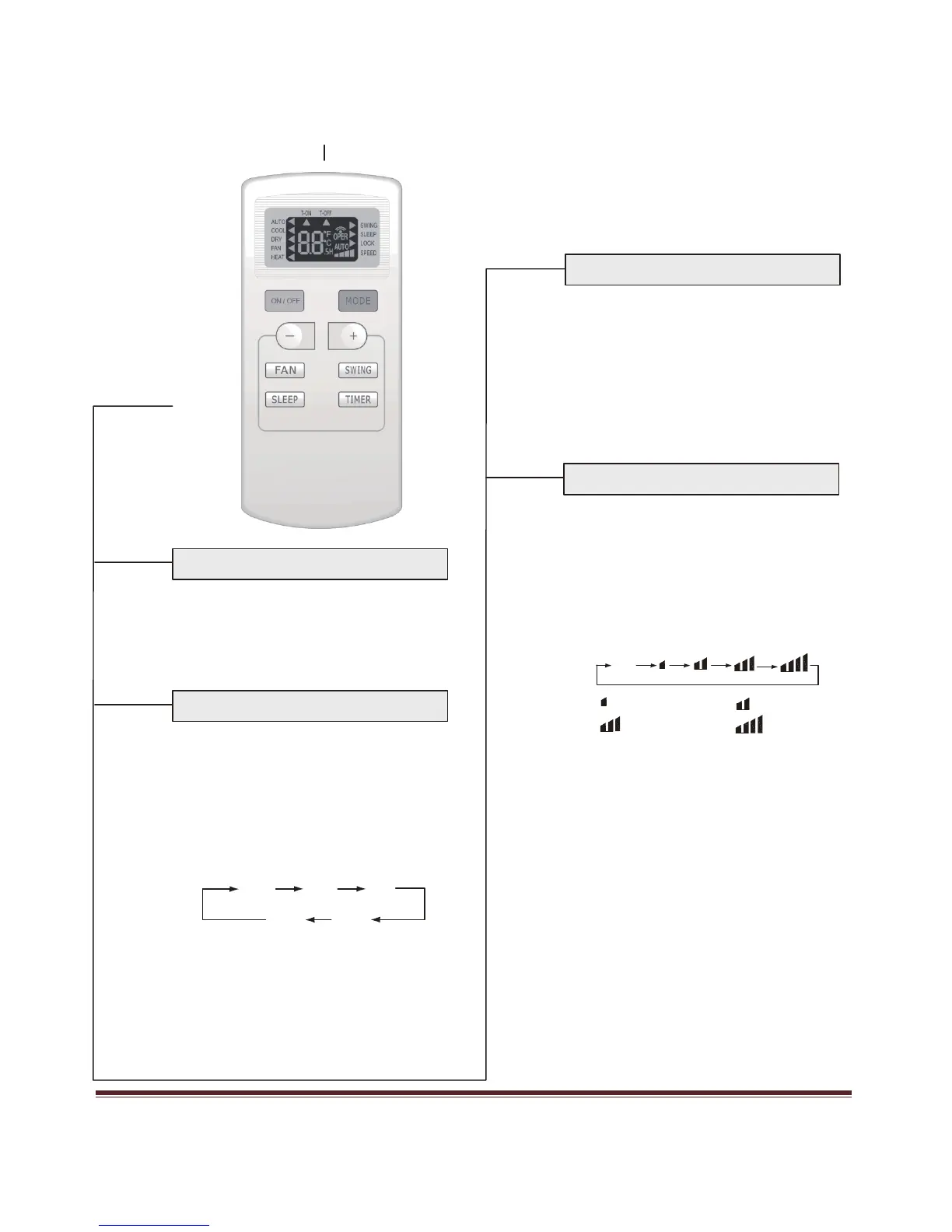
Remote Control Operation
Signal transmitter
SLEEP
SLEEP button
Remotecontrol
FAN
●
Press this button, Sleep On and Sleep
Off can be selected. After powered on, Sleep
Off is the default. After the unit is turned
Off, the Sleep function is canceled. After
Sleep function set up, the icon for Sleep will
display. In this mode, the timer period can be
adjusted. Under Fan and Auto modes, this
function is not available.
FAN button
ON/OFF
MODE
ON/OFF button
●
Press this button, the unit will be turned on,
press it once more, the unit will be turned off.
When turning on or turning off the unit, the
Timer, Sleep function will be canceled, but the
presetting time is still remained.
MODE button
●
By pressing this button, you may select AUTO,
FAN 1, FAN 2, FAN 3 or FAN 4, and may
also cycle between them. FAN 4 only in cool
or heat mode. After for initial power on,Auto
is the default. Only LOW fan can be set under
DRY mode.
AUTO
●
Press this button, Auto, Cool, Dry, Fan,
Fan 1 Fan 2
Heat mode can be selected
circularly. Auto
mode is default for initial power on. Under
Auto mode, the temperature will not be
displayed; Under Heat mode, the initial value
is 82°F; Under other modes, the initial value
is 77°F.
Fan 3 Fan 4
AUTO
COOL
DRY
AUTO
COOL
DRY
FAN
HEAT
FAN
HEAT



 To Next Page