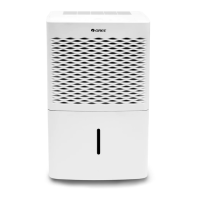
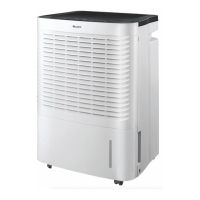
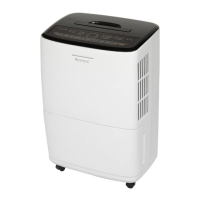
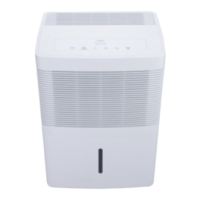
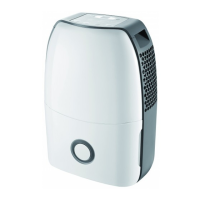
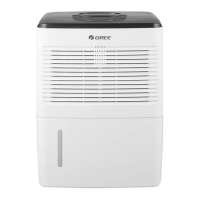
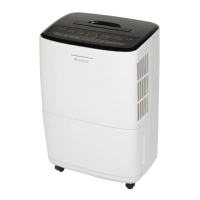
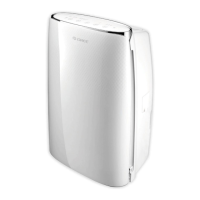
This document is an Owner's Manual for a GREE dehumidifier, providing original instructions for models GDN20AV-K5EBA1A and GDN40AW-K5EBA1A.
Function Description:
The GREE dehumidifier is designed for indoor applications to reduce humidity in a room. It operates by drawing in moist air, removing excess water, and then expelling drier air. The device utilizes R290 refrigerant, which is flammable and inodorous, but non-polluting and has a low impact on the ozonosphere and greenhouse effect. The unit is equipped with various modes to intelligently manage humidity levels, including Smart, Continuous (Cont.), Quiet, and Dry modes. It also features a fan with adjustable speeds (high, medium, low) and a wind direction control for horizontal louver swing or fixed angle. The dehumidifier is designed with a water bucket for collecting condensed water, and it also supports continuous drainage via a drain hose.
Important Technical Specifications:
- Models: GDN20AV-K5EBA1A, GDN40AW-K5EBA1A
- Refrigerant: R290 (flammable gas)
- Minimum Room Area for Operation: The appliance shall be installed, operated, and stored in a room with a floor area larger than 4 m².
- Operating Temperature Range: Not below 5°C or above 32°C.
- Suggested Relative Humidity Range: 30% to 90%.
- Drain Hose Inner Diameter (for continuous drainage): 14mm (length 1.3-1.5m).
- Power Supply: The appliance requires a grounded power cord and must be installed in accordance with national wiring regulations. If the supply cord is damaged, it must be replaced by the manufacturer, its service agent, or a similarly qualified person.
Usage Features:
- Control Panel: Features buttons for ON/OFF, Fan speed, Timer, Humidity setting, Mode selection, and Wind Direction.
- Indicators: Includes Bucket Full, Wind Direction, Dehumidify Mode, Timer, Display Window, Speed, and Filter Cleaning indicators.
- Humidity Setting: Users can set the desired humidity in 10% increments between 30% and 80%.
- Operating Modes:
- Smart Mode: Intelligently selects comfortable humidity based on current temperature.
- Continuous (Cont.) Mode: Dehumidifies continuously until humidity decreases to an "inapplicable" level for humans.
- Quiet Mode: Selects comfortable humidity based on current temperature and operates at the lowest fan speed for reduced noise. Fan speed cannot be adjusted in this mode.
- Dry Mode: Dries clothes and maintains room humidity within a certain range to prevent mildew. Fan speed and humidity cannot be adjusted in this mode.
- Timer Function: Allows setting a timer for ON or OFF in 1-hour increments up to 24 hours.
- Wind Direction Control: Horizontal louver can be set to swing or a fixed angle.
- Alarm Warning: A buzzer sounds for 10 seconds if the water bucket is full or not correctly placed for 3 minutes, reminding the user to empty or re-install it.
- Auto Stop: The unit automatically stops operation when the bucket is full, incorrectly placed, or when the humidity is 10% lower than the set humidity.
- Memory Function: Memorizes all settings in case of power failure and resumes operation with those settings upon power recovery.
- Bucket Full Light: Illuminates when the bucket is full, removed, or not correctly placed.
- Child Lock Function: Activates by pressing Mode and Timer buttons simultaneously for 1 second. "LC" is displayed to indicate locked buttons. Deactivated by pressing the same buttons again for 1 second.
- Drainage Methods:
- Water Bucket: Water collects in a removable bucket. Users must carefully pull out the bucket, pour out the water, and replace it.
- Drain Hose (Continuous Drainage): Allows for continuous drainage by connecting a 14mm inner diameter hose to the drain adapter. The drain hose should not be higher than the drain outlet and must be free of blockages.
Maintenance Features:
- Grille and Case Cleaning: Use a soft towel for dust or mild detergent for greasy surfaces. A dust catcher or brush can be used for the grille.
- Air Filter Cleaning:
- Remove the panel by opening clasps and pulling it up.
- Remove the air filter by pulling its clasps outwards.
- Clean the filter with warm, soapy water, rinse, and let it dry.
- Re-install the filter and panel.
- Warning: Do not operate without a filter, as it can affect performance. Do not dry the filter with fire or an electric hair dryer. Do not use a dust catcher or brush that may damage the filter.
- Water Bucket Cleaning: Clean every few weeks with a soft brush to prevent mold, mildew, and bacteria growth.
- GDN20AV-K5EBA1A: Press 4 buckles around the bucket to lift the drain lid for cleaning. Ensure the float is properly placed with the foam plastic side beneath the drain lid.
- GDN40AW-K5EBA1A: Rotate the handle out of the shaft hole, remove it, open four clasps on the water tank cover, and remove the cover for cleaning. Ensure the float is properly placed with the foam plastic side beneath the drain lid.
- Pre-season Check: Verify air outlet is not blocked, power plug and socket are in good condition, air filter is clean, and drain hose is undamaged.
- Post-season Care: Disconnect power, clean air filter and case, remove dust/obstacles, and empty the water bucket.
- Long-term Storage: Empty water bucket, remove drain hose, unplug and pack power cord, clean the unit, and wrap it to prevent dust.
Safety Precautions:
- The appliance can be used by children aged 8 and above and persons with reduced physical, sensory, or mental capabilities if supervised and instructed. Children should not play with the appliance or perform cleaning/maintenance without supervision.
- Always check the power cord before operation and unplug the dehumidifier before cleaning.
- Do not press the power cord with hard objects or pull the cord to move the unit or remove the plug.
- Do not operate heating appliances near the dehumidifier.
- Do not handle the power plug with wet hands.
- Use a grounded, undamaged power cord.
- Do not repair or disassemble the unit yourself. Contact a local dealer for abnormal conditions.
- Dispose of the dehumidifier according to local regulations.
- Do not use an extension cord.
- Prohibit operation in bathrooms or laundry rooms.
- Keep away from fire sources, inflammable, and explosive objects.
- The appliance must be stored in a well-ventilated area, preventing mechanical damage, and ventilation openings must be clear.
- Do not pierce or burn the appliance.
- Servicing should only be performed by authorized service centers or qualified personnel. Compliance with national gas regulations is essential.
- The manual emphasizes the importance of proper handling of R290 refrigerant due to its flammability, requiring specialist knowledge and safety measures during installation, maintenance, and decommissioning. This includes avoiding ignition sources, ensuring adequate ventilation, using appropriate leak detection equipment, and proper recovery and disposal procedures for the refrigerant.


 To Next Page
 General