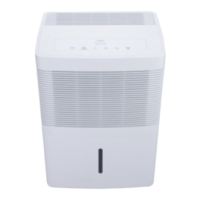
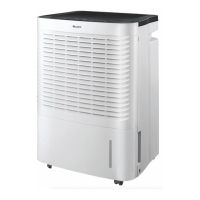
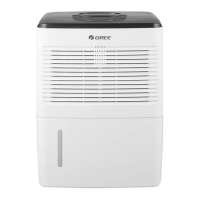
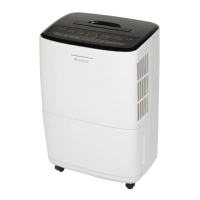
This document is an owner's manual for a GREE dehumidifier, specifically models GDN50AP-A3EBA1A and GDN70AP-A3EBA1B.
Function Description
The GREE dehumidifier is designed for indoor residential applications to reduce humidity levels in a given space. It extracts moisture from the air, helping to prevent mold, mildew, and other humidity-related issues. The unit features various operating modes and settings to customize dehumidification based on user needs and environmental conditions. It is equipped with a water bucket for manual drainage and also supports continuous drainage via a hose.
Important Technical Specifications
- Models: GDN50AP-A3EBA1A, GDN70AP-A3EBA1B
- Operating Temperature Range: The dehumidifier should be placed in an area where the temperature will not go below 5°C or above 32°C. Operation outside this range may affect performance or trigger automatic defrosting.
- Timing Range: 0.5 to 24 hours for Timer On/Off functions.
- Humidity Setting Range: 35% to 80%, adjustable in 5% increments.
- Drain Hose (for continuous drainage): The hose thread should have an outer diameter of 11/16 inches (1.0625 inches or 27.0mm) and a pitch of 11.5 TPI. The hose is not provided with the unit.
Usage Features
The dehumidifier is designed for user-friendly operation with a control panel featuring several buttons and indicator lights.
Unit Placement:
- Intended for indoor residential use only; not for commercial or industrial applications.
- Must be placed on a smooth and level floor.
- Requires at least 30-45 cm of air space on all sides for optimal performance.
- Doors, windows, and other openings in the room should be closed to improve efficiency.
- Air inlet/outlet must be kept clean and unobstructed.
- Not suitable for use in bathrooms.
- Avoid direct sunlight.
- Equipped with rollers for easy placement, but avoid rolling on carpet or over objects to prevent water spills or the unit getting stuck.
Control Panel Buttons:
- POWER Button: Turns the dehumidifier on or off.
- HUMIDITY % (△/▽) Buttons: In free drying mode, these buttons adjust the desired humidity level between 35% and 80% in 5% increments. When setting Timer On or Timer Off, they adjust the time. Holding both simultaneously for 3 seconds locks/unlocks the buttons.
- FAN SPEED Button: Cycles through High, Medium, and Low fan speeds.
- TIMER Button: Sets Timer On or Timer Off, with a timing range of 0.5 to 24 hours. Time adjustments are in 0.5h increments for times within 10h, and 1h increments for times from 10h to 24h.
- MODE Button: Selects running modes: free drying, sleeping space, living space, basement, and continuous drying.
- CONTINUOUS Button: Sets the unit for continuous dehumidification. A drain hose must be installed for this mode, otherwise, the unit will stop when the water bucket is full.
- FILTER Button: Turns off the Filter Cleaning Indicator after cleaning.
Indicator Lights:
- Power On Indicator Light: Illuminates when the unit is on.
- Timer On Indicator Light: Illuminates when the timer function is active.
- Clean Filter Indicator Light: Lights up after 250 hours of operation to remind the user to clean the filter.
- Lock On Indicator Light: Illuminates when buttons are locked.
- High, Med, Low Fan Indicator Lights: Show the currently selected fan speed.
- Sleeping Space, Living Space, Basement Mode Indicator Lights: Indicate the active operating mode.
- Bucket Full Light: Indicates the water bucket is full, needs to be emptied, or is not in the proper place.
- Continuous Operation Indicator Light: Illuminates when continuous drying mode is active.
Other Instructions:
- Alarm Warning: A buzzer will sound for 10 seconds if the bucket is full or not locked in place for over 3 minutes.
- Auto Stop: The unit automatically stops when the bucket is full, removed, not placed correctly, or when the humidity is 5% lower than the set humidity.
- Memory Function: Retains control settings in case of power loss and resumes operation with previous settings when power is restored.
- On Light Control: The On light can be turned off or on by pressing "Filter" and "△" together for 3 seconds. It blinks continuously to indicate a full or improperly placed bucket.
Drainage Options:
- Option 1: Emptying Manually:
- Hold handles on both sides of the water bucket and pull it out carefully.
- Empty the bucket by grasping the handle on top and the bottom with the other hand.
- Replace the bucket in the dehumidifier.
- Note: Do not remove the bucket when the unit is in operation or has just stopped to avoid water drips. Do not use the hose if collecting water in the bucket.
- Option 2: Continuous Drainage (using a hose):
- Procure a suitable drain hose (specifications provided above).
- Remove the water bucket.
- Thread the drain hose onto the nozzle and secure it.
- Replace the bucket, ensuring the drain hose passes through the bucket's drain hole and is placed downward into a floor drain. Cover the drain hole with a lid. Ensure the hose is not compressed to allow proper drainage.
- Note: When removing the drain hose, prepare a receptacle to collect any residual water from the nozzle.
Maintenance Features
Regular maintenance ensures optimal performance and longevity of the dehumidifier.
Safety Precautions for Maintenance:
- Always turn off the unit and unplug it before cleaning to avoid electric shock.
- Do not wash the dehumidifier with water.
- Do not use volatile liquids (thinner, gasoline) to clean the unit, as this can damage its appearance.
Cleaning Procedures:
- Grill and Case:
- For dust, use a soft towel.
- For very dirty (greasy) housing, use mild detergent.
- For the grill, use a duster or brush.
- Water Bucket:
- Clean every few weeks to prevent mold, mildew, and bacteria growth.
- Use a soft brush and rinse thoroughly.
- To remove the handle: Pull the rotor shaft on the handle toward the hole of the buckle plate, then pull the buckle plate on the handle side in the direction indicated by the arrow.
- To remove the bucket: Press the 3 buckles down around the water bucket and lift up the drain lid.
- After cleaning, replace the drain lid and handle, ensuring the float is properly placed beneath the drain lid (do not remove foam from the float).
- Air Filter:
- The unit reminds you to clean the filter after 250 hours of operation. Clean more often in dusty environments.
- To remove: Pull the buckles and pull out the filter.
- To clean: Wash in warm, soapy water, rinse, and let it dry before replacing.
- Warning: Do not operate without a filter to prevent dust from affecting the evaporator. Do not dry the filter with heat or an electric hair dryer to avoid misshaping or fire.
Seasonal Checks:
- Before Use-seasonally:
- Check if the air outlet is blocked.
- Verify the power plug and socket are in good condition.
- Ensure the air filter is clean.
- Check if the drain hose is damaged.
- After Use-seasonally (Long-term Storage):
- Disconnect power.
- Clean the air filter and housing.
- Remove dust and obstacles from the dehumidifier.
- Empty the water bucket.
- Ensure the bucket is empty and the drain hose is removed.
- Unplug the dehumidifier and pack the power cord.
- Clean the unit and wrap it well to prevent dust accumulation.
Malfunction Codes and Troubleshooting
The manual provides a troubleshooting guide for common issues and a list of malfunction codes displayed on the unit.
Common Problems and Solutions:
- Dehumidifier not operating/Controls cannot be set: Check operating temperature (must be 5-32°C), ensure bucket is not full, check power supply, and unit placement (level floor).
- Noise suddenly starts: Compressor starting (normal), power supply issue, or unit on uneven floor.
- Humidity does not drop: Area too large, doors/windows open, vapor-producing device in room.
- Little or no effect in dehumidifying: Room temperature too low, humidity level improperly set, or unit is in defrosting mode (normal for temperatures 5-15°C).
- Musty odor when first turned on: Due to increased heat exchanger temperature (normal).
- Unit has noises: Operating on a wooden floor (can cause some noise).
- Swooshing sound: Normal sound of refrigerant flow.
- Water leakage when using drain hose: Examine drainage joint, unblock/reinstall drain hose correctly.
- Bucket full indicator lit up (but not full): Bucket not properly placed, or bucket has been removed.
- Unit functions normally but does not start up: Humidity set too high (lower humidity setting or use continuous mode).
- Dehumidifier does not dry air as intended: Obstacles around unit, dusty/blocked air filter, doors/windows left open, or room temperature too low (unit works best in warm temperatures, above 5°C).
Malfunction Codes:
- F1 (Ambient Temperature Sensor Malfunction): Indicates a loose/poorly connected sensor, a short-circuited display board element, or a damaged sensor/display board. Buttons for compressor, fan, and pump will not work.
- F2 (Tube Temperature Sensor Malfunction): Indicates a loose/poorly connected evaporator sensor, a short-circuited display board element, or a damaged sensor/display board.
- L1 (Humidity Sensor Malfunction): Indicates a short-circuited humidity sensor, a damaged humidity sensor, or a damaged display board.
- Limited Warranty: Covered for one (1) year from the date of original purchase in Canada against defects in materials and workmanship for specified residential applications.
- Warranty Service: GREE will repair or replace the unit free of charge within a reasonable time. Proof of purchase is required.
- Exclusions: Damage from accidents, misuse, tampering, failure to follow instructions, wear to finish, filter, unauthorized repairs, and freight costs are not covered.
- Implied Warranties: Limited to one year. GREE disclaims liability for consequential or incidental damages.
- Record Keeping: Users are advised to keep the manual and proof of purchase. Space is provided to record dealer name, address, model number, serial number, and date of purchase for future reference.

 Need help?
 General

 To Next Page