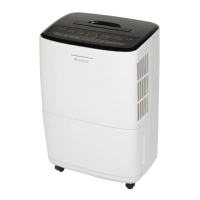
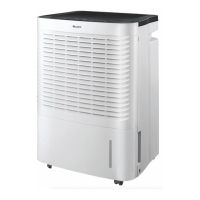
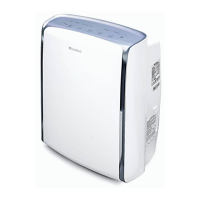
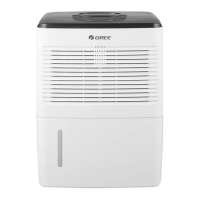
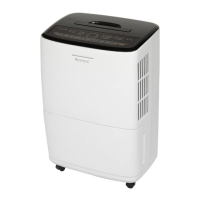
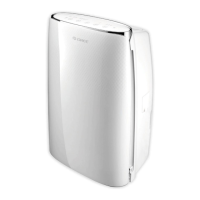
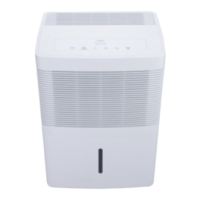
This document is a user manual for Gree Dehumidifiers, specifically covering models GDN20AZ-A3EBA2A, GDN35BB-A3EBA2A, GDN50BA-A3EBA2D, and GDN50BA-A3EBA2F (the latter with an integrated water pump). The manual provides comprehensive instructions for installation, operation, care, maintenance, and troubleshooting, ensuring safe and efficient use of the appliance.
Function Description:
The Gree Dehumidifier is designed for indoor residential applications to reduce ambient humidity. It operates by drawing in humid air, passing it over evaporator coils to condense moisture, and then expelling drier air. The collected water is stored in a drain bucket, which can be manually emptied or continuously drained via a hose. For models with an integrated water pump, water can be automatically pumped away, allowing for more flexible drainage options and continuous operation without manual bucket emptying. The unit features various operating modes, including continuous dehumidification (Nonstop mode), and allows users to set a desired humidity level. It also incorporates automatic defrosting to prevent ice buildup on the evaporator coils and a memory function to retain user settings after a power outage.
Important Technical Specifications:
- Operating Temperature Range: The dehumidifier is designed to operate effectively in an area where the temperature stays between 5°C and 32°C (41°F and 90°F).
- Relative Humidity Range: The recommended relative humidity for operation is between 30% and 90%.
- Fuse Type: The fuse is a type T 3.15AH / 250V, with a maximal permitted current of 3.15A.
- Drain Hose (Gravity Draining): For gravity draining, a drain hose with an outer diameter of 27mm (11/16 in) and a pitch of 11.5 TPI is required (not provided).
- Drain Hose (Pump Draining - optional): For pump draining, the maximum distance and elevation the drain hose can extend from the unit is 5 meters.
- Filter Reminder: The unit features a filter reminder that activates after 250 hours of operation.
- Humidity Adjustment Range: Users can adjust the desired humidity level between 35% and 80%, in 5% increments.
- Timer Settings: The timer can be set for 2 or 4 hours for both switch-off and switch-on functions.
Usage Features:
- Control Panel: The unit is operated via a control panel with indicators for Power ON/OFF, "Filter" Reminder, Nonstop Mode, Humidity Level, Fan Speeds (Low, Medium, High), Timer Values (2 hour, 4 hour), Pump Mode (optional), and "Full" Reminder.
- Power ON/OFF: A dedicated button to turn the dehumidifier on or off.
- Humidity Level Adjustment: "+" and "-" buttons allow users to increase or decrease the desired humidity level. Decreasing the humidity level below 35% activates Nonstop mode for continuous operation at maximum dehumidification.
- Fan Speed Selection: A "FAN SPEED" button cycles through High, Medium, and Low fan speeds to adjust comfort levels.
- Timer Function: A "TIMER" button allows setting a switch-off timer when the unit is running or a switch-on timer when the unit is off, with options for 2 or 4 hours.
- Pump Function (Optional): For models with an integrated water pump, holding the "PUMP" button for 3 seconds activates the pump mode, which automatically drains water when the bucket is full, provided a drain hose is connected to the pump port.
- Warning Alarm: A buzzer sounds for 10 seconds if the drain bucket is full or incorrectly inserted for more than 3 minutes, prompting the user to empty or re-insert it.
- Automatic Stop: The dehumidifier automatically stops operation if the drain bucket is full, removed, or incorrectly inserted, or if the ambient humidity drops 5% below the set humidity level.
- Automatic Defrosting: When frost accumulates on the evaporator coils, the compressor pauses, and the fan continues to run until the frost clears, ensuring efficient operation.
- Castor Installation: Castors are provided for easy transport and are stored inside the drain bucket. They can be firmly inserted into holes under the dehumidifier.
- Pre-use Inspection: Before first use, it is crucial to verify that the float in the drain bucket is correctly positioned to ensure proper operation.
Maintenance Features:
- Cleaning the Casing and Air Vents: The casing can be dusted with a soft towel and cleaned with a mild detergent if grimy. Air vents should be cleaned with a dust catcher or brush.
- Cleaning the Drain Bucket: The drain bucket should be cleaned every few weeks to prevent mold, mildew, and bacteria growth. The manual provides detailed steps for removing the lid and handle to facilitate thorough cleaning.
- Cleaning the Air Filter: The air filter should be cleaned when the "Filter" indicator lights up (after 250 hours of operation), or more frequently in dusty environments. The filter can be pulled out, cleaned with warm, soapy water, rinsed, and thoroughly dried before re-insertion. It is explicitly stated not to operate the dehumidifier without the air filter, dry it with heating appliances, or use a dust catcher/brush to clean it, as this can cause damage or poor performance.
- Storage: For extended periods of non-use, the dehumidifier should be unplugged, the power cord wound, the unit thoroughly cleaned (including drain bucket, air filter, and drain hose), and then wrapped in a plastic bag. It should be stored in a cool, dry place, away from direct sunlight, extreme temperatures, and excessive dust.
- Water Draining Methods:
- Manual Draining: The drain bucket can be manually removed and emptied into a sink or floor drain.
- Gravity Draining: A drain hose can be threaded onto the drain nozzle for continuous gravity drainage to a floor drain. The manual emphasizes ensuring the hose is secure and goes downward without being pressed.
- Pump Draining (Optional): For models with a pump, a drain hose can be inserted into the pump port, allowing water to be pumped to a floor drain, a container, or outside through a window. This method requires the unit to be in Pump mode.


 To Next Page
 General