
 Need help?
Do you have a question about the Gree GJC08BK-A6NRNC5B and is the answer not in the manual?
Essential safety guidelines regarding operation, handling, and electrical safety.
Explanation of buttons and indicators on the main control panel for operation.
Guide to using the remote controller for basic functions like power and mode selection.
Step-by-step guide on how to clean the air filter for optimal performance.
Procedures for cleaning the unit's panel and maintaining the exterior casing.
Comprehensive table detailing troubleshooting steps for various operational issues.
Information on error codes and critical warnings requiring immediate attention.
Guidance on choosing the optimal and safe location for unit installation.
Details on window dimensions and requirements for standard window installations.
Specific guidelines for installing the unit in weather-proof or non-standard windows.
Steps for attaching mounting rails and installing accordion side panels.
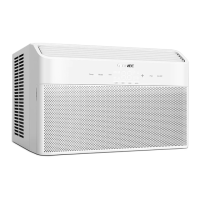
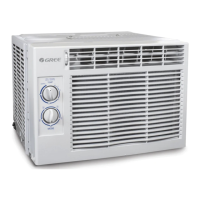
This document is an owner's manual for a GREE Window Type Air Conditioner, model GJC08BK-A6NRNC5B. It provides comprehensive information on the unit's operation, maintenance, installation, and safety precautions.
The GREE Window Type Air Conditioner is designed to provide cooling and dehumidification for indoor spaces. It features multiple operating modes including Auto, Cool, Energy Save, Fan Only, and Dry. The unit can be controlled via a control panel on the unit itself or through a remote controller.
Operating Modes:
Timer Function: The unit features a timer function for both turning on (TIMER ON) and turning off (TIMER OFF).
Fan Speed Adjustment: The fan speed can be selected from Auto, Low, Medium, or High settings. The remote controller offers four fan speeds (Speed 1, Speed 2, Speed 3, Speed 4), though the specific model GJC08BK-A6NRNC5B has three speeds.
Filter Check Function: After 250 hours of total fan operation, a lamp will illuminate to remind the user to clean the filter. Pressing the "Filter check" button clears the operation time and turns off the warning indicator.
Temperature Setting: The set temperature can be adjusted in 1°F (or 1°C) increments using the up/down buttons on the control panel or remote controller. The temperature setting range is 61~86°F (17~30°C).
I FEEL Function (Remote Controller): When activated, the unit will operate based on the ambient temperature value sent by the remote controller every 10 minutes. If no signal is received after 11 minutes, it reverts to using the AC's internal temperature sensor. This function is not memorized if power is lost.
SLEEP Function (Remote Controller): This mode adjusts the temperature to maintain comfort during sleep and is available in Cool, Save, Heat (for models with heating), or Dry modes.
Light Function (Remote Controller Combination Button): Holding the "up" and "down" buttons simultaneously for 3 seconds can toggle the lamp on or off. The lamp is defaulted to "on" when energized.
Child Lock Function (Remote Controller Combination Button): Pressing the "up" and "down" buttons simultaneously can activate or deactivate the child lock. When active, the LOCK indicator on the remote controller is ON, and the remote controller will not send signals.
Temperature Display Switch Over (Remote Controller Combination Button): While the unit is OFF, pressing the "down" button and the "up" button simultaneously can switch the temperature display between °C and °F.
Working Temperature Range:
Power Supply Cord: The power supply cord includes a current detection device to reduce fire risk. It has a 3-prong grounding plug with "TEST" and "RESET" buttons.
Window Dimensions for Installation:
Filter Cleaning:
Panel Cleaning: Wipe the panel surface with a soft dry cloth or a wet cloth dipped in neutral detergent. Do not remove the panel for cleaning.
Outer Case Maintenance: Check the outer case once or twice a year for damage or rust. Contact the dealer if issues are found. A protective covering is recommended during off-season to prevent damage or rust.
Safety Precautions:
Power Cord Check: Periodically check the power cord's creepage protection device by pressing the "TEST" button (indicator turns OFF, sound heard) and then the "RESET" button (indicator turns ON). If the device fails to reset or trips frequently, the power supply cord must be replaced by the manufacturer.
General Troubleshooting: The manual provides a troubleshooting chart for common issues like the unit not operating, poor cooling, fan not blowing, temperature not adjustable, odors, abnormal sounds, and remote controller insensitivity, along with suggested solutions.
 General
| Brand | Gree |
|---|---|
| Model | GJC08BK-A6NRNC5B |
| Category | Air Conditioner |
| Language | English |


 To Next Page