EasyManua.ls Logo

Gree GWH09KF-A3DNB1A - User Manual

Gree GWH09KF-A3DNB1A
2 pages
Print Icon
To Next Page IconTo Next Page
Loading...
QUICK-START GUIDE
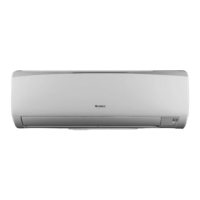
INDOOR UNIT FRONT PANEL DISPLAY:
Look here for LED display of system
status, setpoint, indoor and outdoor temperatures and malfunction codes.
HIGH-WALL DUCTLESS
AIR CONDITIONING &
HEATING SYSTEM
Models:
GWH09KF-A3DNB1A,GWH12KF-A3DNB1A
GWH09KF-D3DNB1C,GWH12KF-D3DNB1C
GWH18KG-D3DNB1C,GWH24KG-D3DNB1A
NOTE: Please read the complete owner’s manual
carefully before operation.
Press to power the unit on or off.
Press to select and adjust each mode.
Press to control vertical angle of louvers and to redirect airflow.
Press to boost cooling or heating capacity.
Quickest way to reach preset temperature.
Press to select fan speed (Auto, Low, Medium or High.)
Auto is default.
Press to raise or lower settings including temperature and time.
Press once for slow adjustment, hold down for fast adjustment.
Press to select one of three SLEEP modes, each offering
varying levels of comfort control while sleeping.
See Owner's Manual for more details.
Press to start or stop the timer. (Adjust with +and buttons.)
See Owner's Manual for more details.
Press to run fan after cooling cycle to dry off coil and help
inhibit growth of bacteria and mildew.
Press to turn on lights on the unit’s Front Panel Display.
Press again to turn off.
Press to set desired room temperature.
(Adjust with “+” and “-buttons.)
: AUTO
: COOL
: DRY
:
FAN ONLY
: HEAT
ON/OFF
TURBO
FAN
SLEEP
TIMER
_
+
X-FAN
LIGHT
TEMP
MODE

Other manuals for Gree GWH09KF-A3DNB1A

Questions and Answers

Summary

Remote Control Operations

Power and Mode Control

Controls for powering the unit on/off and selecting operating modes (Auto, Cool, Dry, Fan Only, Heat).

Fan and Louver Adjustment

Adjusts fan speed (Auto, Low, Medium, High) and controls vertical louver angles for airflow direction.

Specialized Functions

Includes Turbo for quick temperature reach, Sleep modes for comfort, Timer for scheduling, X-Fan for coil drying, and display light control.

Temperature Setting

Allows adjustment of desired room temperature using plus and minus buttons.

Indoor Unit Display Overview

Front Panel Display

Location for LED display of system status, setpoint, indoor/outdoor temperatures, and malfunction codes.

Key Features and Functions

Defrost and Sleep Mode

Enhances comfort by managing defrost cycles and automatically adjusting temperature during sleep.

Turbo and X-Fan Modes

Provides rapid temperature adjustment and helps dry coils to prevent mildew growth.

Privacy Lock and Filter

Prevents unauthorized access to the remote and offers advanced air quality improvement via a photocatalytic filter.

Frequently Asked Questions (FAQs)

Fan Operation Without Cooling;Heating

Explains why the fan continues to run to maintain consistent temperatures and minimize energy loss.

Displayed Temperature

Clarifies that the remote displays the desired indoor temperature, not the current one.

Lost or Damaged Remote

Provides instructions on using the Manual Override button on the indoor unit as a fallback.

Overview

The provided document is a Quick-Start Guide for the Gree Rio High-Wall Ductless Air Conditioning & Heating System. It details the functions of the remote control and key features of the system, along with some frequently asked questions.

Function Description:

The Gree Rio system is a high-wall ductless air conditioning and heating unit designed for residential or commercial use. It offers both cooling and heating capabilities, along with various modes to optimize comfort and energy efficiency. The system is controlled via a remote controller, which allows users to power the unit on/off, select operating modes, adjust temperature, fan speed, and set timers. The indoor unit features a front panel LED display that shows system status, setpoint temperature, and indoor/outdoor temperatures, as well as malfunction codes.

Important Technical Specifications (Based on models listed):

The guide lists several models, indicating a range of capacities:

  • GWH09KF-A3DNB1A, GWH12KF-A3DNB1A
  • GWH09KF-D3DNB1C, GWH12KF-D3DNB1C
  • GWH18KG-D3DNB1C, GWH24KG-D3DNB1A

These model numbers typically denote the nominal cooling/heating capacity (e.g., "09" for 9,000 BTU/h, "12" for 12,000 BTU/h, "18" for 18,000 BTU/h, "24" for 24,000 BTU/h). The "KF" and "KG" likely refer to specific series or design variations, while "D3DNB1A" or "D3DNB1C" could indicate refrigerant type, electrical specifications, or other technical configurations. The system is designed for high-wall installation, meaning the indoor unit is mounted high on a wall, connected to an outdoor unit via refrigerant lines and electrical wiring.

Usage Features:

The Gree Rio system offers a comprehensive set of features for user convenience and comfort:

  • ON/OFF: Simple button to power the unit on or off.
  • MODE Selection: Allows users to choose between:
    • AUTO: Automatically selects cooling, heating, or fan-only based on the room temperature.
    • COOL: Provides cooling to lower the room temperature.
    • DRY: Dehumidifies the air, useful in humid conditions.
    • FAN ONLY: Circulates air without heating or cooling.
    • HEAT: Provides heating to raise the room temperature.
  • FAN Control: Adjusts the vertical angle of the louvers to direct airflow.
  • TURBO Mode: Boosts cooling or heating capacity for rapid temperature changes, allowing the unit to reach the preset temperature quickly. This mode can be deactivated once the desired temperature is achieved.
  • FAN Speed Selection: Offers multiple fan speeds including Auto, Low, Medium, and High. Auto is the default setting.
  • Temperature/Time Adjustment (+/- buttons): Used to raise or lower settings such as desired temperature and timer duration. A single press provides slow adjustment, while holding the button down allows for fast adjustment.
  • SLEEP Mode: Provides three different sleep modes, each designed to offer varying levels of comfort control and energy savings during sleep. These modes typically adjust temperature automatically over time to maintain comfort and reduce utility bills.
  • TIMER: Allows users to set a specific time for the unit to start or stop operation.
  • X-FAN Mode: Particularly useful in humid environments, this function keeps the indoor fan running for a predetermined period after the cooling cycle ends. This helps to dry off the coil, preventing the growth of bacteria and mildew.
  • LIGHT: Toggles the lights on the indoor unit's front panel display on or off.
  • TEMP: Sets the desired room temperature.

Additional Features:

  • DEFROST FUNCTION: Enhances room comfort and saves energy by intelligently sensing the need for defrosting and eliminating unnecessary defrost cycles.
  • PRIVACY LOCK MODE: Prevents unauthorized access or tampering with the remote controller. It is activated by simultaneously pressing and holding the "+" and "-" buttons for 2 seconds, and deactivated by repeating the action.
  • OPTIONAL PHOTOCATALYTIC FILTER: An advanced technology designed to improve indoor air quality by preventing the spread of bacteria and viruses.

Maintenance Features:

While the guide does not explicitly detail maintenance procedures, the X-FAN mode contributes to system hygiene by drying the indoor coil, which helps prevent mold and mildew growth. The mention of an optional photocatalytic filter also suggests a focus on air quality and system cleanliness. For comprehensive maintenance instructions, users are directed to consult the complete owner's manual.

Troubleshooting/FAQs:

The guide addresses common user queries:

  • Fan running when not cooling/heating: The fan continues to run to maintain consistent temperatures and minimize energy loss from frequent starts and stops, ensuring air flows past the thermostat.
  • Temperature displayed on remote: The remote always shows the desired indoor temperature. Current indoor and outdoor temperatures can be viewed on the indoor unit's front panel display.
  • Lost/damaged remote: In such cases, the unit can be operated manually using the Manual Override button located behind the front panel of the indoor unit. Pressing it once turns the unit ON (with limited functions), and pressing it again cancels Manual Override Mode, returning control to the remote.

The document emphasizes that not all features are available on all models and that the actual system may differ from the images shown. It strongly recommends reading the complete owner's manual for full instructions, safety information, and detailed explanations of all functions. For more information, users are directed to GreeComfort.com.

Gree GWH09KF-A3DNB1A Specifications

General IconGeneral
BrandGree
ModelGWH09KF-A3DNB1A
CategoryHeat Pump
LanguageEnglish

Related product manuals