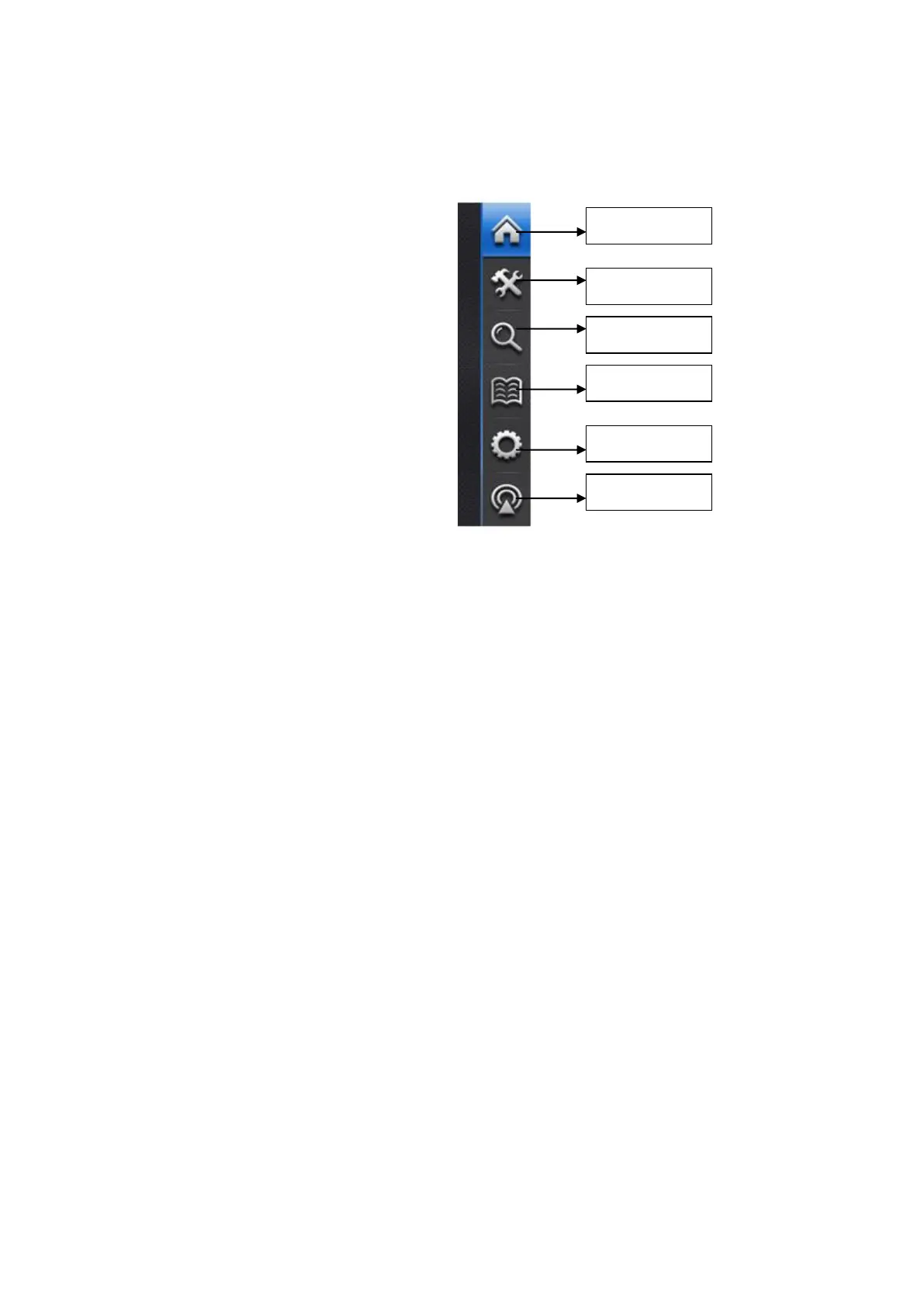
There is a Function Menu on the right of the screen, which is displayed all the time. It
consists of a group of touch buttons to realize the quick access to and control on the air
conditioning system.
Function of each button is as follows:
“Home”: It is touched to enter the Homepage
“User Setting”: It can be touched to enter the interface for the setting of system
temperature and humidity, status of each module, clock and timer.
“Run Status”: It is touched to enter the interface of running status which displays the
running parameter of each module, status of each operating organization as well as
temperature and humidity curve.
“Event Log”:It is touched to enter the interface of event log which provides the
information of current error, current event and historical events。
“Parameter”: It is touched to enter the interface of parameter setting which requires codes
to enter its 4 sub-function interfaces, including system parameter setting, sub module setting,
service time and manual debugging.
“System Info.”: It is touched to enter the interface of system info., including system info.
inquiry、maintenance notice and password reset。
Button-shaped area is touchable control area (text on the screen are the definition of
functions), which can be touched by finger to execute specified command. The function of each
touch button and the meaning of hint information are as follow:
“Return air Temp. & Humidity”: That is Average temperature and humidity detected by
running modules which keep normal connecting with the main module. (If the entire modules
are running, the average temperature is that of all running module units; if not, the average
temperature is that of all independent running module units.)
On initial energization, temperature and humidity of each module disconnected
communication links are display as 0.
ТОО "Everest climate", Р. К., г.Алматы | Телефон: +7 727 230 00 10, +7 777 250 10 90 | www.aircon.kz, e-mail: info@aircon.kz



 To Next Page