GREE Air-ccoled Closed Control Unit Service Manual
86
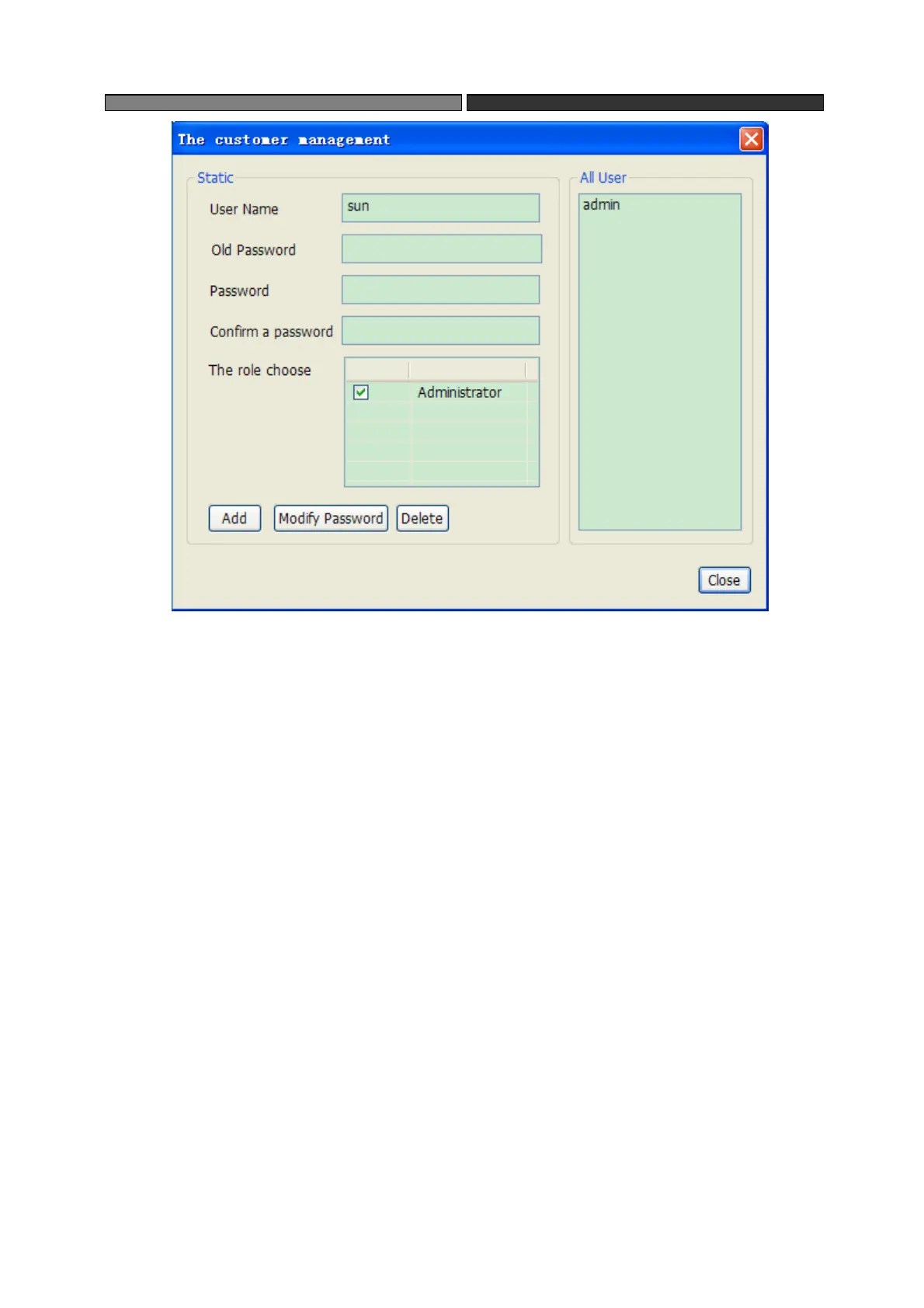
Add user: fill a different name with password and user, then click “add”.
Modify password: select a user in “all users”, type in the original password and new
password, click “modify password”.
Delete user: Select a user in “all users” and click “delete”
4.7.2 User management
Users having the rights of "The customer management" can add and delete role.Click
Menu->System->The role management and the following interface will appear.



 To Next Page