12
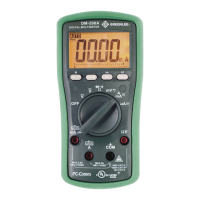
Data Storage Function (DML-430A only) (cont’d)
To stop recording data:
While the meter is logging data, press the button for more than 1 second.
To review stored data:
Press p and q momentarily to enter Recall mode. The last session number displays for 0.5 seconds
and then displays the last logged data item as well the and annunciators.
Options —while reviewing data:
Press • p or q momentarily to step through the data.
Press • SELECT to toggle between the data and the logged data item number.
Press • and hold p or q to quickly scan through the data. Tone indicates that the first or last mea-
surement is displayed.
Press • p and q momentarily to select another session page.
Press • p and q for 1 second for fast scrolling, and hold either p or q to quickly scroll through the
pages. Tone indicates that the first or last session page is displayed.
Press • p or q momentarily while holding down the HOLD button to scan through the turning points
(the alternating high and low points) or the data set. “MAX” or “MIN” will flash to indicate a high or
low point.
To exit Recall mode, rotate the selector to a different setting or turn the meter off.


 To Next Page