www.ebikes.ca/satiator
info@ebikes.ca
+1(604) 569-0902
- 4 -
1.1. Getting Started
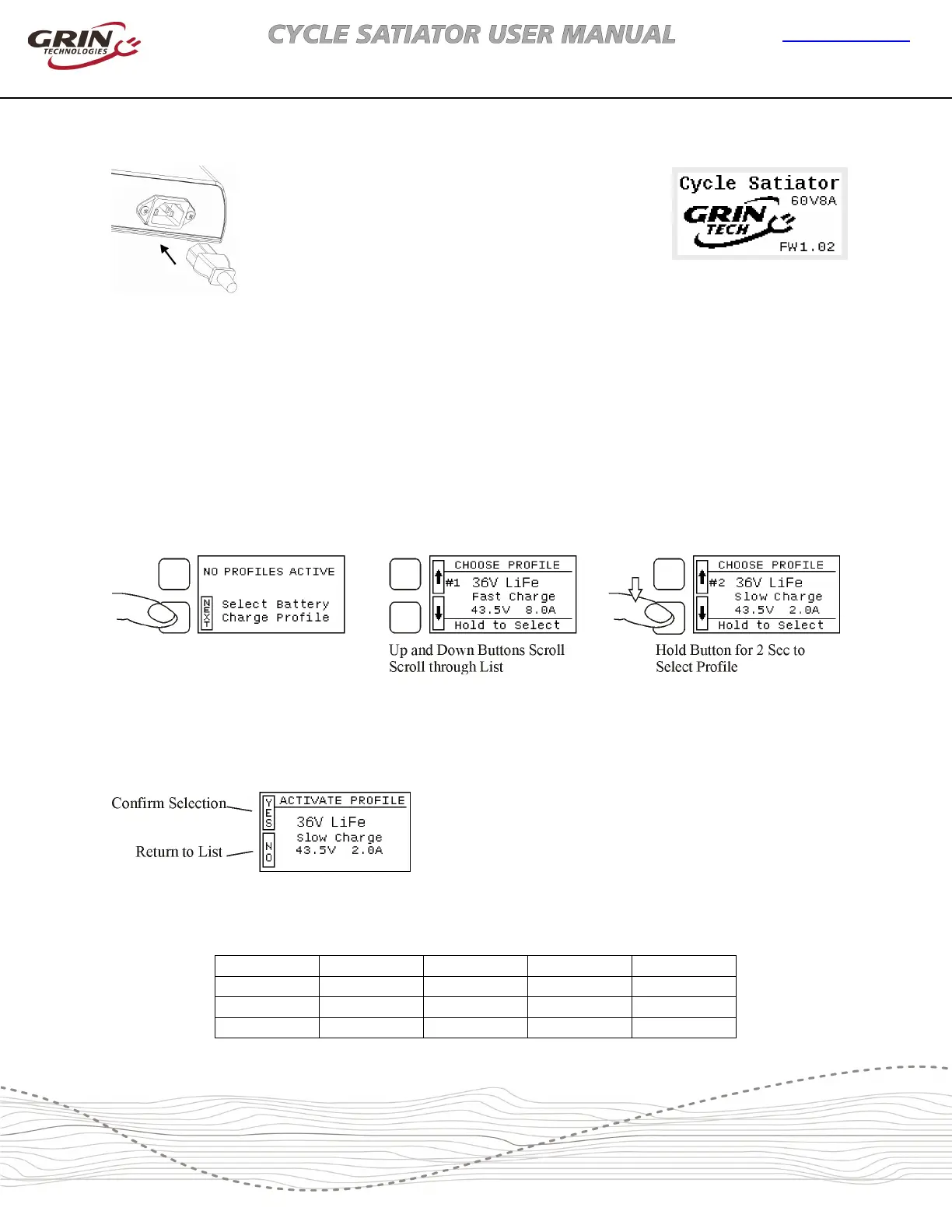
The Satiator does not have an ON/OFF switch, so it
will turn on whenever there is power present on the
AC input port. The 3-pin IEC connector is the familiar
standard for personal computers, and if the included
cable does not match your country's outlet standard
then there should be no problem finding one locally.
Just be sure to use a grounded 3-pin outlet.
1.2. Setting up your First Profile
If the Satiator was purchased by itself without a battery, then it will usually arrive out of the box
without a profile activated. Before you can use it to charge a battery, you will need to select an
output appropriate for your pack. The display will say NO PROFILES ACTIVE after briefly showing a
splash screen.
Figure 4: Setting up the first profile on a new Satiator device
Pressing the up or down button will let you scroll through a number of preset profiles. When you
see the profile for your battery, press and hold the lower button to select it. A screen will ask you
to confirm the selection.
Figure 5: First profile confirmation
The preset profiles are shown in the table below and cover the majority of lithium and lead acid
batteries encountered in ebike applications
Title:
36V Lithium 36V Lithium 36V Lithium 36V LiFePO4 36V LiFePO4
Subtitle:
Fast Charge Stnd Charge 80% Charge Fast Charge Stnd Charge
Bulk Amps:
8.0 A 4.0 A 4.0 A 8.0 A 4.0 A
Full Volts:
42.0 V 42.0 V 40.5 V 43.2 V 43.2 V
Figure 3: Connect
AC Power to Turn
On
Figure 2:
after power applied,
shows Model and
Firmware Version


 To Next Page