EasyManua.ls Logo

Grizzly G0723 - User Manual

Grizzly G0723
32 pages
Print Icon
To Next Page IconTo Next Page
Loading...
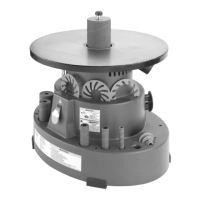
MODEL G0723
HEAVY-DUTY OSCILLATING
SPINDLE SANDER
OWNER'S MANUAL
(For models manufactured since 09/11)
8DENG><=ID8ID7:G!'%&&7N<G>OOAN>C9JHIG>6A!>C8#
WARNING: NO PORTION OF THIS MANUAL MAY BE REPRODUCED IN ANY SHAPE
OR FORM WITHOUT THE WRITTEN APPROVAL OF GRIZZLY INDUSTRIAL, INC.
HI&))%,EG>CI:9>C8=>C6

Questions and Answers

  • K
    Kimberly OlsonAug 16, 2025
    What to do if my Grizzly G0723 motor will not start?
    • J
      John SandersAug 16, 2025
      If the motor of your Grizzly Sander doesn't start, there could be a few reasons. First, make sure the switch disabling key is inserted to enable power. Second, check the power line voltage and correct it if it's low. Lastly, inspect all motor connections for any loose or open connections.
  • J
    Jill RobinsonAug 18, 2025
    Why does my Grizzly G0723 motor stall and blow fuses?
    • M
      Mrs. Dawn JonesAug 18, 2025
      If your Grizzly Sander motor stalls, resulting in blown fuses or a tripped circuit, it could be due to several reasons. First, the motor might be overloaded, so try reducing the load. Second, inspect the motor connections for loose or shorted terminals or worn insulation. Third, check the power line voltage and correct if necessary. Finally, ensure that the correct fuses or circuit breakers are installed in the power line.
  • E
    Eric DavisAug 22, 2025
    What to do if my Grizzly G0723 Sander motor overheats?
    • W
      William JonesAug 22, 2025
      If the motor of your Grizzly Sander overheats, it is likely that the motor is overloaded. Try reducing the load on the motor.
  • W
    walkerisaacAug 25, 2025
    Why does my Grizzly G0723 Sander motor not start and blow fuses?
    • H
      hallamandaAug 25, 2025
      If your Grizzly Sander motor won't start and the fuses or circuit breakers blow, it could be due to a few reasons. Check the line cord and plug for damaged insulation or shorted wires. Also, inspect all motor connections for loose or shorted terminals or worn insulation. Finally, ensure that you have the correct fuses or circuit breakers installed in the power line and replace them if needed.
  • S
    smithchristopherAug 27, 2025
    Why does my Grizzly G0723 vibrate excessively?
    • W
      wfischerAug 27, 2025
      Excessive vibration in your Grizzly Sander can stem from a couple of issues. First, ensure the machine is securely fastened to the workbench. If it's already secured, check and adjust the motor mounting as needed.
  • E
    Eric OconnellAug 31, 2025
    What causes deep sanding grooves when using my Grizzly Sander?
    • A
      Ashley BaileyAug 31, 2025
      Deep sanding grooves or scars when using the Grizzly Sander may appear due to a few reasons: using a sanding sleeve that is too coarse for the desired finish, sanding the workpiece across the grain instead of with it, or applying too much sanding force. Try using a finer grit sanding sleeve, sand with the grain, and reduce pressure on the workpiece while sanding.
  • E
    Elizabeth ParkerSep 3, 2025
    What to do if my Grizzly G0723 Sander slows down during operation?
    • S
      Stacey McfarlandSep 3, 2025
      If your Grizzly Sander slows down while you're using it, it's likely because you're applying too much pressure to the workpiece. Try reducing the amount of pressure you're applying to the spindle.
  • D
    Diana BassSep 6, 2025
    Why does my Grizzly Sander leave burn marks on the workpiece?
    • J
      Joseph GarzaSep 6, 2025
      Burn marks on the workpiece when using the Grizzly Sander can be caused by using too fine of sanding grit, using too much pressure, or holding the work in one place for too long. Try using a coarser grit sanding sleeve, reducing the pressure on the workpiece, and avoiding keeping the workpiece in one place for an extended period.
  • J
    Julia BrownSep 8, 2025
    Why do grains rub off the sanding sleeve of my Grizzly G0723 Sander?
    • T
      traceyfrankSep 8, 2025
      Grains rubbing off the sanding sleeve of your Grizzly Sander can happen if the sanding sleeve has been stored in an incorrect environment or if the sanding sleeve has been folded or smashed. Store sanding sleeves away from extremely dry or hot temperatures, separately, and not folded or flat.
  • B
    Brittany JohnsonSep 12, 2025
    Why do sanding surfaces clog quickly or burn when using my Grizzly G0723 Sander?
    • C
      coopercharlesSep 12, 2025
      If sanding surfaces clog quickly or burn when using the Grizzly Sander, it could be due to too much pressure against the sleeve or sanding softwood. Reduce pressure on the workpiece while sanding or, if sanding softwood, either use different stock or accept the characteristics of the stock and plan on cleaning/ replacing belts frequently.

Summary

Introduction

Manual Accuracy and Contact Information

Provides information on manual accuracy and how to contact Grizzly support for assistance.

Model G0723 Identification

Machine Data Sheet

Section 1: Safety

Safety Symbol Definitions

Explains the meaning of safety symbols like DANGER, WARNING, CAUTION, and NOTICE.

General Operational Safety

Covers crucial safety practices for operating machinery, including operator alertness and environment.

Specific Safety for Spindle Sanders

Provides specific safety precautions tailored for spindle sander operations.

Section 2: Power Supply

Availability

Discusses the importance of checking power supply availability before machine installation.

Full-Load Current Rating

Explains the machine's amperage draw at full operational capacity.

Circuit Requirements

Details the necessary voltage, phase, and amperage for the power supply circuit.

Grounding & Plug Requirements

Outlines the mandatory grounding and plug specifications for safe operation.

Extension Cords

Advises on the proper use and limitations of extension cords with the machine.

Section 3: Setup

Needed for Setup

Lists items required for setting up the machine that are not included.

Unpacking

Provides instructions for safely unpacking the machine and inspecting for damage.

Inventory

Details the main components shipped with the machine for inventory purposes.

Cleanup

Explains the process for removing rust preventative coating from the machine.

Site Considerations

Covers factors like weight load and space allocation around the machine.

Physical Environment

Describes the ideal environmental conditions for operating the machine.

Electrical Installation

Details how to safely connect the machine to a power source.

Lighting

Emphasizes the need for adequate lighting for safe operation.

Mounting

Explains methods for securely mounting the machine to a workbench.

Assembly

Guides on placing accessory parts like lock knob and drums.

Dust Collection

Stresses the importance of an adequate dust collection system for health and safety.

Power Connection

Details the steps for safely connecting the machine to the power supply.

Test Run

Outlines the procedure for verifying the machine's function before regular use.

Section 4: Operations

Disabling Switch

Explains how to disable the switch to prevent unauthorized operation.

Sleeve Selection

Guides on choosing the correct sleeve, drum, and insert sizes.

Sleeve Installation

Provides step-by-step instructions for installing or replacing sanding sleeves.

Sanding

Details the proper technique for sanding workpieces with the machine.

Section 5: Accessories

Section 6: Maintenance

Schedule

Outlines a maintenance schedule for optimal machine performance.

Cleaning

Explains how to clean the machine, focusing on the table and spindle areas.

Section 7: Service

Troubleshooting

Provides a guide to identify and resolve common machine problems.

Section 8: Wiring

Wiring Safety Instructions

Details critical safety precautions to follow when working with electrical wiring.

Wiring Diagram

Presents the overall wiring diagram for the machine's electrical system.

Wiring Diagram Details

Shows the specific electrical schematic with component connections.

Section 9: Parts

Main Breakdown

Illustrates the main assembly of the machine with numbered parts.

Main Parts List

Lists all component parts with their reference numbers and descriptions.

Labels Breakdown

Explains the meaning and location of various safety and informational labels.

Warranty Card

Warranty & Returns

Grizzly G0723 Specifications

General IconGeneral
BrandGrizzly
ModelG0723
CategorySander
LanguageEnglish

Related product manuals