21
GPS
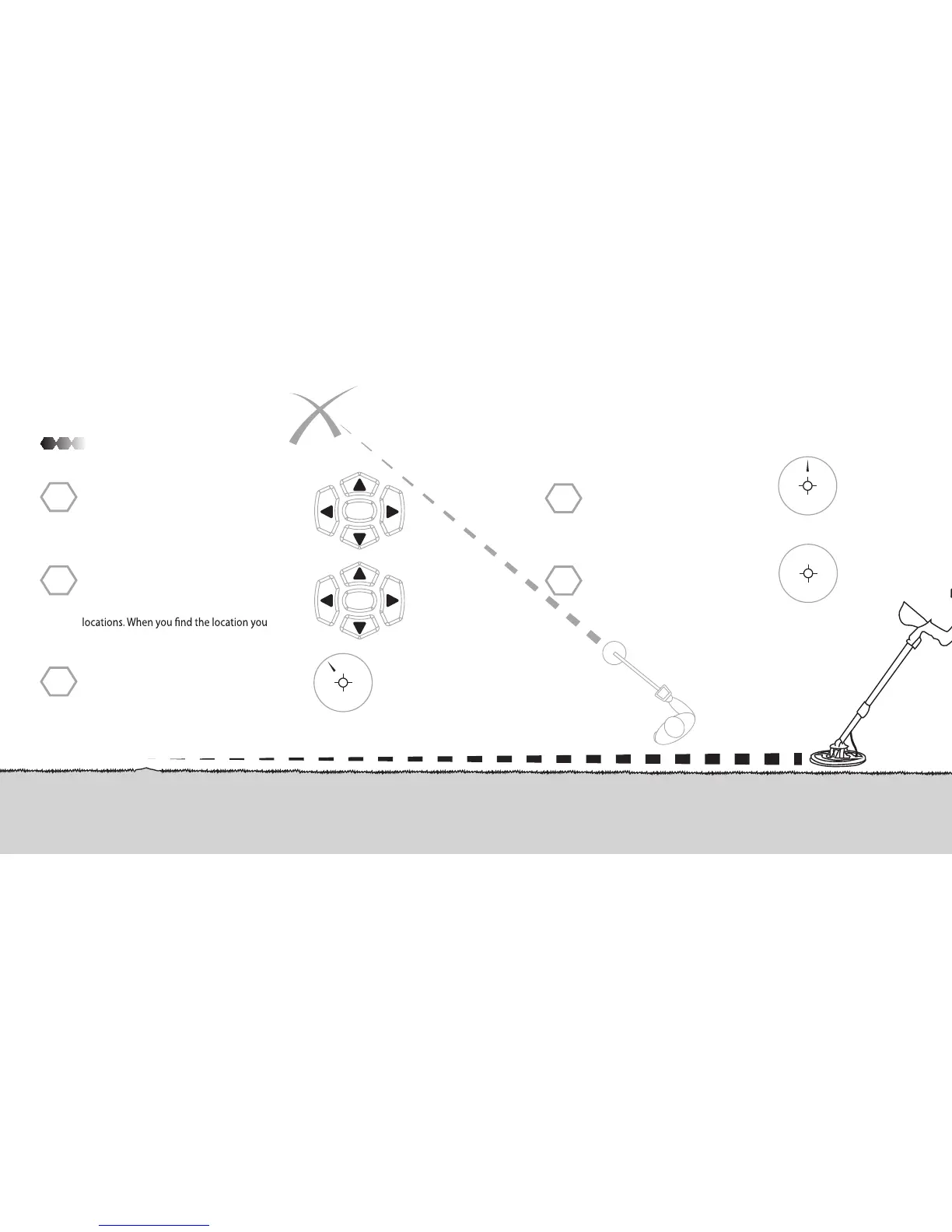
To go back to a saved location press the
“GPS” button to enter GPS mode. Scroll
down to Waypoint and then push the left or
right button to scroll through saved
want press the “ENTER” button.
STEP
1
STEP
2
STEP
3
The GPS will show you which direction to
go and how many yards to the location.
The arrow and yards will change the
closer or further away you get to the
location.
Once you have found the spot, the
yards will read 000 and the arrow will
be gone.
STEP
4
50
YDS
ENTER
PPDIS
GG
GPS
10
YDS
000
YDS
To save a location press the “GPS” button.
The option Save should be on the display,
push “ENTER”. Use the arrow keys to change
or add letters to name the location. Press
the “ENTER” button to save.
STEP
1
ENTER
PPDIS
GG
GPS



 To Next Page