ASSEMBLY
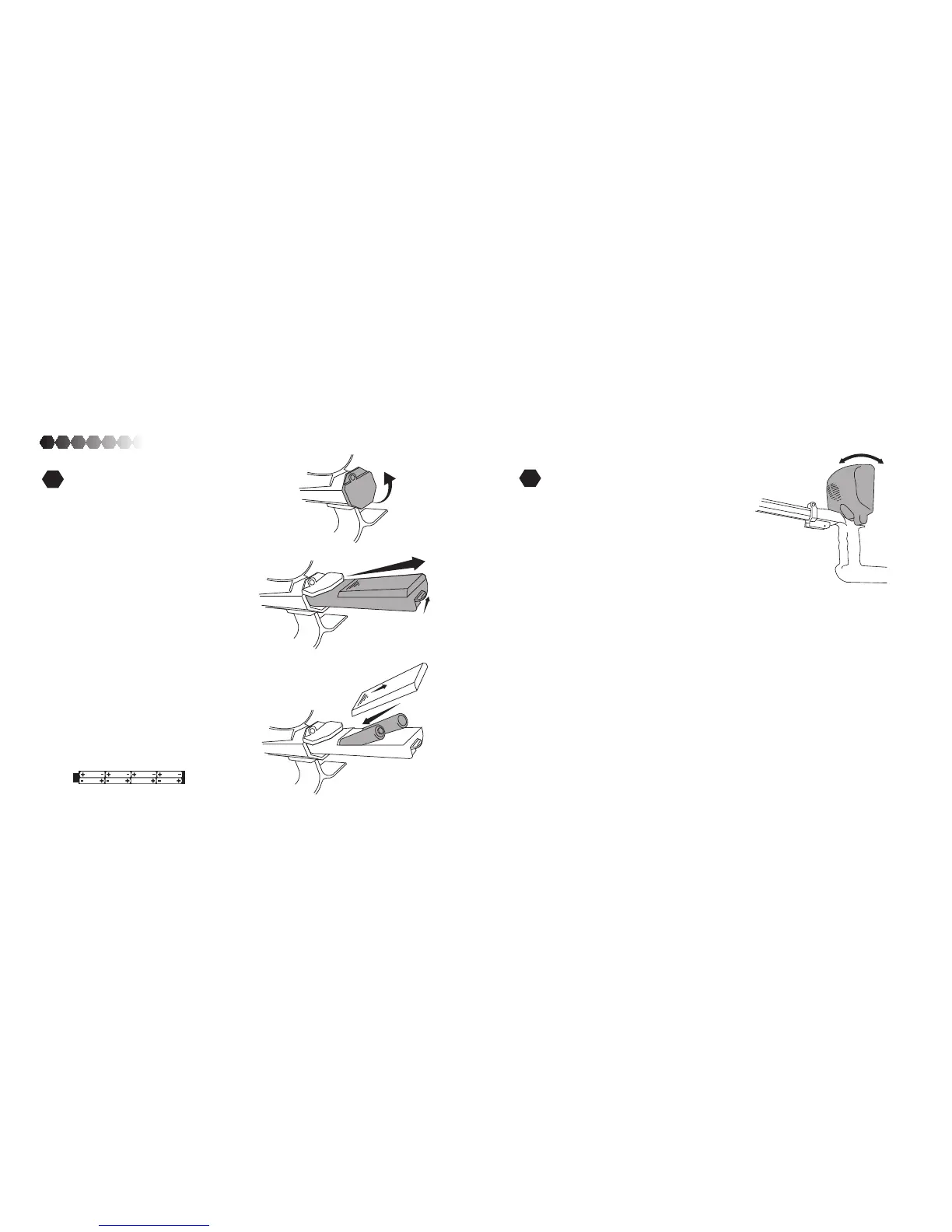
Battery Compartment
Cover
Slide the battery compartment door back
to remove. Insert 8x AA alkaline batteries.
Replace the battery compartment door
and insert the battery compartment back
into the unit. Make sure the battery com-
partment cover is sealed completely.
Battery Compartment
Door
Battery Compartment
+
-
-
Battery Compartment
Thumb Tab
9
3
Installing Batteries
Lift the battery compartment cover.
Pull up on the small thumb tab to release
battery compartment. Pull the battery
compartment out of the unit.
Caution: Never mix old and new batteries. Never mix alkaline, carbon-zinc or rechargeable batteries.
Adjusting the display
To adjust the display, tilt the display
forward or back to your desired place-
ment. It should stay throughout use. The
display may need additional adjustment in
very bright or very dark environments.
4



 To Next Page