CONTROLS
SYSTEM OPERATION
The included controls are configured for RetroPie,
keyboard and MAME as follows.
Up Start B A RetroPie
Left Right 1 2 LeftCtrl Keyboard
Start 1 Start 2 B1 MAME
Down
Select X RetroPie
5 6 Keyboard
Coin 1 Coin 2 MAME
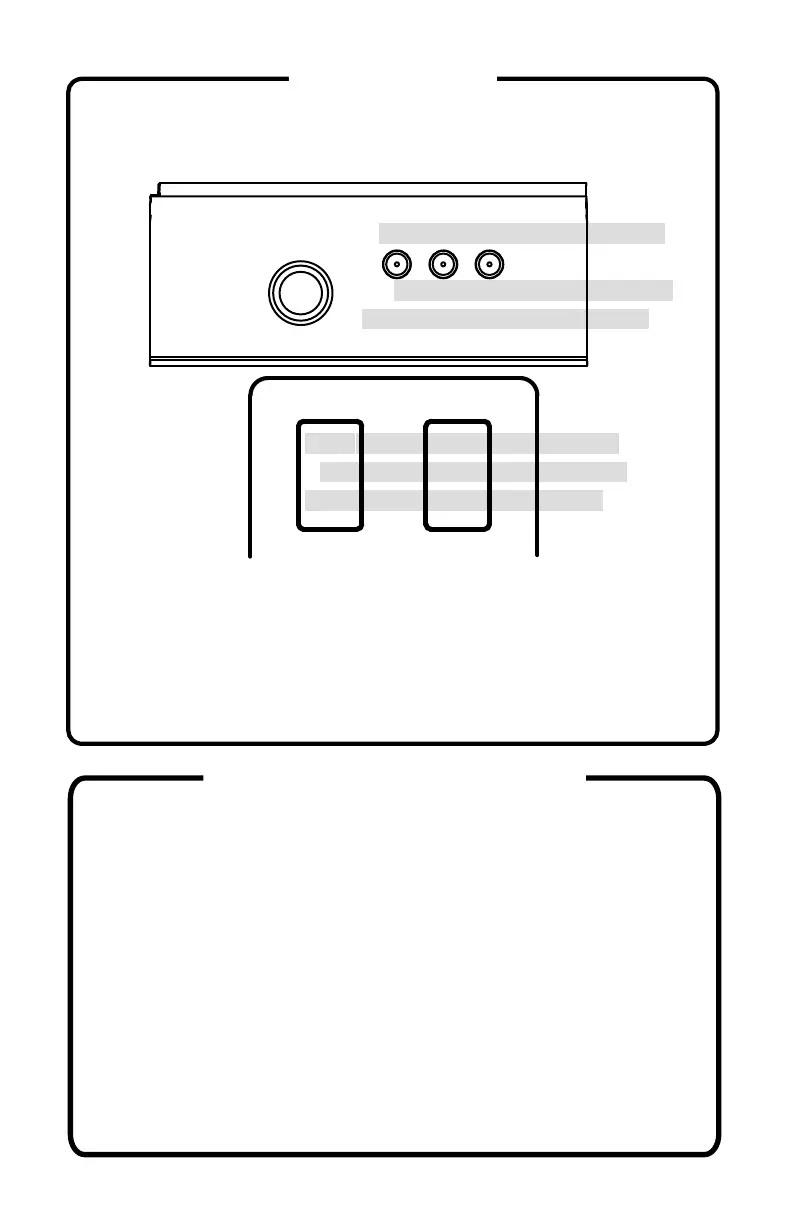
The two buttons on the back of the cabinet are; Button 1 -
Y (Enter), and Button 2 - ESC. The rear joystick is used to
navigate the system when the Trackball or Spinner control
panels are installed.
Navigate the system with the joystick and buttons. The A
button selects an item. B returns to the previous menu.
Start opens the Main Menu. Select starts the screensaver.
When a game is highlighted, Y will add/remove games
from Favorites. X chooses a random item.
To shut down, from the main screen, press START and
choose SHUTDOWN. Wait for the green LED on the Pi to
turn off (about 10 seconds) and then power the unit off.
Alternately, press the soft power button from any screen,
wait for the green LED on the Pi to turn off, then slide the
power switch off. Green LED can be seen through vents.


 To Next Page