27
Optional Control Panels
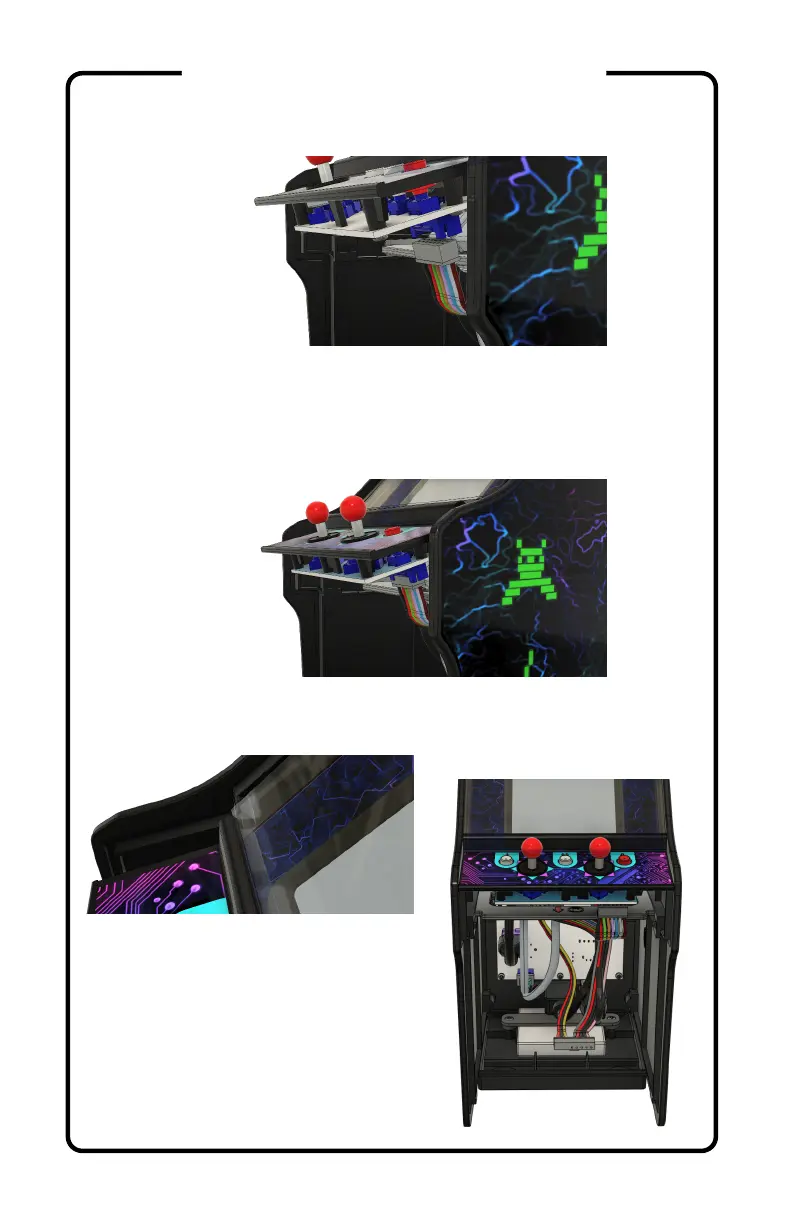
7) Unplug the wiring harness(es) from the control panel.
8) Plug the wiring harness(es) into the new control panel.
For the spinner and trackball panels, insert the included
USB cable into an available port on the Pi. Keep the cable
above the center brace.
9) Align the control panel with the acrylic bezel and insert
it into position on the left side panel, then press into place.
10) Press the left and right sides
together to seat the control panel.


 To Next Page