EasyManua.ls Logo

Grundig 2100 - Battery Operation; Inserting Batteries or Accumulator; Mains;Battery Switch for Battery Use

Grundig 2100
46 pages
Print Icon
To Next Page IconTo Next Page
To Previous Page IconTo Previous Page
Loading...
Satellit
2100
110...127/220...
240V~
50...60Hz
max,
17W
Ey
Die
Gerdteaufschriften
befinden
sich
am
Gehauseboden.
The
identification
label
can
be
found
on
the
bottom
of
the
set.
Les
indications
de
type
se
trouvent
sur
le
fond
de
l'appareil.
Le
avvertenze
sull’uso
dell'apparecchio
si
trovano
sul
pannello
di
fondo.
De
type-aanduidingen
bevinden
zich
op
de
onderkant
van
het
apparaat.
oo
Pen
ieevriemnnng
Bh
M62
NETZ
|
+:
ae
MAINS
|
|
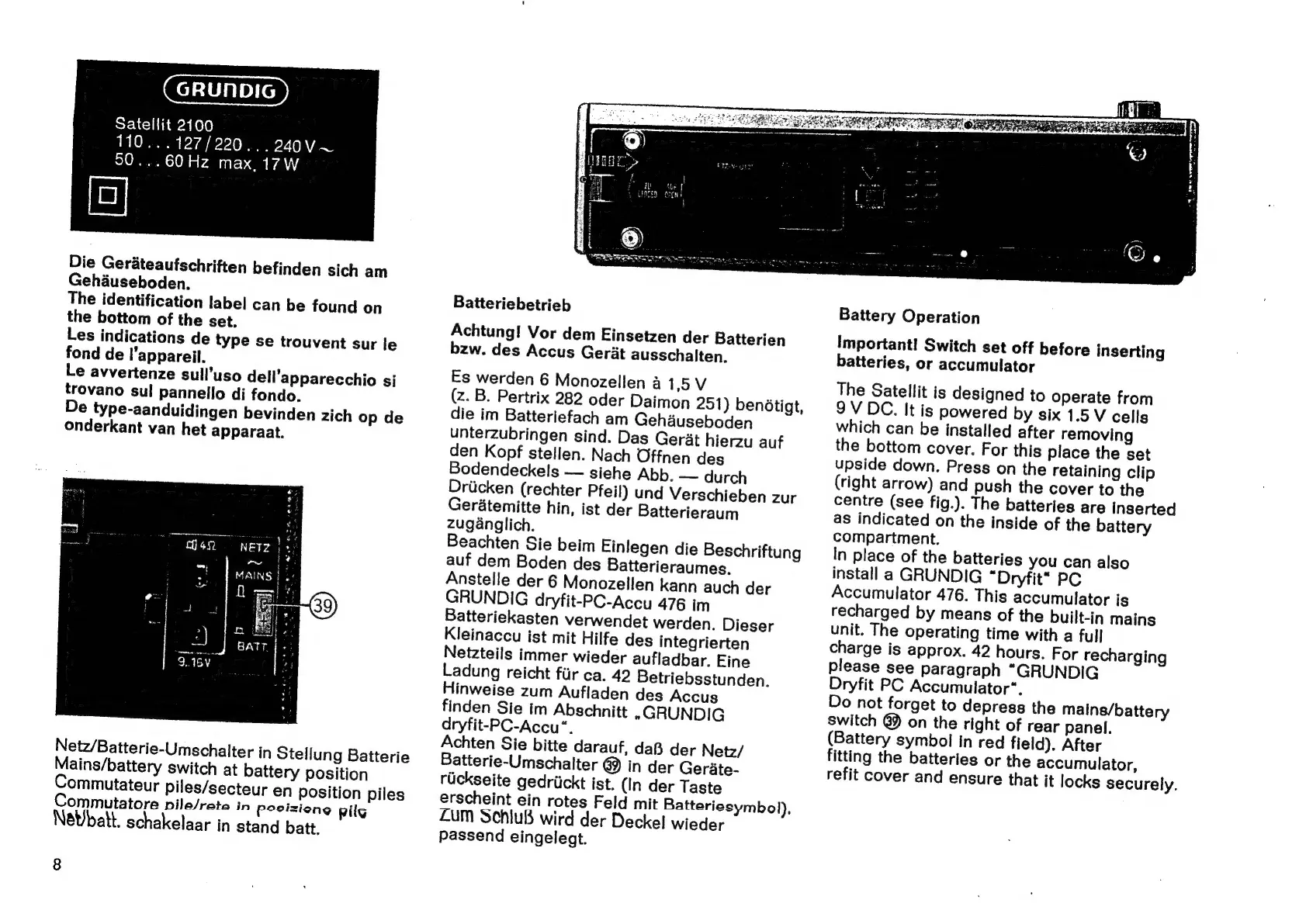
Netz/Batterie-Umschalter
in
Stellung
Batterie
Mains/battery
switch
at
battery
position
Commutateur
piles/secteur
en
position
piles
Commutatore
pile/rate
in
posizione
pilg
NeWbatt.
schakelaar
in
stand
batt.
8
Batteriebetrieb
Achtung!
Vor
dem
Einsetzen
der
Batterien
bzw.
des
Accus
Gerit
ausschalten.
Es
werden
6
Monozellen
a
15V
(z.
B.
Pertrix
282
oder
Daimon
251)
bendtigt,
die
im
Batteriefach
am
Gehauseboden
unterzubringen
sind.
Das
Gerat
hierzu
auf
den
Kopf
stellen.
Nach
Offnen
des
Bodendeckels
—
siehe
Abb.
—
durch
Driicken
(rechter
Pfeil)
und
Verschieben
zur
Geratemitte
hin,
ist
der
Batterieraum
zuganglich.
Beachten
Sie
beim
Einlegen
die
Beschriftung
auf
dem
Boden
des
Batterieraumes.
Anstelle
der
6
Monozellen
kann
auch
der
GRUNDIG
dryfit-PC-Accu
476
im
Batteriekasten
verwendet
werden.
Dieser
Kleinaccu
ist
mit
Hilfe
des
integrierten
Netzteils
immer
wieder
aufladbar.
Eine
Ladung
reicht
fur
ca.
42
Betriebsstunden.
Hinweise
zum
Aufladen
des
Accus
finden
Sie
im
Abschnitt
»GRUNDIG
dryfit-PC-Accu“.
Achten
Sie
bitte
darauf,
da®B
der
Netz/
Batterie-Umschalter
@
in
der
Gerate-
rickseite
gedriickt
ist.
(In
der
Taste
erscheint
ein
rotes
Feld
mit
Batteriesymbol),
LUM
SchiuB
wird
der
Deckel
wieder
passend
eingelegt.
Battery
Operation
Important!
Switch
set
off
before
inserting
batteries,
or
accumulator
The
Satellit
is
designed
to
operate
from
9V
DC.
It
is
powered
by
six
1.5
V
cells
which
can
be
installed
after
removing
the
bottom
cover.
For
this
place
the
set
upside
down.
Press
on
the
retaining
clip
(right
arrow)
and
push
the
cover
to
the
centre
(see
fig.).
The
batteries
are
inserted
as
indicated
on
the
inside
of
the
battery
compartment.
In
place
of
the
batteries
you
can
also
install
a
GRUNDIG
“Dryfit*
PC
Accumulator
476.
This
accumulator
is
recharged
by
means
of
the
built-in
mains
unit.
The
operating
time
with
a
full
charge
is
approx.
42
hours.
For
recharging
please
see
paragraph
“GRUNDIG
Dryfit
PC
Accumulator“.
Do
not
forget
to
depress
the
mains/battery
switch
@Y
on
the
right
of
rear
panel.
(Battery
symbol
in
red
field).
After
fitting
the
batteries
or
the
accumulator,
refit
cover
and
ensure
that
it
locks
securely.