Chassis LE ≥ 37"GRUNDIG Service
5
Service Menus
40
LXW 102-8600 DL
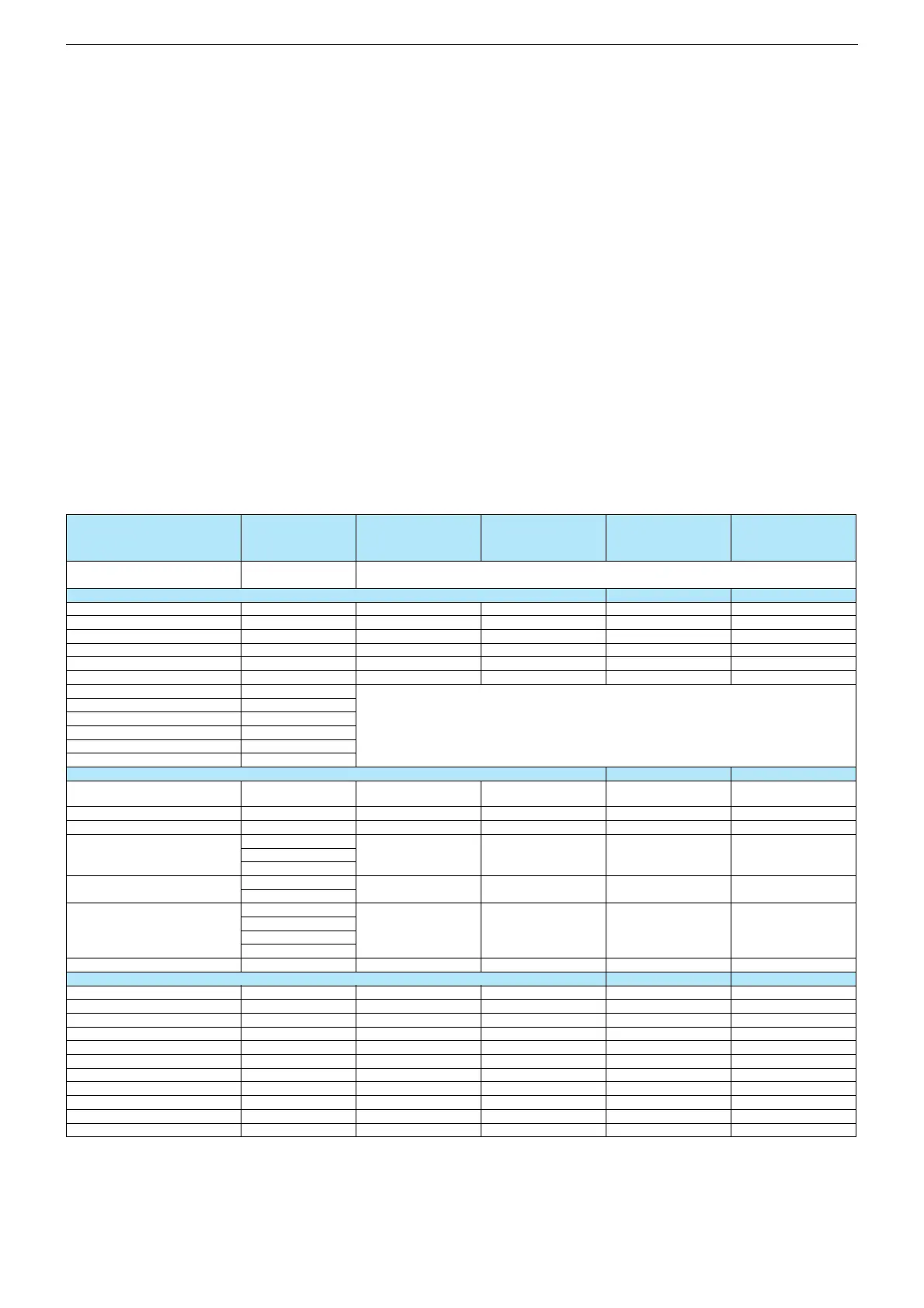
ITEM NAME
ADJUSTMENT
OPTIONS/VALUES DEFAULT VALUES
FACTORY MODE
I2S PRESCALE
SCART PRESCALE
NICAM PRESCALE
ON / OFF OFF
16
31
70
FM/AM PRESCALE
AGC ADJUST
WHITE R
WHITE G
31
15
Siehe "Automatischer Abgleich" nächste Seite
See "Autocalibration" next page
WHITE B
PIP WHITE R
PIP WHITE G
PIP WHITE B
SELECTIONS
FACTORY RESET
BACKLIGHT
TUNER TYPE
siehe oben
see above
15
PHILIPS
TELETEXT
TIMER MODE
NO TEXT
FAST FAST&TOP
FAST&TOP
SLEEP TIMER
SLEEP
TIMER
MSP CLIP
OFF TIMER
REDUCE VOL
DYNAMIC
REDUCE TONE
COMPROMISE
HOTEL MODE MAX VOLUME
OPTIONS
HOTEL MODE
DYNAMIC
40
ON/OFF OFF
STDBY RECALL
RECALL LAST AV
MSP CARRIER MUTE
WSS RF
ON/OFF
ON/OFF
OFF
OFF
ON/OFF
ON/OFF
ON
ON
AUTO AV 16:9
FIRST ATS
HEADPHONE
KEYBOARD
ON/OFF
ON/OFF
ON
OFF
ON/OFF
ON/OFF
ON
ON
VIRTUAL DOLBY
SUBWOOFER
ON/OFF
ON/OFF
OFF
OFF
37
LXW 94-8600 DL
Lenaro 40
LXW 102-8620
Dolby
OFF
16
31
70
OFF
16
31
70
31
15
31
15
siehe oben
see above
15
PHILIPS
siehe oben
see above
15
PHILIPS
FAST&TOP
SLEEP
TIMER
FAST&TOP
SLEEP
TIMER
DYNAMIC DYNAMIC
40
OFF
40
OFF
OFF
OFF
ON
ON
OFF
OFF
ON
ON
ON
OFF
ON
ON
ON
OFF
ON
ON
OFF
OFF
ON
OFF
Lenaro 37
LXW 94-8620 Dolby
OFF
16
31
70
31
15
siehe oben
see above
15
PHILIPS
FAST&TOP
SLEEP
TIMER
DYNAMIC
40
OFF
OFF
OFF
ON
ON
ON
OFF
ON
ON
ON
OFF
Service- und Sonderfunktionen
Tastenfunktionen
i
- Aufrufen des Service Menü
- Menü-Punkt aktivieren,
- Untermenü verlassen
P+
/
P-
- Menü-Zeile (Menüpunkt) wählen
ǸǸ
ǸǸ
/
ǷǷ
ǷǷ
- Untermenü auswählen,
- Wert ändern
Service-Mode aktivieren
– Taste "
i
" auf der Fernbedienung drücken.
Menü wird eingeblendet.
– Service Nummer "8500" eingeben.
Factory Reset durchführen
– Im Service-Menü "Selections" Menüpunkt "Factory Reset" an-
wählen und mit Taste "OK" bestätigen.
– Wenn die Menüpunktfarbe von rot nach schwarz wechselt, Ge-
rät ausschalten (Händlermenü nicht beenden!).
Service-Mode beenden
– Taste "
i
" auf der Fernbedienung drücken.
Software-Versionsnummer
Im Service Menü wird die Versionsnummer angezeigt.
Service and Special Functions
Functions of the buttons
i
- Call up the Service Menu
- Activate menu point,
- leave submenu
P+
/
P-
- Call up the dialogue line (point of menu)
ǸǸ
ǸǸ
/
ǷǷ
ǷǷ
- Select submenu,
- change the setting
Calling up the Service Mode
– Press button "
i
" on the remote control.
Menu appears.
– Enter service code "8500".
Perform a factory reset
– Select menu item "Factory Reset" in the service menu "Selecti-
ons" and confirm with button "OK".
– Switch off the set when the colour of the menu item switches
from red to black (do not exit the service mode!).
Exit the Service Mode
– Press button "
i
" on the remote control.
Software Version Number
The software version number is shown in service menu.








 To Next Page