ENGLISH
31
Chapter 3 Using the LCD TV
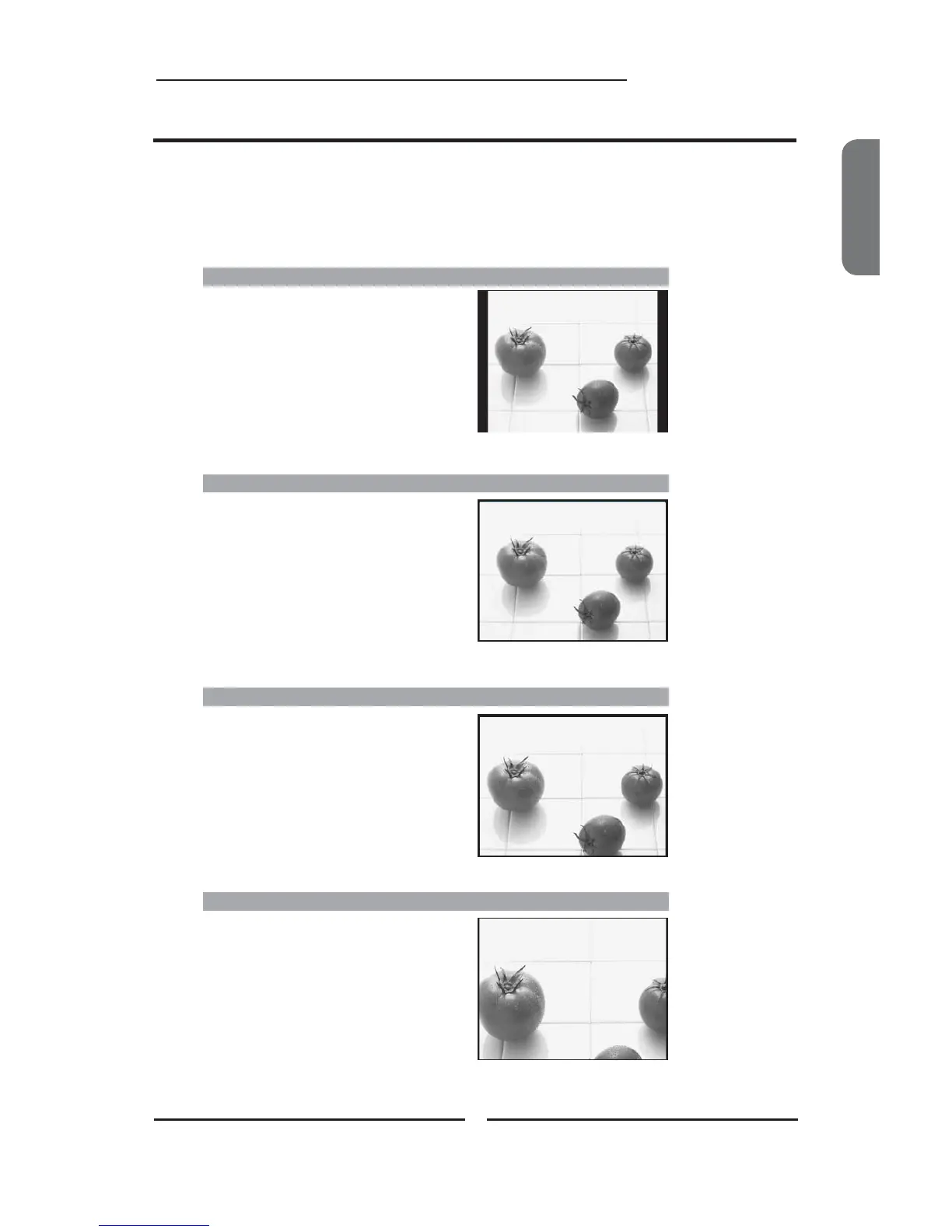
WIDE
Stretches the image vertically and
horizontally to fill the screen at 1:1.85
aspect ratio.
Widescreen function allows viewing of 4:3/16:9 images in wide screen mode, cycling through the
following wide screen settings. Press the P.SIZE button repeatedly to select the screen format
you want.
NORMAL
Displays at 4:3 aspect ratio.
ZOOM
Stretches the image vertically and
horizontally to fill the screen at 1:2.35
aspect ratio.
Widescreen Viewing
FULL
Stretches the image vertically and
horizontally to keeps the image size
consistent in the center of the screen and
stretches the sides.









 To Next Page