EasyManua.ls Logo

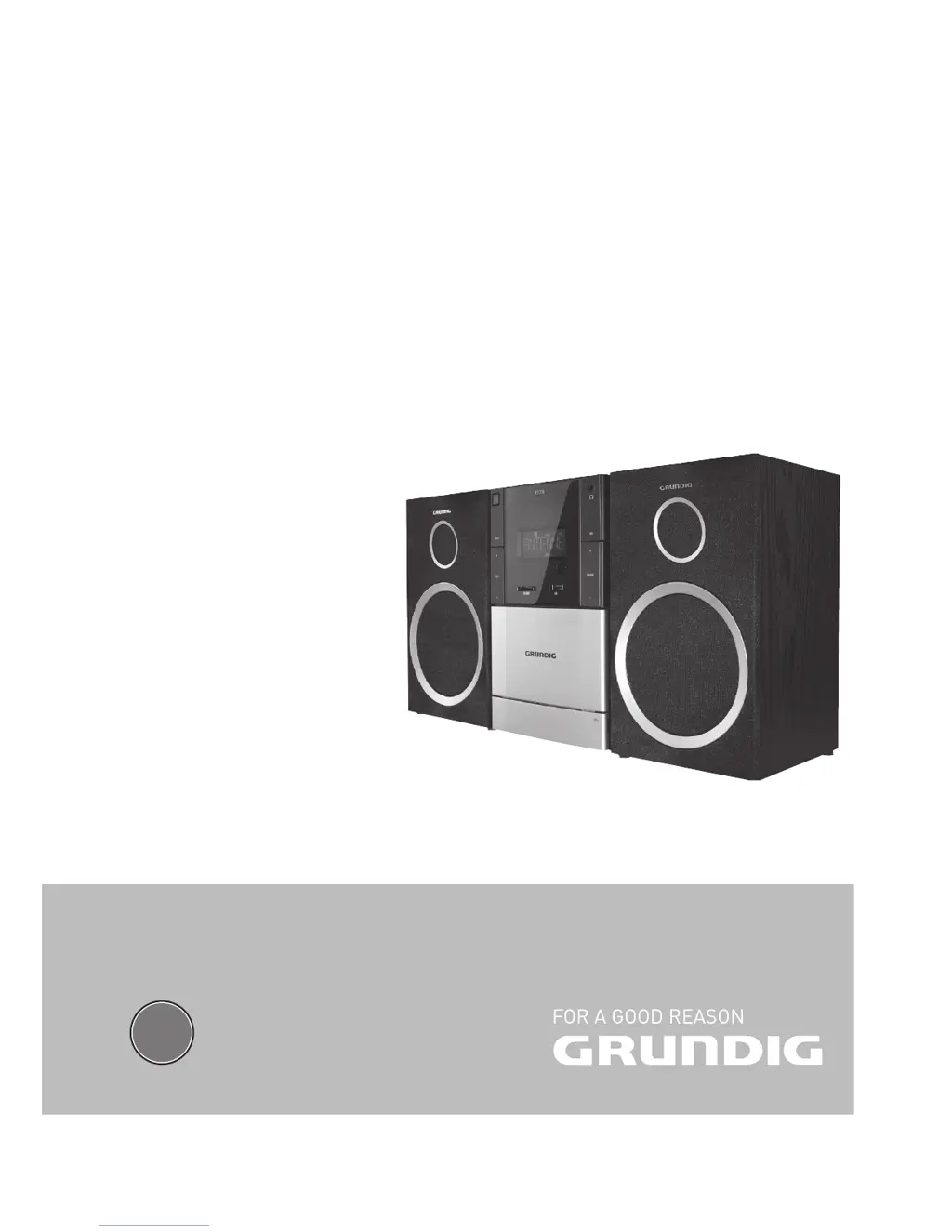
Grundig MS 235 - User Manual

Grundig MS 235
24 pages
Print Icon
To Next Page IconTo Next Page
Loading...
EN
MICRO HİFİ SYSTEM
MS 235

Table of Contents

Questions and Answers

  • K
    Kimberly SchaeferAug 16, 2025
    Why is the radio reception poor on my Grundig Stereo System?
    • M
      Mary DavisAug 16, 2025
      Poor radio reception on your Grundig Stereo System could be due to a weak signal. To improve it, adjust the antenna or connect an external antenna. Also, increasing the distance between the stereo system and your TV might help.
  • C
    Cynthia DavisAug 19, 2025
    What to do if my Grundig Stereo System remote control is not working?
    • W
      walkerrobertAug 19, 2025
      If your Grundig Stereo System remote control isn't working, try the following: Ensure you've selected the correct source (like CD or TUNER) before pressing any function buttons. Reduce the distance between the remote and the system. Make sure the batteries are correctly inserted with the proper polarities (+/– signs). If that doesn't work, replace the batteries. Finally, ensure you are pointing the remote directly at the IR sensor on the system.
  • B
    brian14Aug 22, 2025
    How to fix sound issues on my Grundig Stereo System?
    • B
      Bobby ChavezAug 22, 2025
      If you're experiencing sound issues with your Grundig Stereo System, try these steps: First, adjust the volume. If headphones are connected, disconnect them. Check that the speakers are properly connected and that no stripped speaker wire is clamped.
  • J
    John MorganAug 25, 2025
    What to do if my Grundig Stereo System buttons are not responding?
    • D
      davisdavidAug 26, 2025
      If your Grundig Stereo System isn't responding when you press the buttons, remove and reconnect the AC power plug, then switch the system on again.
  • M
    marksbradleyAug 28, 2025
    What to do if my Grundig Stereo System displays 'NO DISC'?
    • F
      fcampbellAug 28, 2025
      If your Grundig Stereo System displays 'NO DISC', try these solutions: Insert a disc. Check if the disc is inserted upside down. Wait for any moisture condensation on the lens to clear. Replace or clean the disc. Use a finalized CD-RW or CD-R.
  • R
    Richard SimpsonAug 31, 2025
    Why does my Grundig Stereo System Clock/Timer setting keep getting erased?
    • T
      Tiffany ParkerAug 31, 2025
      The Clock/Timer setting on your Grundig Stereo System may be erased if there has been a power interruption or if the power cord has been disconnected. Reset the clock/timer to resolve this issue.
  • B
    beth76Sep 3, 2025
    What to do if my Grundig Stereo System won't record or playback?
    • S
      Shane WilsonSep 3, 2025
      If your Grundig Stereo System won't record or playback, clean the deck parts. Use only NORMAL (IEC I) tape. Apply a piece of adhesive tape over the missing tab space.
  • S
    Stephanie LeeSep 6, 2025
    Why won't my Grundig Stereo System play CD-Rs or CD-RWs correctly?
    • L
      Lisa HutchinsonSep 6, 2025
      If your Grundig Stereo System is not playing CD-Rs or CD-RWs correctly, it could be due to faulty software or hardware settings during burning, or the CD itself. Check the components of your CD burner/software or change the CD being used.
  • X
    xcareySep 8, 2025
    Why are the left and right sound outputs reversed on my Grundig Stereo System?
    • C
      Carmen JohnsonSep 8, 2025
      If the left and right sound outputs are reversed on your Grundig Stereo System, check the speaker connections and their locations.
  • B
    Brett MyersSep 12, 2025
    What to do if my Grundig Stereo System switches folders while playing a track?
    • D
      Daniel WeissSep 12, 2025
      If your Grundig Stereo System switches to another folder while playing a track, it might be due to a defective or invalid track or file in the current folder. Delete the defective file from the folder.

Summary

SET-UP AND SAFETY

General Safety Precautions

General instructions for safe setup and operation, covering ventilation, environment, and electrical safety.

CONNECTION AND PREPARATION

Connecting Loudspeakers

Instructions for connecting the left and right channel loudspeakers to the hi-fi system.

Mains Power Connection

Instructions for connecting the hi-fi system to the electrical mains supply.

CONNECTION AND PREPARATION

SETTINGS

Tuning and Storing Radio Stations

Instructions for finding and saving FM/AM radio stations to presets.

GENERAL FUNCTIONS

Selecting Input Sources

Guide to choose between different audio sources like CD, TUNER, USB, etc.

TUNER MODE

Selecting Tuner Source and Presets

How to select the tuner input and choose stored radio presets.

CD MODE

Inserting and Playing CDs

Detailed steps for inserting a CD and starting playback.

CD MODE

Playback Control

How to pause, resume, skip tracks, and search within tracks during playback.

USB AND SD;SDHC;MMC MODE

Playing USB;MP3 Content

How to play music files from USB devices and MP3 players.

Playing SD;SDHC;MMC Card Content

Instructions for playing music files from various types of memory cards.

CASSETTE MODE

Selecting Cassette Source and Playback

How to select the cassette player and start audio playback.

CASSETTE MODE

AUX MODE

Listening to External Sources

Connecting and listening to audio from external devices via the AUX input.

TIMER MODE

Setting and Using the Timer

Instructions for setting the timer to turn the system on/off at specific times.

INFORMATION

INFORMATION

Troubleshooting Common Issues

Solutions for common problems encountered with the hi-fi system.

Grundig MS 235 Specifications

General IconGeneral
CD PlayerYes
RadioFM
Cassette DeckNo
USB PortYes
Power Output20 W

Related product manuals