EasyManua.ls Logo

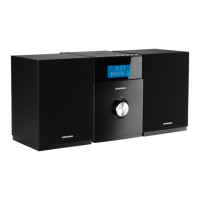
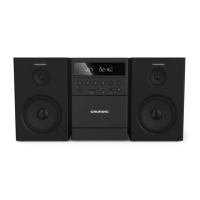
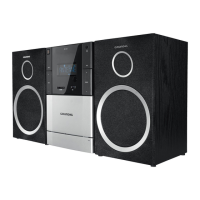
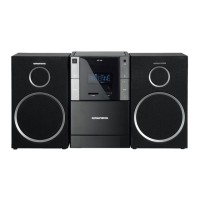
Grundig MS 530 DAB+ - User Manual

Grundig MS 530 DAB+
31 pages
Print Icon
To Next Page IconTo Next Page
Loading...
EN
MICRO HIFI SYSTEM
MS 530 DAB+
MS 540 DAB+

Table of Contents

Questions and Answers

  • C
    Calvin HughesAug 16, 2025
    What to do if the Grundig Stereo System remote control does not work?
    • R
      rickybensonAug 16, 2025
      If the remote control of your Grundig Stereo System isn't working, first ensure you've selected the correct input source before using the function buttons. Try holding the remote closer to the hi-fi, and ensure you're pointing it directly at the receiver on the front. Also, check the batteries' polarity or try inserting new batteries.
  • A
    Andrew NelsonAug 19, 2025
    How to fix »NO DISC« is displayed on Grundig MS 530 DAB+?
    • J
      Jacob MatthewsAug 19, 2025
      If your Grundig Stereo System displays »NO DISC«, try inserting a CD with the label facing upwards. If that doesn't work, the laser lens may have moisture; try wiping it clean. You can also try cleaning the CD or using a different one. Also, ensure that CD-RW/CD-R is finalised.
  • A
    Anthony ClarkAug 22, 2025
    Why is the sound too quiet or poor sound quality on my Grundig MS 530 DAB+ Stereo System?
    • H
      Heather WrightAug 22, 2025
      If you are experiencing poor sound quality or the sound is too quiet on your Grundig Stereo System, start by turning up the volume. Also, make sure that the loudspeakers are connected properly and check the loudspeaker connections. Finally, ensure the headphone jack is pulled out.
  • C
    Christopher WalkerAug 26, 2025
    How to improve poor radio reception on Grundig Stereo System?
    • S
      shollandAug 26, 2025
      To troubleshoot poor radio reception on your Grundig Stereo System, try repositioning the wire antenna. Additionally, move the hi-fi further away from the television.
  • V
    Valerie EvansAug 28, 2025
    What to do if Grundig Stereo System does not react when the buttons are pressed?
    • D
      Daniel KochAug 28, 2025
      If your Grundig Stereo System isn't responding when you press the buttons, disconnect the power cord from the mains plug, wait a moment, then reinsert it and switch the hi-fi back on.
  • C
    clarktonyAug 31, 2025
    Why does my Grundig MS 530 DAB+ sound wrong?
    • T
      Travis EvansAug 31, 2025
      If your Grundig Stereo System sounds wrong, ensure that the loudspeakers are connected properly.
  • C
    Clayton NielsenSep 3, 2025
    Why is time and timer setting not displayed on Grundig MS 530 DAB+?
    • K
      Kathleen WardSep 3, 2025
      If the time and timer setting are not displayed on your Grundig Stereo System, it might be due to a power failure or the power plug being disconnected. Set the time to resolve this.
  • X
    xkellySep 6, 2025
    How to fix the timer function on Grundig MS 530 DAB+ Stereo System when it does not work?
    • A
      amystricklandSep 6, 2025
      If the timer function on your Grundig Stereo System isn't working, first set the time. Then, activate the timer function.
  • K
    Kelly MartinSep 9, 2025
    What to do if CD-Rs or CD-RWs are not played back, or are played back incorrectly on Grundig MS 530 DAB+ Stereo System?
    • P
      parkerelizabethSep 9, 2025
      If your Grundig Stereo System is not playing CD-Rs or CD-RWs correctly, the CD might be faulty, or the software/hardware settings were incorrect during burning. Check your CD burner components and software, or try using a different CD.
  • R
    robertsmatthewSep 12, 2025
    Why does my Grundig MS 530 DAB+ switch to a different folder during playback of a track?
    • C
      Cynthia WhiteSep 12, 2025
      If your Grundig Stereo System switches to a different folder during track playback, it may be because the current folder contains a faulty track or one with an invalid name. The device automatically switches to another folder.

Grundig MS 530 DAB+ Specifications

General IconGeneral
BrandGrundig
ModelMS 530 DAB+
CategoryStereo System
LanguageEnglish

Related product manuals