EasyManua.ls Logo

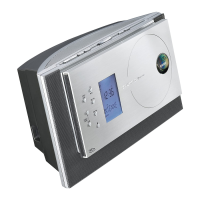
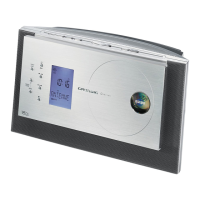
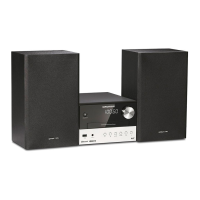
Grundig Oslo CDS 6690 USB - User Manual

Grundig Oslo CDS 6690 USB
28 pages
Print Icon
To Next Page IconTo Next Page
Loading...
HIFI MICRO SYSTEM
Oslo
CDS 6690 USB
ende

Table of Contents

Questions and Answers

  • D
    Dominic ShermanAug 10, 2025
    How to improve poor radio reception on Grundig Oslo CDS 6690 USB?
    • L
      larry15Aug 10, 2025
      If you are experiencing poor radio reception on your Grundig Stereo System, check the antenna connection. If you have a weak FM-stereo signal, switch to Mono. Also, keep the stereo system away from electrical devices like televisions, computers, neon lamps, thermostats, or motors, as they may cause interference.
  • J
    Jason CampbellAug 15, 2025
    How to fix no sound on my Grundig Oslo CDS 6690 USB Stereo System?
    • A
      Adrian StephensAug 15, 2025
      If your Grundig Stereo System has no sound, first ensure the volume isn't too low by increasing it. Check if headphones are plugged in and disconnect them. Verify the power cord is correctly connected. Also, make sure the mute function is deactivated.
  • J
    Jeffery MorrisAug 20, 2025
    Why is my Grundig Stereo System remote control not working?
    • M
      Maria SchwartzAug 20, 2025
      If your Grundig Stereo System remote control isn't working, the first thing to check is the batteries. Replace them if they are flat. Also, ensure that you are within the operational range of the stereo system with the remote.
  • M
    Michael PerryAug 26, 2025
    What to do if Grundig hi-fi system does not react when the buttons are pressed?
    • B
      bakerrachelAug 26, 2025
      If your Grundig hi-fi system isn't responding when you press the buttons, it might be due to a static electrical discharge. To resolve this, switch off the system, disconnect the power cable, wait a few seconds, and then plug it back in. Alternatively, you can press the »RESET« button.
  • W
    William Vasquez Jr.Aug 30, 2025
    Why does my Grundig Stereo System skip tracks on a CD?
    • L
      Lee JacksonAug 31, 2025
      If tracks are skipped on a CD played on your Grundig Stereo System, the CD might be damaged or dirty, so replace or clean the CD. Also, check if the PROGRAM (track memory) or RANDOM functions are active and deactivate them.
  • A
    Amy GarciaSep 4, 2025
    What to do if CD-Rs or CD-RWs are not played back correctly on Grundig Oslo CDS 6690 USB Stereo System?
    • D
      Dr. James ThomasSep 4, 2025
      If your Grundig Stereo System isn't playing CD-Rs or CD-RWs, or is playing them back incorrectly, the issue could stem from faulty software or hardware settings used during the burning process, or the CD itself may be the problem. Check the components of your CD burner and software, or try using a different CD.

Grundig Oslo CDS 6690 USB Specifications

General IconGeneral
TypeStereo System
CD PlayerYes
USB PortYes
FM RadioYes
Aux InputYes
Speaker Configuration2.0
Playable FormatsCD, MP3, WMA
TunerFM
ModelCDS 6690 USB
Power Output100 W (Total)
RadioFM
Speakers2

Related product manuals